
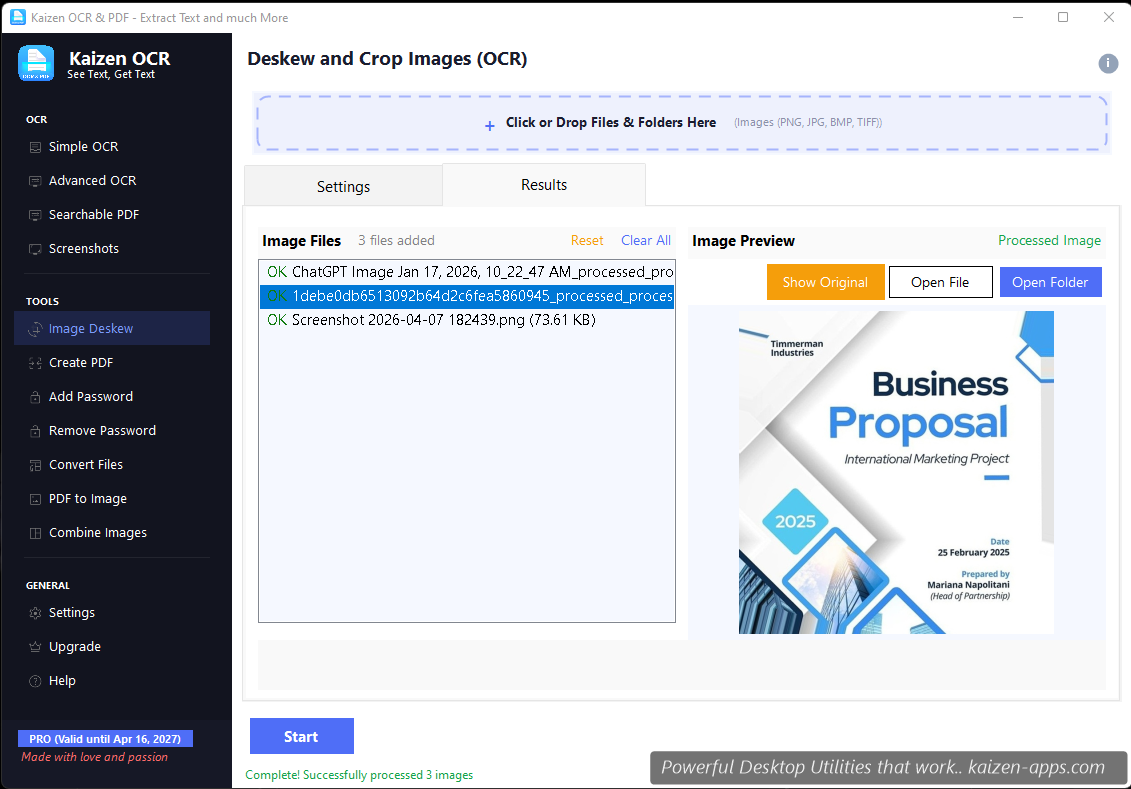
What it does
Photographed or scanned pages are rarely perfectly aligned. Image Deskew detects the document's edges, computes the perspective transform needed to flatten it into a clean rectangle, and outputs the straightened result.
Workflow
- Drop the skewed image(s).
- Kaizen OCR auto-detects the document outline and shows a preview with the detected quadrilateral.
- If the detection is off, drag the corner handles to correct it manually.
- Click Deskew. The output is saved to your chosen folder.
When to deskew before OCR
Always, if the source is a phone photo of paper. Simple OCR and Advanced OCR both benefit — straightened text gives 5–15% better recognition on average. For moderately skewed scans, Advanced OCR's built-in deskew preprocessing is enough; for heavily skewed or perspective-distorted photos, run Image Deskew first.
What it can and can't handle
- Good: document edges visible against a contrasting background (paper on desk)
- Good: moderate rotation up to about 30°
- Good: perspective distortion (photo taken at an angle)
- Tricky: cluttered backgrounds (manually correct the quadrilateral)
- Not handled: curled / folded paper (physical artefacts can't be un-done)
Free tier
7 runs on Free.
Kaizen OCR & PDF
Extract text from any image or PDF, edit, convert and OCR — fast, accurate and fully offline on Windows.
Get Kaizen OCR & PDF →Free download