Take back
your screen.
Block distracting sites and apps, set daily limits, and schedule downtime on Windows — then see exactly where your hours went. For yourself, your family, or your team. Fully offline; your data never leaves your PC.
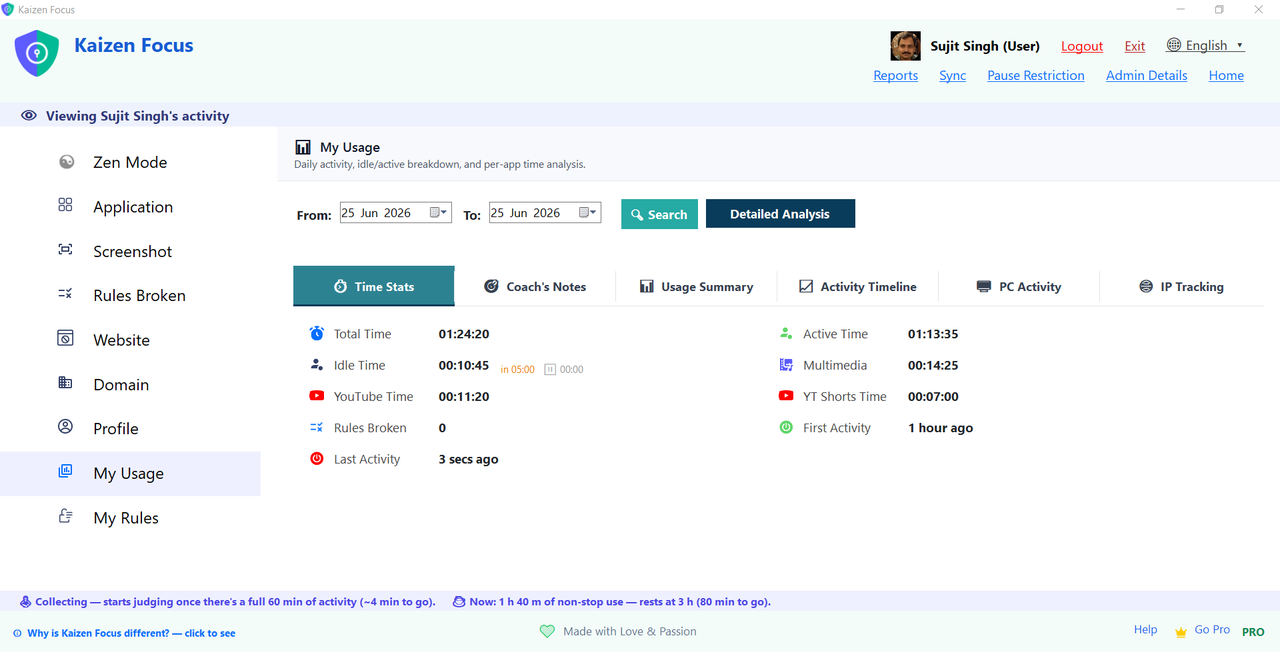
Block a site, an app, or one YouTube channel.
Add twitter.com to the blocklist and every browser on your machine refuses to load it. Block a single YouTube channel and the rest of YouTube still works. Block an app like Steam or Discord and Focus closes it during restricted hours.
- Reads URLs via the Windows UI Automation API — no extensions, works across all major browsers
- Block a full domain, a specific URL, or one YouTube channel (or just Shorts)
- Process-level blocking for desktop apps
- Full-screen lock on violation — resists Alt+F4, mutes audio, hides the taskbar
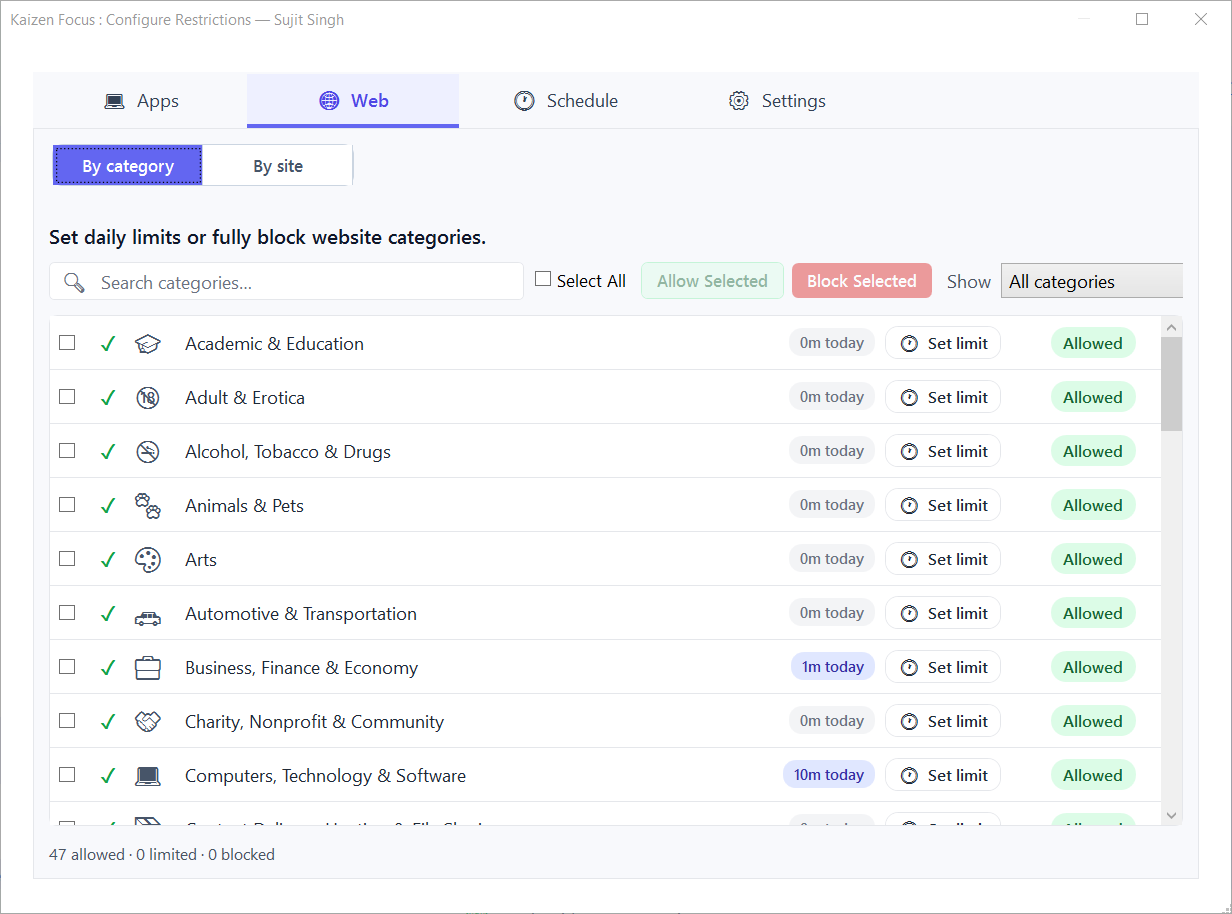
YouTube 60 min. Instagram 30. Netflix weekends only.
Give any app or website a daily time budget. Focus tracks usage in real time and blocks it for the rest of the day when the budget runs out — then resets at midnight. Every day of the week can have its own limit: strict on weekdays, relaxed on weekends.
- Per-app, per-website daily limits with a separate value for each weekday
- Group several apps into one shared budget (e.g. "Social: 45 min/day")
- Built-in for YouTube, Shorts, Instagram, TikTok, Facebook, Netflix, Reddit and more — add unlimited custom apps
- Watch remaining minutes count down live on the dashboard
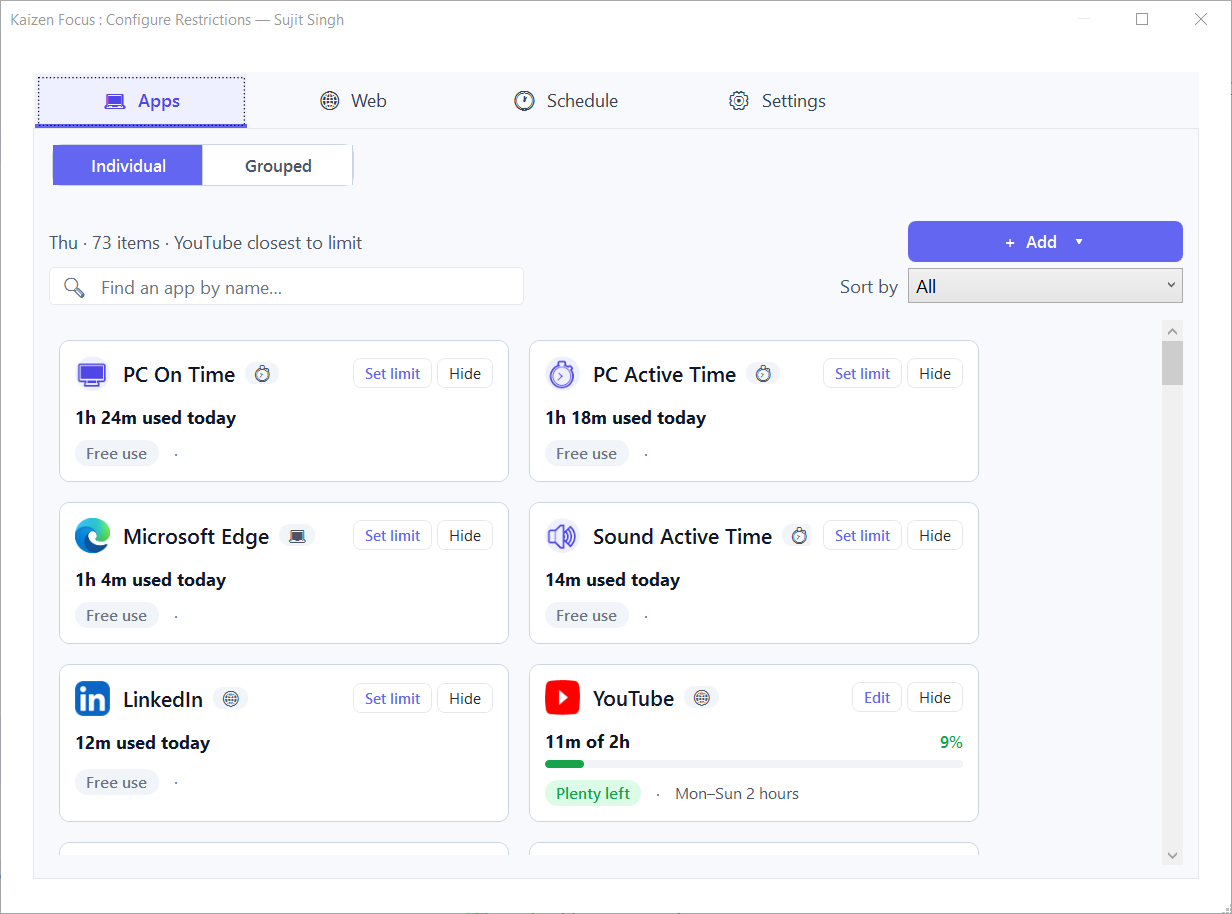
Hard-block everything from 9 pm to 7 am.
Downtime is a hard stop: during your scheduled window every app and site is blocked. Free Time carves out the exceptions — whitelist a meditation app, a reading app or a calculator so they stay open even during downtime.
- 1 downtime window free; up to 4 windows on Pro for multiple cut-offs a day
- Up to 4 Free Time windows that punch holes in downtime
- Windows wrap past midnight and re-check on the wall clock
- Sort every app and site into Productive / Neutral / Unproductive for cleaner reports
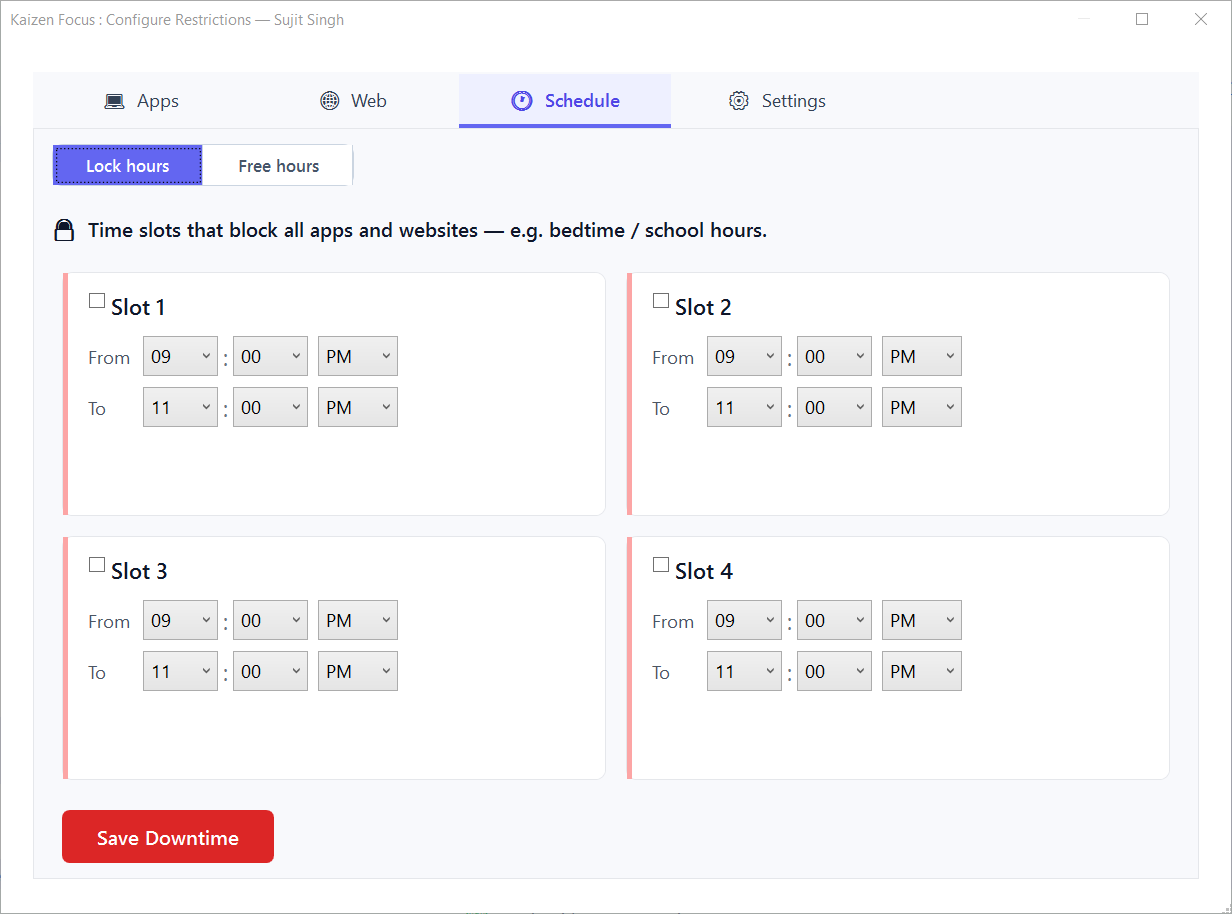
Know exactly where your hours went.
Focus quietly logs every app and website. The activity timeline breaks your day into 30-minute bars, and usage summaries roll up active vs idle time, YouTube, Shorts and rules broken — so the picture is impossible to argue with.
- Activity timeline at 30-minute resolution, with active-vs-idle detection
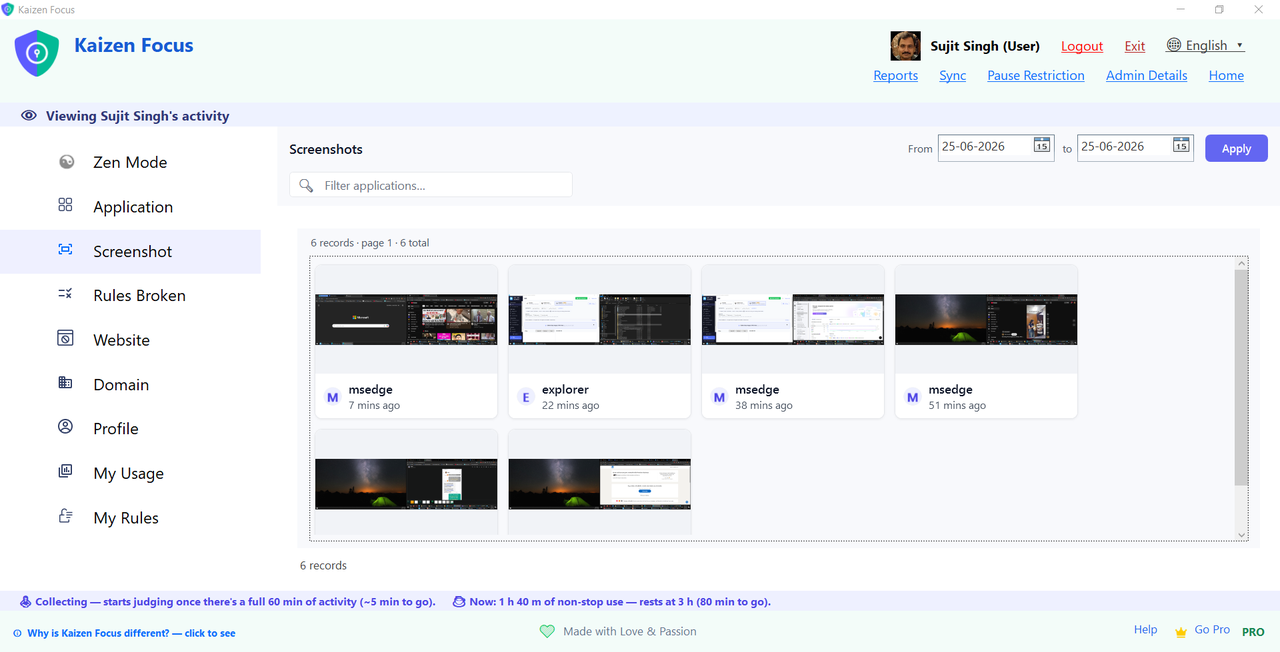
- Optional periodic screenshots — visual proof, kept on-device, admin-only to delete
- Daily / weekly / monthly email reports with charts (Pro)
- Attach screenshots to reports for parents or managers (Pro)
For yourself, your kids, or your team.
One admin holds a 4-digit PIN; rules apply to any number of user accounts. Built for real families after every cloud-based alternative fell short — lightweight, local-only, and granular enough to block a single channel.
Yourself
Be your own admin. Set up your restrictions, lock them behind a PIN, and trust your future self not to know it. Great for solo deep work.
Your family
Each child gets their own rules, timeline and limits. Pause requests can flow to you for one-click email approval — no shared password.
Your team
Set minimum working hours, define tracked hours, and get reports. Accountability for small in-house or remote teams, without per-seat cloud fees.
Your data never leaves your PC. Period.
Focus watches every app and website and how long each is used — but none of it is ever sent anywhere. Everything is stored locally on your device. No tracking, no ads, no model-training on your activity, and no location or IP address kept — Focus tells our licence server only that a given version is alive. The one exception is opt-in and yours to switch on: link several PCs into an office and enable online access, and that office’s rules and a daily activity summary sync so you can see them in a browser — off unless you enable it, and never for a single-PC install. Rules that hold, too: closing the window doesn't stop enforcement, a watchdog restarts Focus if it's killed, and settings stay locked behind the admin PIN.
Check the office from any browser
Linked several PCs into an office? Sign in to Kaizen Focus Web and see each PC’s activity summary from your laptop or phone — no remote desktop, and no walking over to someone’s machine to look.
- Sign in with your Admin Code or a license key — then a 6-digit code goes to your office email, so a leaked code alone gets nobody in
- Per-PC daily activity: active and idle time, top apps and sites, and which rules were hit
- Off until you switch it on from your main PC — turning it back off ends every signed-in session immediately
- Nothing extra to buy: it comes with the licences you already have, one per PC
Start free. Upgrade when you're ready.
Free covers website & app blocking and screenshot monitoring. Pro adds daily limits, extra downtime windows, and email reports.
Free
- Website & app blocking
- Block YouTube channels & Shorts
- 1 downtime window
- Activity timeline & usage
- Daily limits & email reports
Pro
- Everything in Free
- Per-app & per-website daily limits
- Up to 4 downtime + 4 Free Time windows
- Screenshot monitoring & app groups
- Daily / weekly / monthly email reports
- Priority email support
Lifetime
- Everything in Pro
- No renewals, ever
- Lifetime updates
- Use across your devices
- Priority support
Already bought Focus? Renew or upgrade your licence →
Kaizen Focus vs Cold Turkey and FocusMe
The three blockers people most often compare. Focus is the only one built around a free tier, a one-time lifetime option and fully offline data.
| Feature | Kaizen Focus | Cold Turkey | FocusMe |
|---|---|---|---|
| Pricing model | Free version · Pro yearly · Lifetime one-time (see pricing) | Paid licence; free version is limited | Paid — subscription or licence |
| Block websites & apps | Yes — by URL, domain or Windows app | Yes | Yes |
| Per-app daily limits | Yes — separate value for each weekday | Yes | Yes |
| Schedules / downtime | Yes — 1 slot free, up to 4 on Pro | Yes | Yes |
| Parental controls | Yes — family mode, per-child rules, admin PIN | General blocking | General blocking |
| Employee / team mode | Yes — office view from any browser | General blocking | General blocking |
| Screenshot monitoring | Yes — kept on-device | No | No |
| Activity reports | Daily / weekly / monthly email reports (Pro) | Limited stats | Usage stats |
| Privacy / offline | Yes — nothing leaves your PC, no account | Local app | Account-based |
| Platform | Windows 10 & 11 | Windows & Mac | Windows & Mac |
Detailed side-by-side pages: Cold Turkey alternative · FocusMe alternative · Freedom alternative · Qustodio alternative. Competitor details are as published by each vendor and may change.
Common questions
Does Focus need admin rights?
Which browsers does it block?
Can it really block just one YouTube channel?
Can my kid just uninstall Focus or close the window?
Does it work offline?
How is it different from a browser extension blocker?
Can I see my office’s activity online?
How do I renew when my year runs out?
Can I get a refund?
Already a customer? Renew or go lifetime
Enter your license key to extend one PC by a year ($29) or switch it to lifetime ($149). Running an office? Enter your Admin Code and every linked PC is listed with its own expiry date — choose a term per PC and pay for all of them at once. Every PC shows the exact date it moves to before you pay. You keep the same key, and renewing early adds to your current expiry instead of replacing it.