
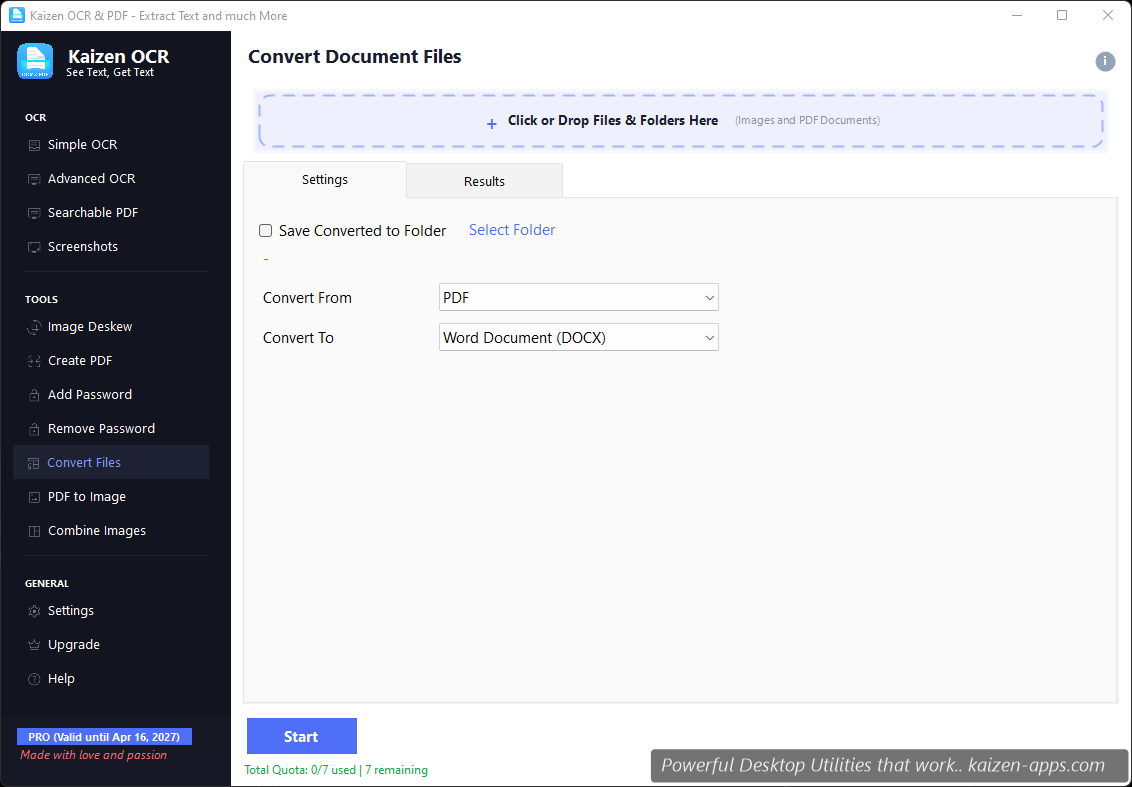
Formats supported
Images: PNG, JPG/JPEG, BMP, TIFF, WEBP, GIF
Documents: PDF
Workflow
- Drop your source files.
- Pick the target format.
- (Optional) Set quality for lossy formats (JPG, WEBP).
- Pick the output folder.
- Click Convert.
Image to PDF
Select images, pick PDF as target. Kaizen OCR produces a single PDF with one image per page, in the order you dropped them. For more control (reordering, blank inserts, annotations), use Create PDF instead.
PDF to image
Select PDFs, pick an image format as target. Each PDF page becomes a separate image file. This is effectively the same as PDF to Image from the dashboard — same output, different entry point.
Image to image
Batch convert a folder of PNGs to JPG, or resize a TIFF archive to WEBP for the web. The quality slider matters for JPG and WEBP — we default to 90%, which is visually lossless for most content.
Free tier
7 runs on Free. One run = one click of Convert, batch size unlimited.
Extract text from any image or PDF, edit, convert and OCR — fast, accurate and fully offline on Windows.
Get Kaizen OCR & PDF →Free download