Your child's phone was built by geniuses — to never be put down.
Reels, shorts and autoplay are engineered to capture young minds. For kids under 10, more than an hour a day is linked to shorter attention, more meltdowns and slower physical development. You can't out-willpower that. But you can set a hard limit.
What an hour of scrolling is really doing to them
This isn't about being a strict parent. It's about what the research keeps finding for children under 10.
Shrinking attention
Fast-cut videos train the brain to crave constant novelty. Reading, homework and sitting still start to feel unbearable.
More meltdowns, less patience
Endless instant gratification makes waiting feel impossible — joy at the phone, tantrums and defiance when it's taken away.
Stalled physical growth
Hours sitting and staring crowd out the active play young bodies need for coordination, sleep and eyesight.
Health bodies worldwide — including the World Health Organization and the American Academy of Pediatrics — recommend strict screen-time limits for young children. The studies are clear. The hard part is enforcing it.
You're not failing as a parent. You're outgunned.
YouTube, Shorts, Reels and Instagram are designed by some of the best engineers alive, tuned every day to maximise watch time. No child — and few adults — can win that with willpower. The only real defense is a limit the phone enforces for you.
Take the screen away, and watch what happens.
"Kids are bursting with energy. Cap the phone, and they'll fill the gap — with play, drawing, running, and the kind of boredom that turns into imagination."
You're not taking something away from your child. You're giving it back: their focus, their patience, their childhood. And with a clear limit, they learn discipline — 20 minutes means 20 minutes, every time.
One job, done perfectly
No dashboards, no accounts, no setup marathon. Just set, hand over, done.
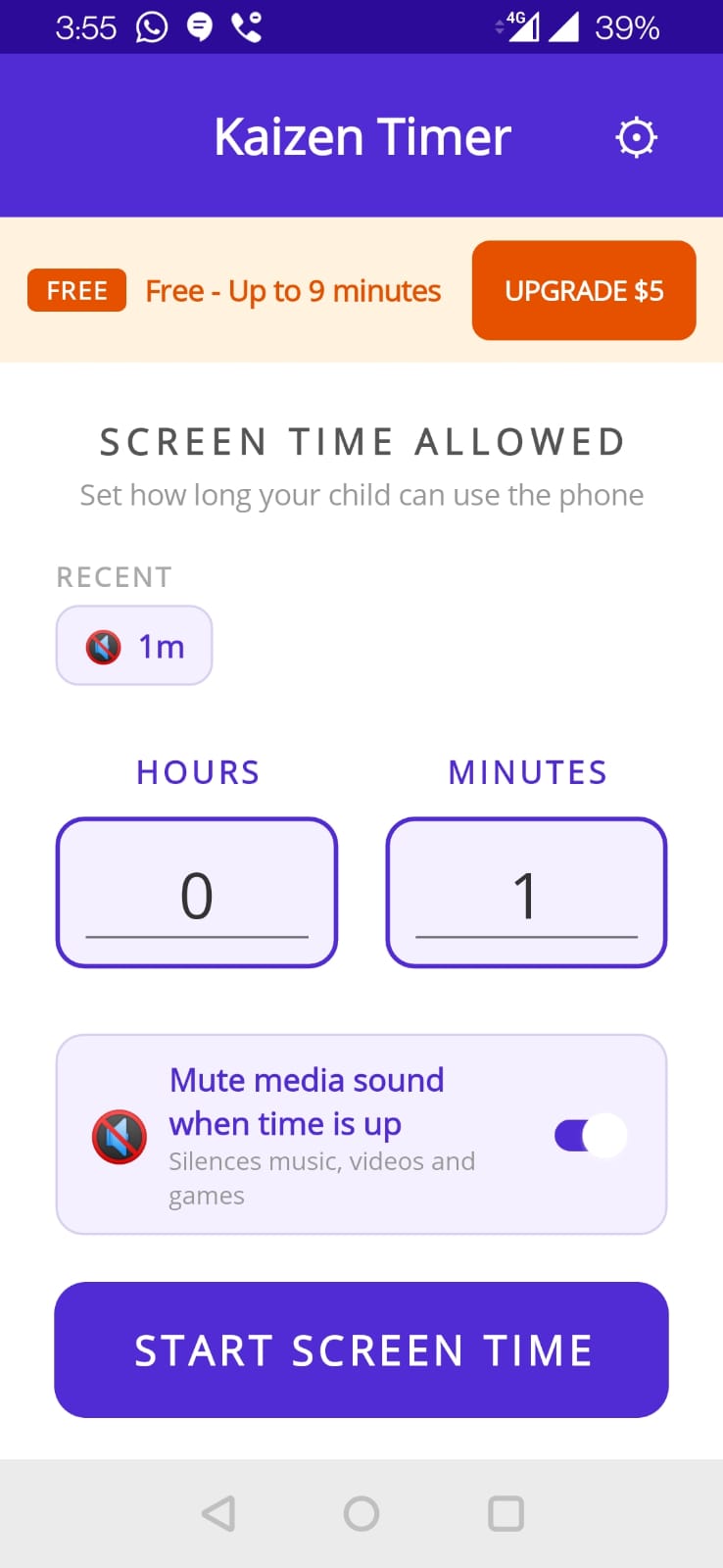
Pick a limit
Choose how long — 20 minutes, an hour, your call. One tap and you're ready.
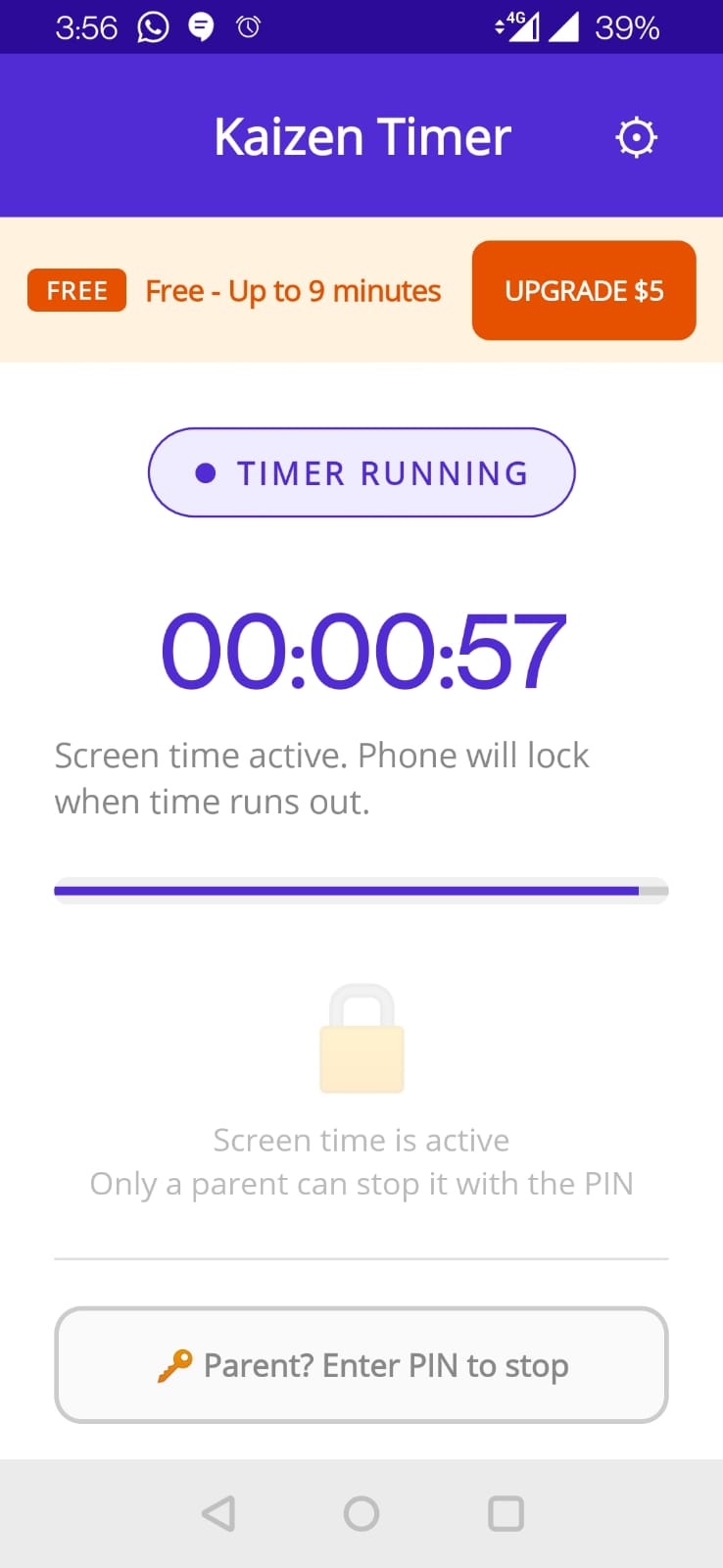
They watch, it counts down
Gentle warnings at 10, 3 and 1 minute left mean no abrupt cut-off and fewer tears.
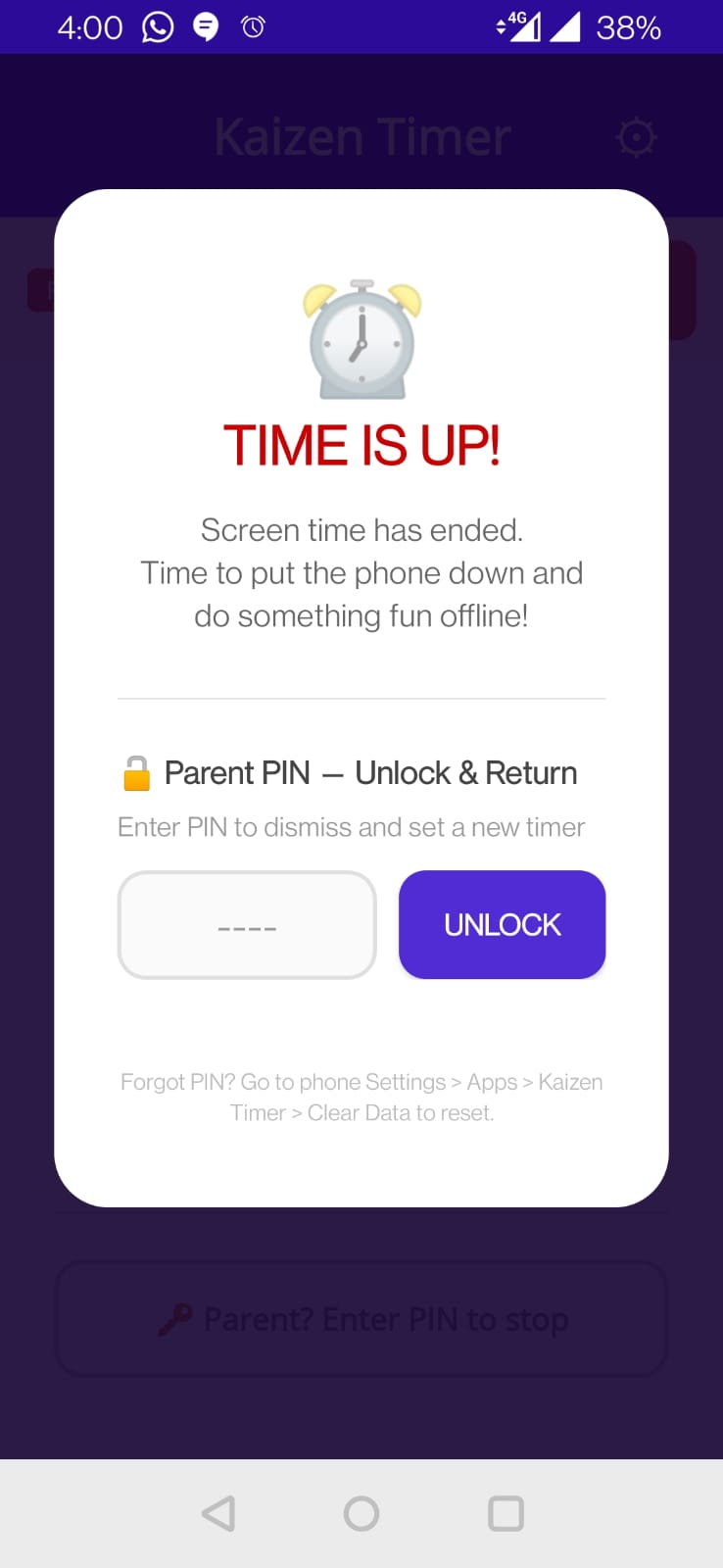
It locks. You hold the key.
A full-screen lock appears and audio goes quiet. Only your unlock reopens it — no swipes, no escape.
The opposite of the apps you're fighting
Most "screen time" apps are bloated, ad-filled, or quietly harvesting your family's data. This isn't.
Can't be bypassed
A real full-screen lock — no app-switching, no sneaky swipes, survives reboots.
Silences the content too
Optional "silence audio" mutes YouTube, games and music when locked — restored on unlock.
No ads, ever
Nothing trying to grab your child's attention. The opposite of the problem.
Zero tracking
No accounts, no analytics, no data collection. Fully offline.
Gentle warnings
Star alerts at 10, 3 and 0.75 minutes so kids can wrap up calmly.
One-tap easy
So simple you'll actually use it every day — which is what makes it work.
You're always in control
- Parent-only unlockYour phone unlock or a custom PIN — kids can't get past it.
- SOS extendNeed to grant a few more minutes? One tap, on your terms.
- Screen-time statsSee how long the phone's been used — stay aware, stay in charge.
Free to start. Yours forever when you upgrade.
Try it free. Upgrade once for longer limits — no subscription, ever.
Free
- Sessions up to 9 minutes
- Full-screen lock & parent unlock
- Warnings, audio silence & screen-time stats
- Use as often as you like
Pro — Lifetime
- Any time limit — 20, 45, 60 min, your call
- Everything in Free, unlimited use
- Lifetime updates · no subscription
- 3-day refund, no questions
Why charge at all? A fair price lets us keep building genuinely useful tools — with no ads and no selling your data.
Buying for a school or group? Reach out for group discounts. Refer a friend and we reward you both.
Built by a father — and used at home.
I built Kaizen Timer because I needed it for my own kids. It runs on the phones in my house every day. At Kaizen Apps, we use the tools we make — so they have to actually work, not just sell.
Give your child their attention back.
Start your first timer in three seconds. Free up to 9 minutes — upgrade only if you need longer.
No ads · No tracking · Fully offline · Buy once, yours forever