
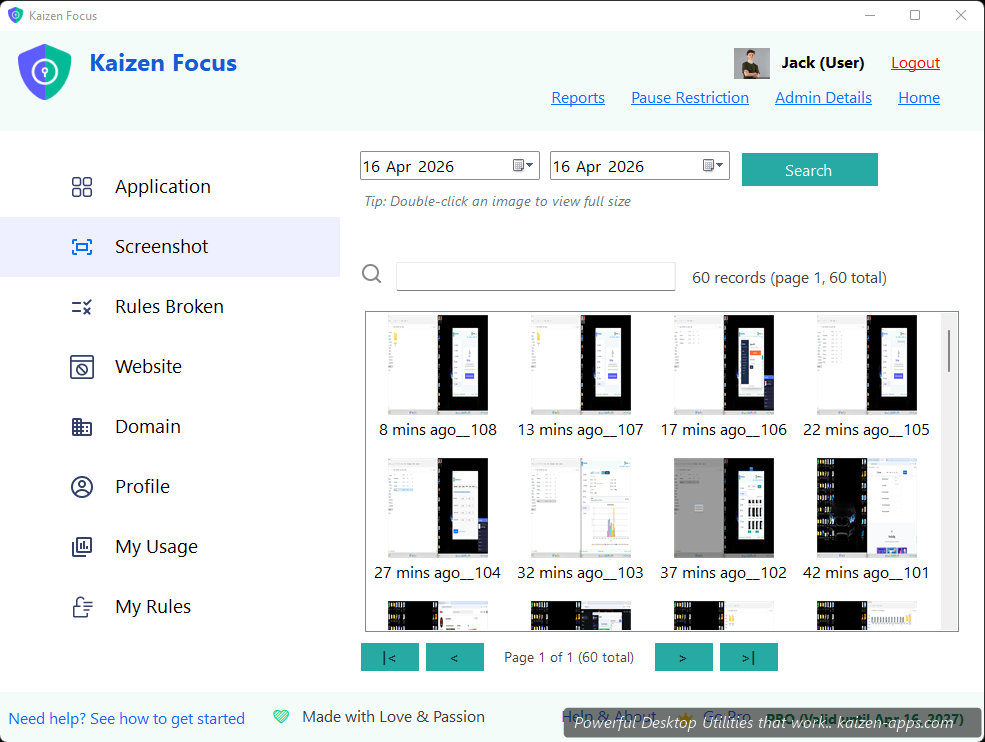
What gets captured
When screenshots are enabled for a user, Focus captures the active desktop at a configurable interval (default every few minutes). Captures are stored locally in the user's profile folder and grouped by 30-minute intervals in the gallery.
Enabling screenshots
- Open the user's profile → Settings.
- Tick Capture screenshots.
- (Optional) Tick Include in email reports — adds a collage to daily / weekly / monthly reports.
- Save, enter PIN.
Who can delete screenshots
By default, only admins can delete screenshots. There's a per-user toggle Allow user to delete own screenshots. For parent / employee modes, leave it off.
Storage management
- Screenshots are stored locally — no cloud upload unless you enable email reports with attachments.
- Focus auto-prunes old screenshots after a configurable retention period (default 30 days).
- Collage generator creates compact summary images for email reports (reduces email size drastically).
Privacy considerations
If you're using Focus for kids or employees, be transparent that screenshots are being taken. Focus doesn't pretend to be silent — but it's on you to communicate clearly.
Kaizen Focus
Block distracting sites & apps, set daily limits and schedule downtime on Windows — for yourself, your family or your team.
Get Kaizen Focus →Free download