
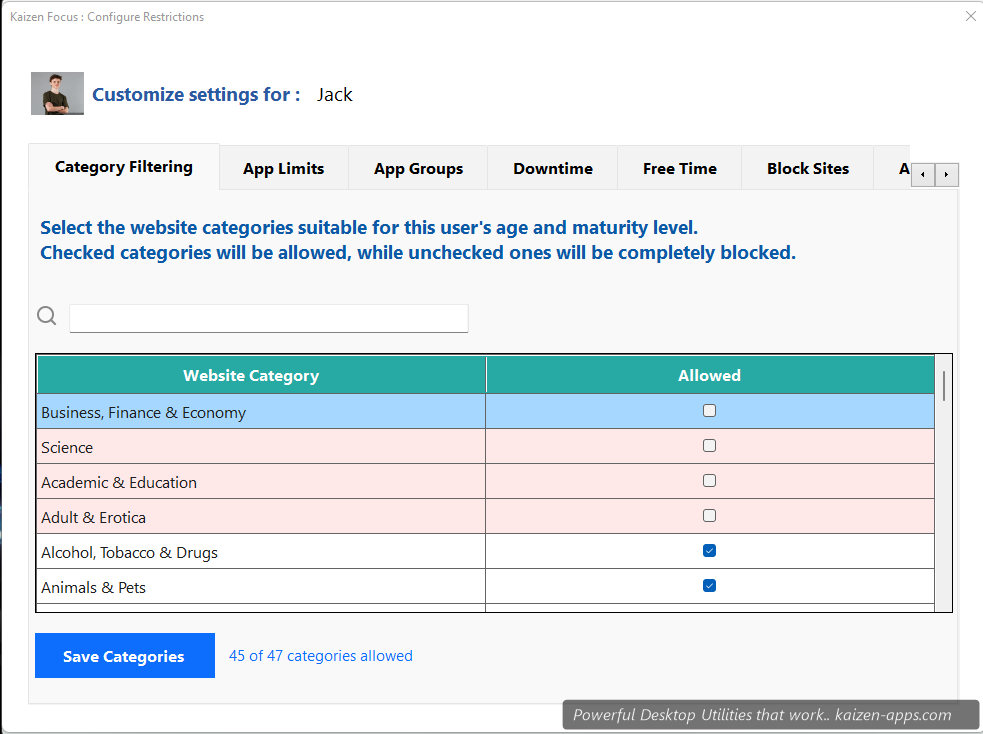
What the categories mean
- Productive — code editors, design tools, office apps, research sites, learning platforms
- Neutral — utilities, documentation, neutral browsing
- Unproductive — social media, entertainment streaming, news aggregators
How classifications get set
Focus ships with a server-maintained list of 1000+ common apps and domains with default classifications. Categories are fetched on first run and updated periodically.
Overriding a classification
- Open My Rules → Category Filtering.
- Find the app or domain in the list (or add a new one).
- Pick the category in the dropdown.
- Click Save, enter PIN.
Example: HackerNews defaults to Unproductive. If you work in tech, reclassify it as Neutral or Productive.
How categories appear in reports
Your daily / weekly / monthly activity timeline shows a colour-coded breakdown of Productive vs Unproductive minutes. Over time it's a useful signal for whether restrictions are working.
Kaizen Focus
Block distracting sites & apps, set daily limits and schedule downtime on Windows — for yourself, your family or your team.
Get Kaizen Focus →Free download