
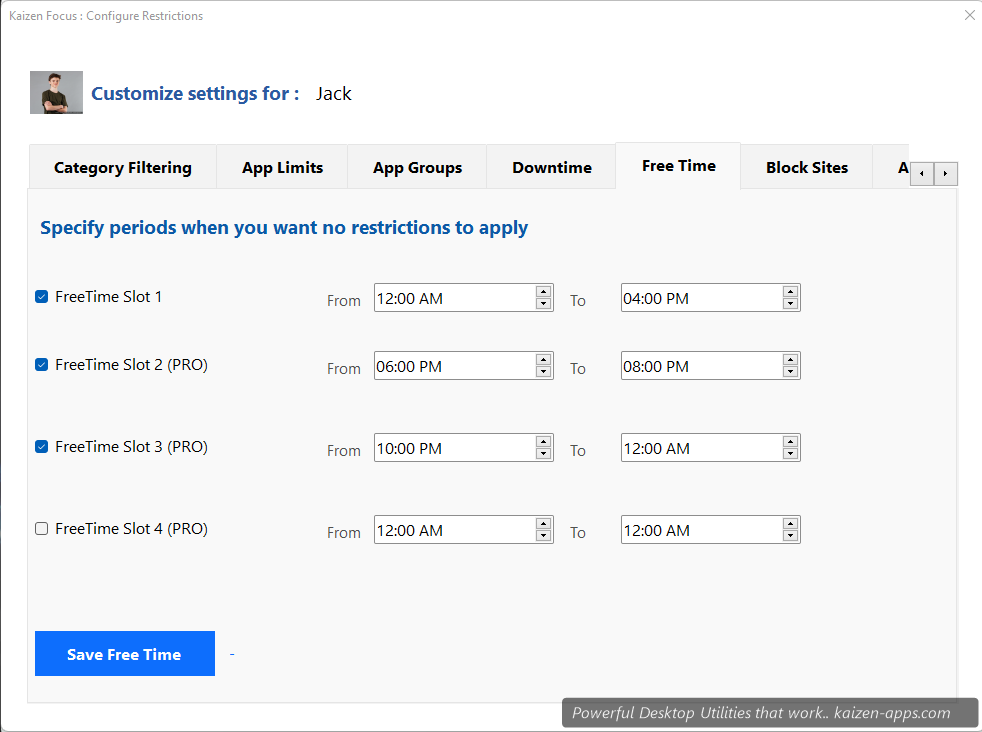
What Free Time does
Free Time carves exceptions out of Downtime. During a Free Time window, only the apps you've explicitly allowed work — everything else stays blocked.
When to use it
- A meditation app you want accessible during late-night Downtime
- An ebook reader for before-bed reading
- A specific work app during weekend Downtime if something's on fire
- A homework helper app for kids during their evening cutoff
Setting it up
- Open My Rules → Free Time.
- Add a Free Time window with From / To / days.
- Select which apps are allowed during that window.
- Click Save, enter PIN.
Free Time vs App Limits
Free Time only matters when Downtime is active. Outside Downtime, apps behave according to their App Limit budgets.
Tier differences
Free has one limited Free Time window. Pro has full flexibility with multiple windows and unlimited allowed apps.
Kaizen Focus
Block distracting sites & apps, set daily limits and schedule downtime on Windows — for yourself, your family or your team.
Get Kaizen Focus →Free download