
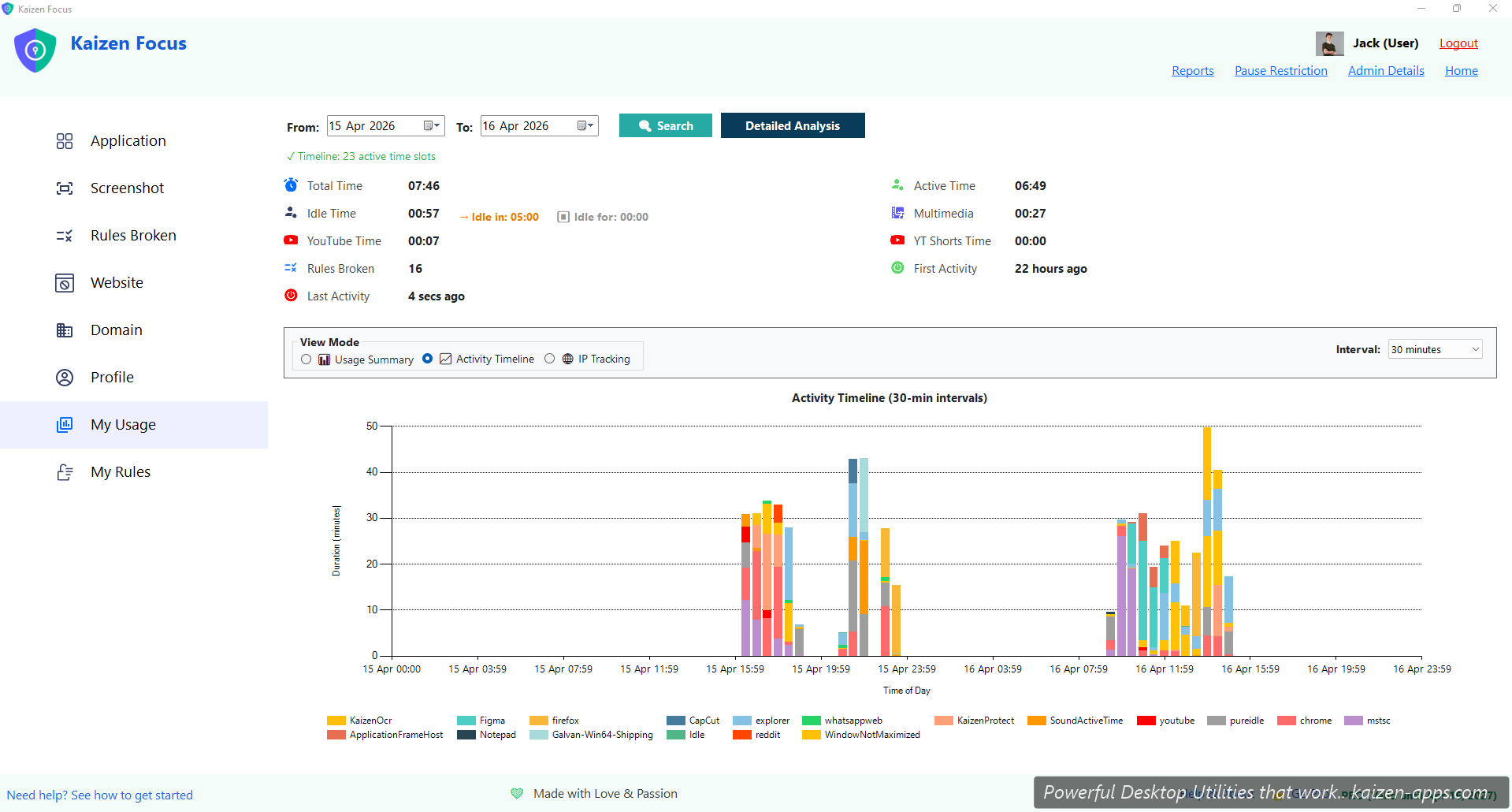
In-app view: My Usage
The My Usage tab shows the selected user's activity for a chosen date range. Three main parts:
- Activity timeline — stacked bar chart with 30-minute intervals. Colours indicate productive (green), neutral (grey), unproductive (red). Hover for the exact mix.
- Usage summary — Total Time, Active Time, Idle Time, YouTube Time, YT Shorts Time, Rules Broken count.
- Domain / app breakdown — which specific apps and websites consumed which minutes.
Active vs Idle
Focus detects idle automatically based on input activity. When you stop interacting for 5+ minutes, Focus retroactively reclassifies the recent window as idle — so it doesn't falsely log “you were on YouTube for 2 hours” when really you stepped away.
IP tracking
Each session logs the IP address you were on. Useful for answering “was the kid at home or at a friend's?”.
Email reports
If enabled, Focus sends HTML-formatted reports with embedded charts:
- Daily — end-of-day snapshot, sent between 8pm and 10pm (configurable)
- Weekly — aggregated 7-day summary
- Monthly — full month summary
Reports include activity timeline charts, top apps / domains, rules broken, and optionally a screenshot collage. Configure under Admin Details → Email reports.
Block distracting sites & apps, set daily limits and schedule downtime on Windows — for yourself, your family or your team.
Get Kaizen Focus →Free download