
What it is
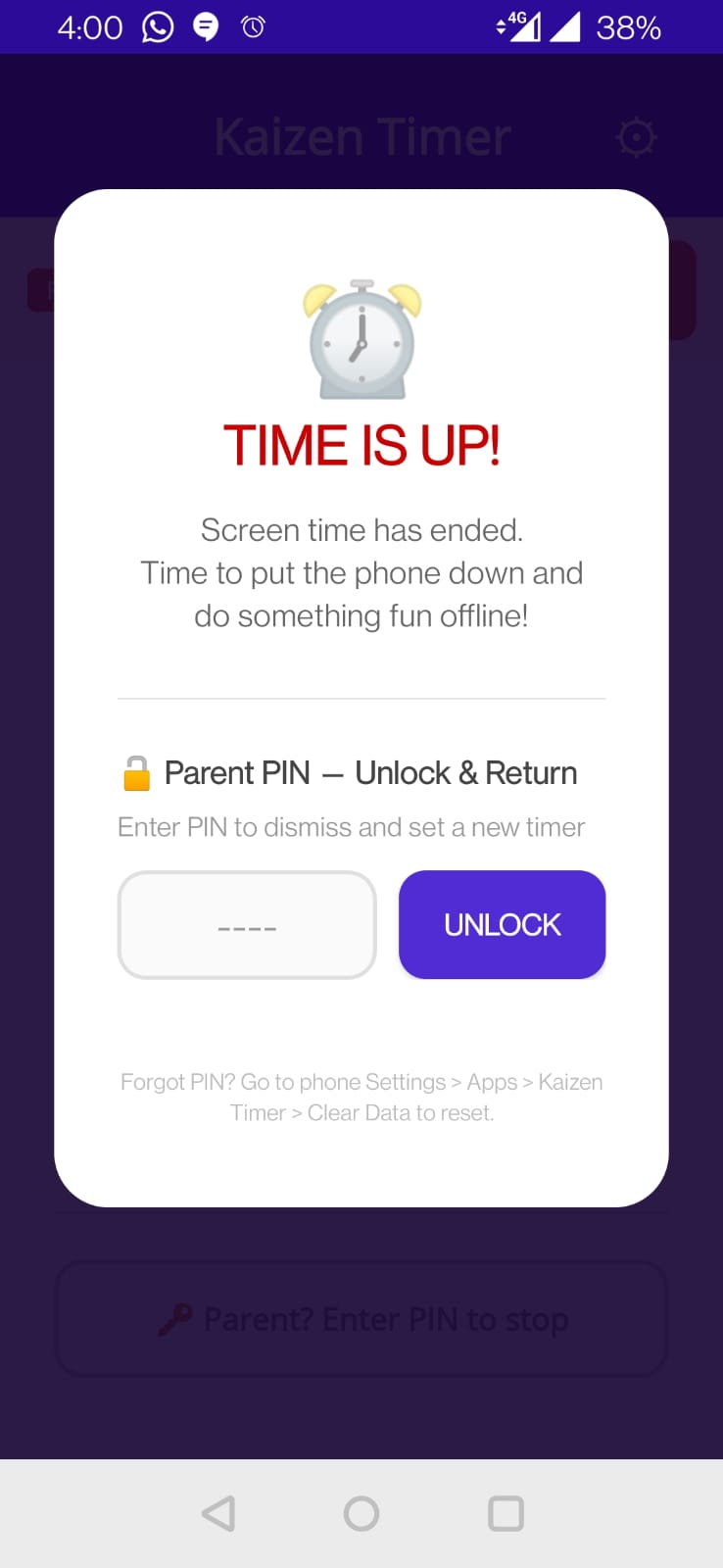
On the time-up lock screen, alongside the PIN entry, there's an SOS button: “SOS — Extend 2 Minutes, one-time per session”. Your child taps it to get a 2-minute extension without needing your PIN.
Why it exists
Strict end-of-time has a cost: frustration, resentment, and sometimes a ruined game state that was 30 seconds from saving. The SOS extension lets kids wrap up gracefully without defeating the purpose.
It's deliberately limited:
- +2 minutes only — enough to finish a level or save a document
- Once per session — not a loophole for infinite extensions
- Button greys out after use — visual confirmation
- Resets on next timer — the allowance is per-session, not per-day
Can I disable it?
Not currently — the SOS button is always available. Based on feedback we may add a Pro setting to disable it for strict setups. Let us know if you want it.
How the extension works
- Time expires. Lock screen appears.
- Child taps SOS Extend.
- Lock screen dismisses. Timer resumes for exactly 2 minutes.
- After 2 more minutes, the lock screen reappears. The SOS button is now greyed out.
- Only the PIN (or biometric) unlocks from here.
Warning sound
After the SOS extension, at 30 seconds remaining, Kaizen Timer plays a short beep so the child knows the second “time's up” is imminent.