
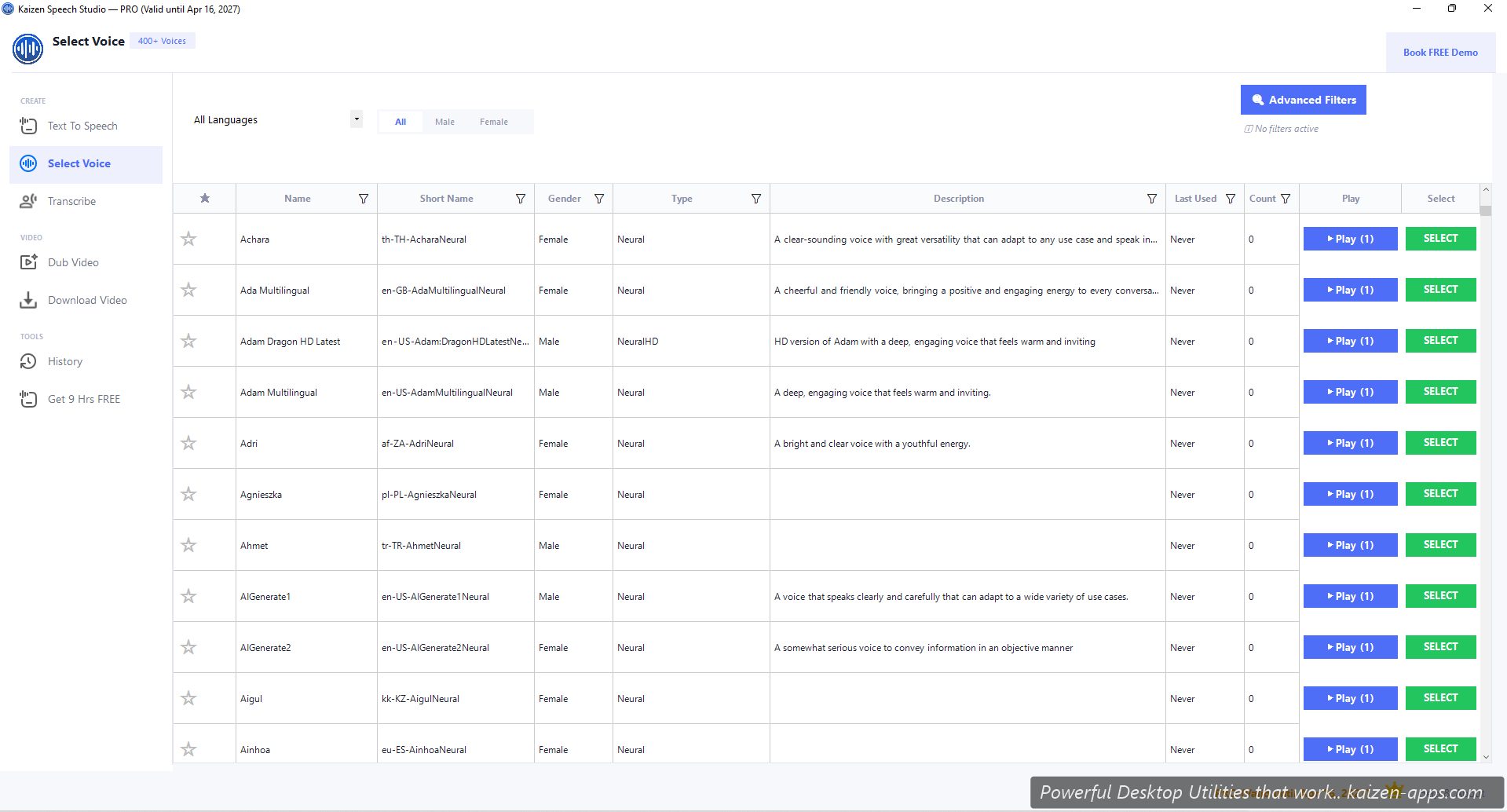
What's in the grid
Every voice Azure offers. Columns: Name, Short Name, Gender, Type, Description, Last Used, Usage Count, Play Sample, Select.
Voice types
- Neural — Azure's standard high-quality neural voices. 500+ of them.
- NeuralHD / Dragon HD Latest Neural — highest quality tier. Noticeably more natural on longer passages.
- MultiTalker — multi-speaker models (e.g.
en-US-MultiTalker-Ava-Andrew:DragonHDLatestNeural). Automatically generate dialog with two speakers in one SSML call.
Filters
- Gender: Male, Female, Neutral, or all
- Language: 80+ options, displayed as full language names
- Country / region: narrows within a language (e.g. English → US / UK / AU / IN)
- Speaker name: text search by voice name
- Advanced filters: personality tags (bright, cheerful, calm, formal, etc.)
Previewing voices
Click Play Sample next to any voice. Speech Studio plays a canned sample (typically a short phrase). For voices with style support, you'll see per-style sample buttons (hear how “cheerful Aria” differs from “serious Aria”).
Picking a voice
Click Select on any row. Speech Studio sets it as the active voice and returns to the Text-to-Speech tab.
Language codes
Voice Short Names follow <lang>-<region>-<voice>[:<variant>]. Examples:
en-US-AvaNeural— Ava, US Englishen-GB-SoniaNeural— Sonia, UK Englishhi-IN-SwaraNeural— Swara, Hindi (India)zh-CN-XiaoxiaoNeural— Xiaoxiao, Simplified Chineseen-US-Brian:DragonHDLatestNeural— Brian, HD variant
Usage tracking
The grid shows Last Used and Usage Count for each voice. Handy for rediscovering voices you liked last month.
Kaizen Speech Studio
700+ neural AI voices, transcription and AI video dubbing on Windows — one-time purchase, works offline.
Get Kaizen Speech Studio →Free download