
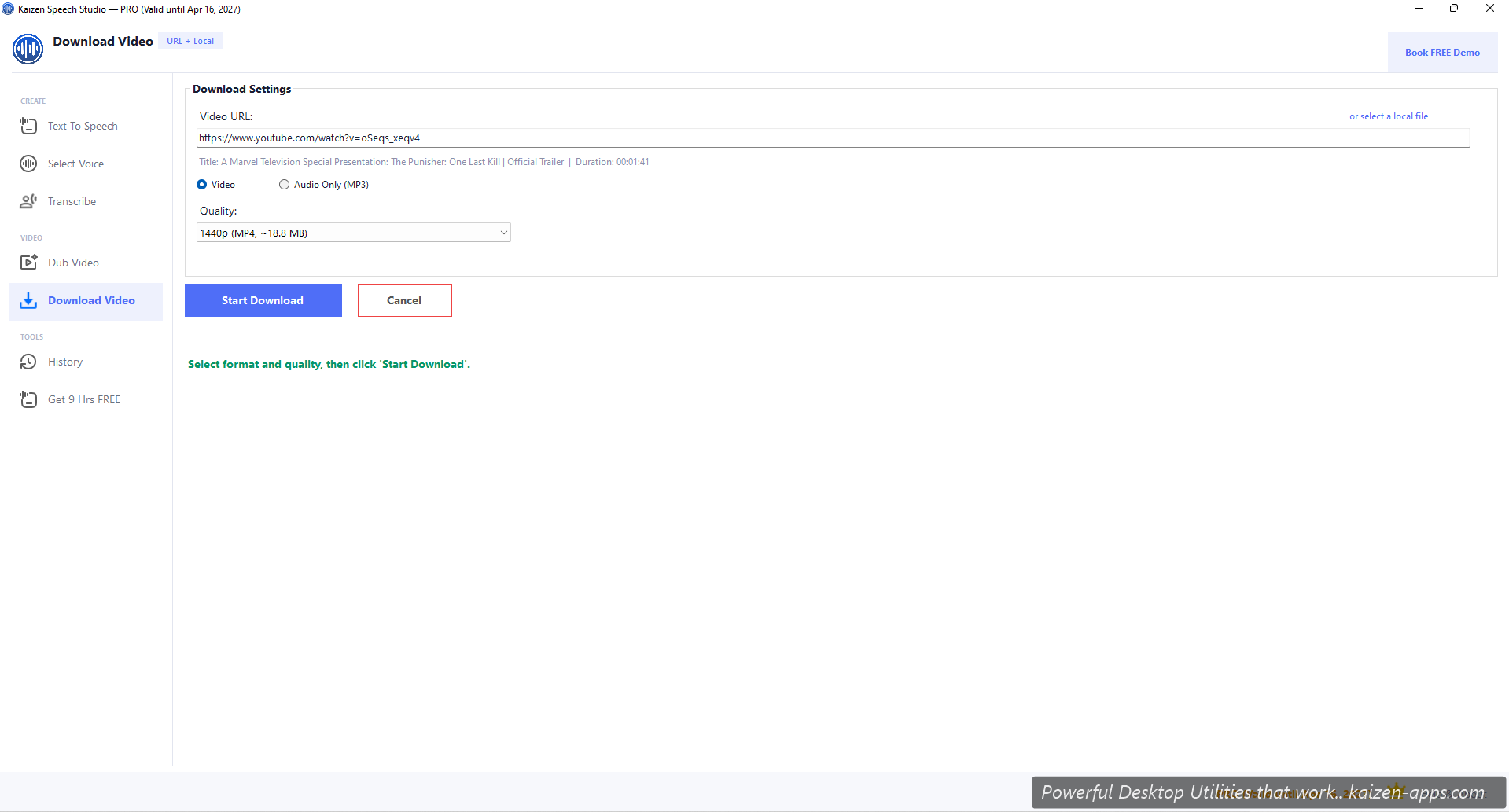
Flow
- Open Download Video.
- Paste a YouTube URL.
- Pick Video (full MP4) or Audio only (MP3 extract).
- Pick quality: up to 1440p for video, audio defaults to highest available.
- Click Start Download. Progress shows as the download runs.
Supported sources
YouTube is the primary supported source. Many other platforms work via yt-dlp under the hood, but YouTube is the only one officially tested.
Quality options
- 144p, 240p, 360p, 480p, 720p, 1080p, 1440p
- If the video doesn't exist at the requested quality, the highest available is used
- Audio-only mode extracts to MP3 at the best available bitrate
Use cases
- Feed a YouTube video into Dub Video to create a translated version
- Extract audio-only from podcasts hosted on YouTube
- Save educational content for offline viewing
Free vs Pro
- Free: 2 downloads per month (counter visible in UI)
- Pro: unlimited
Legal note
Respect copyright. Only download videos you have the right to save. YouTube's Terms of Service prohibit downloading without permission in most cases; many videos do have explicit permissions (e.g. Creative Commons) or downloadable officially. Don't let this tool be your excuse.
Kaizen Speech Studio
700+ neural AI voices, transcription and AI video dubbing on Windows — one-time purchase, works offline.
Get Kaizen Speech Studio →Free download