Give your words a human voice.
Paste your text, pick from 700+ natural Microsoft Azure voices in 80+ languages, and generate studio-quality audio in seconds — plus transcription, AI dubbing and more.
Studio-quality audio — without the monthly meter.
Most AI-voice tools charge a premium monthly subscription, forever. Speech Studio is a one-time license — and with your own Azure key, most creators never pay for audio at all.
The part everyone misses: free every single month.
The $1 trial credit lets you test voices right away — no Azure key needed. Then connect your own free Microsoft Azure key (BYOK) and Azure's free tier renews this allowance every month:
The usual way
A premium monthly subscription with per-character and per-minute caps. Stop paying and you lose access — and the price climbs as you scale.
The Kaizen way
A one-time license. Generous free audio every month via your own Azure key — and anything beyond it is billed by Microsoft at low pay-as-you-go rates, not a marked-up middleman fee.
| Typical AI-voice subscription* | Kaizen Speech Studio | |
|---|---|---|
| Pricing model | Monthly, forever | One-time — $49/yr or $99 lifetime |
| Free every month | Limited trial only | ≈ 9 hours TTS + 5 hours transcription (Azure free tier, BYOK) |
| Past the free tier | Higher tiers + per-character caps | Microsoft's low pay-as-you-go rates (billed by Microsoft, not us) |
| Cost over 3 years | ≈ $790 and climbing* | $99 once — then $0 within the free tier |
| You own it | No — rented | Yes — forever |
*Illustrative — AI-voice subscription prices vary by provider and plan. Azure usage beyond the free tier is billed directly by Microsoft at low pay-as-you-go rates.
One voice studio for every project.
From a weekly YouTube channel to a full audiobook — Speech Studio handles the whole pipeline on your desktop.
YouTube voiceovers
Narrate videos in a natural voice — no mic, no retakes. Pick a style, generate, drop it on the timeline.
Audiobooks
Turn TXT, PDF and Word docs into long-form narration — single generations as long as ~30 minutes.
E-learning
Clear, consistent narration for courses and training in 80+ languages — update a line, regenerate in seconds.
Podcasts
Intros, ads and full episodes — or blend multiple voices into a scripted dialogue with the SSML editor.
Apps & IVR
Generate prompts and in-app voice in dozens of locales — export to MP3 or WAV and ship.
Global reach
Dub a finished video into another language with AI Dubbing and reach an audience across the world.
700+ neural voices. Filter, preview, pick.
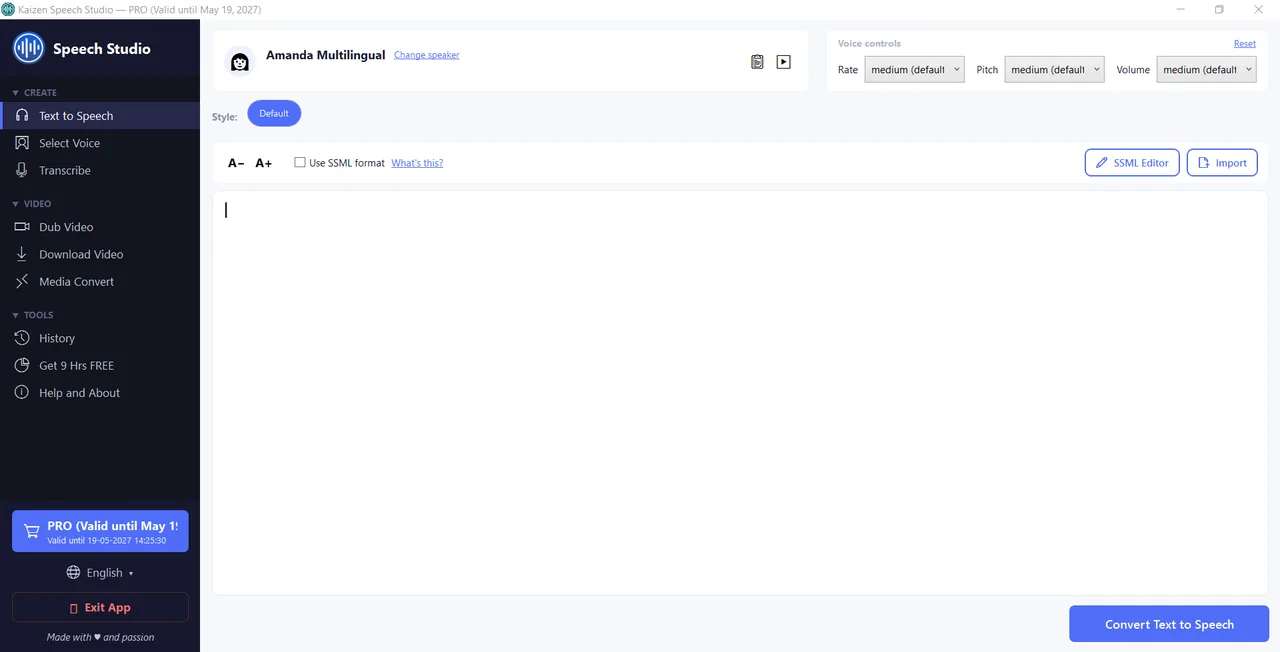
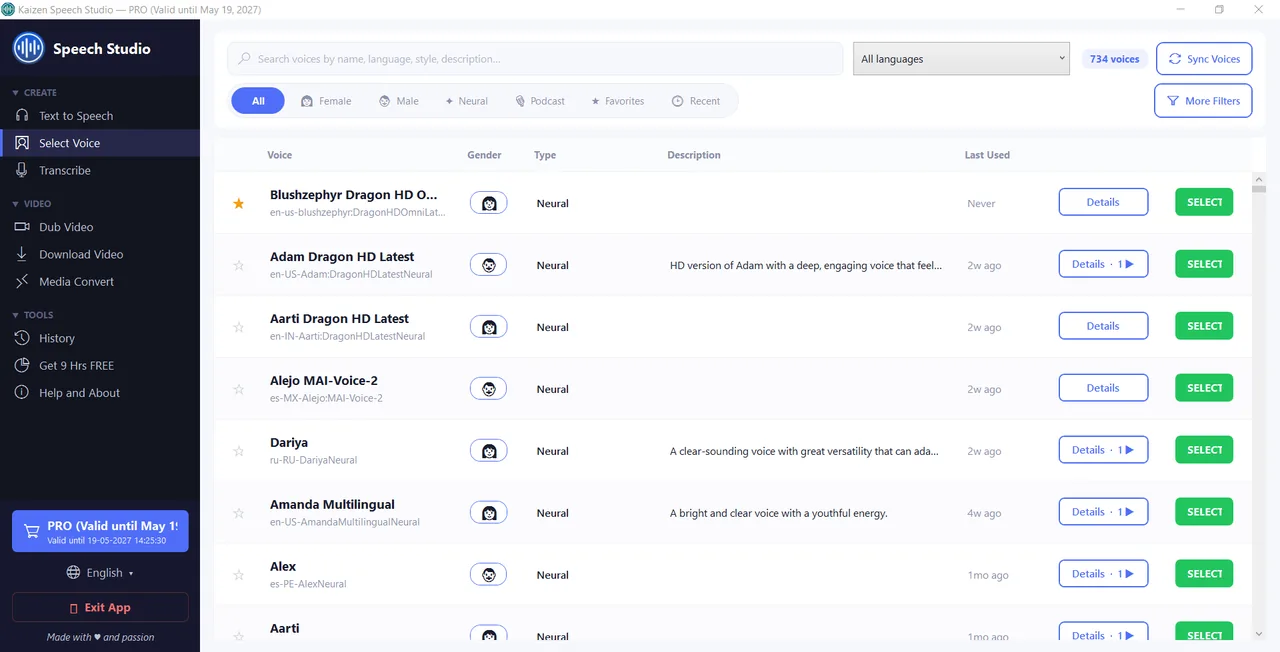
Every Microsoft Azure voice in one grid, with gender, type and a play-preview button. Filter by gender, age, language and country, then refine by style or scenario to find exactly the right read — across 80+ languages.
- Filter & refineBy gender, age, language, country, voice type, style and scenario.
- Per-voice style samplesHear "cheerful" vs "calm" before you commit a single character.
- Multi-voice SSML editorBlend many voices and styles in one script for dialogue and drama.
A whole voice & media toolkit.
Speech Studio doesn't stop at narration — it runs your entire voice and media workflow in one Windows app.
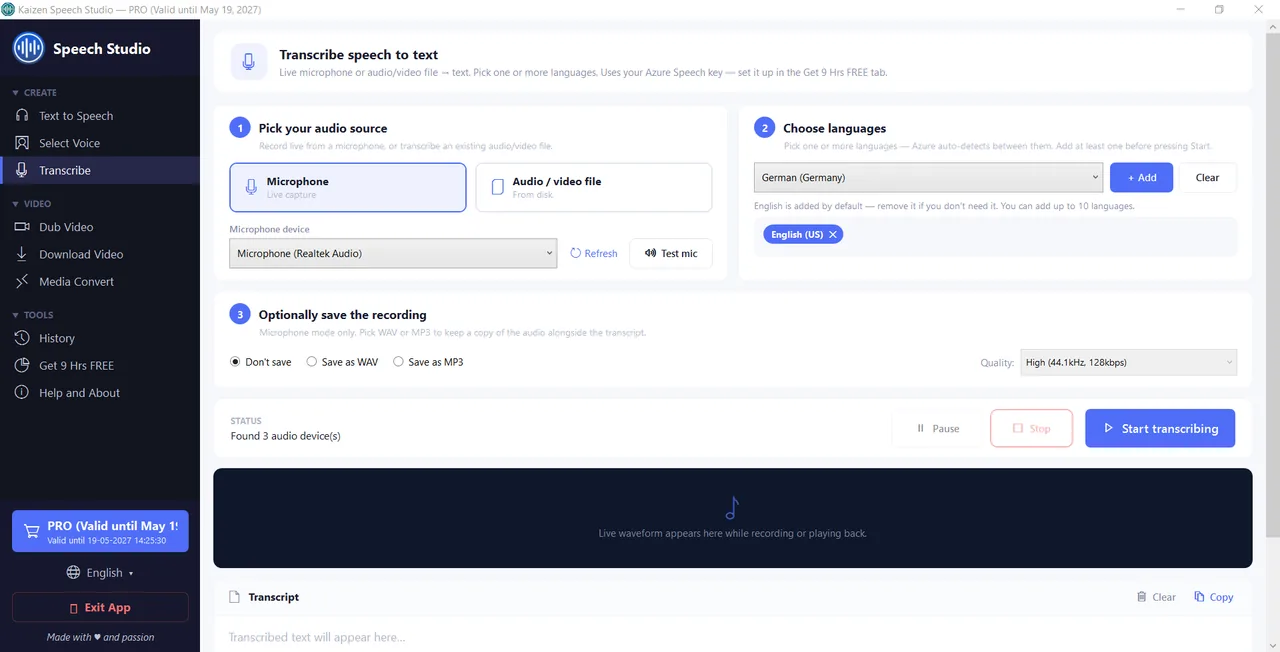
Live mic or audio file, into text.
Convert any audio to text — a file or a live microphone recording — with real-time waveform, auto language detection and one-click export.
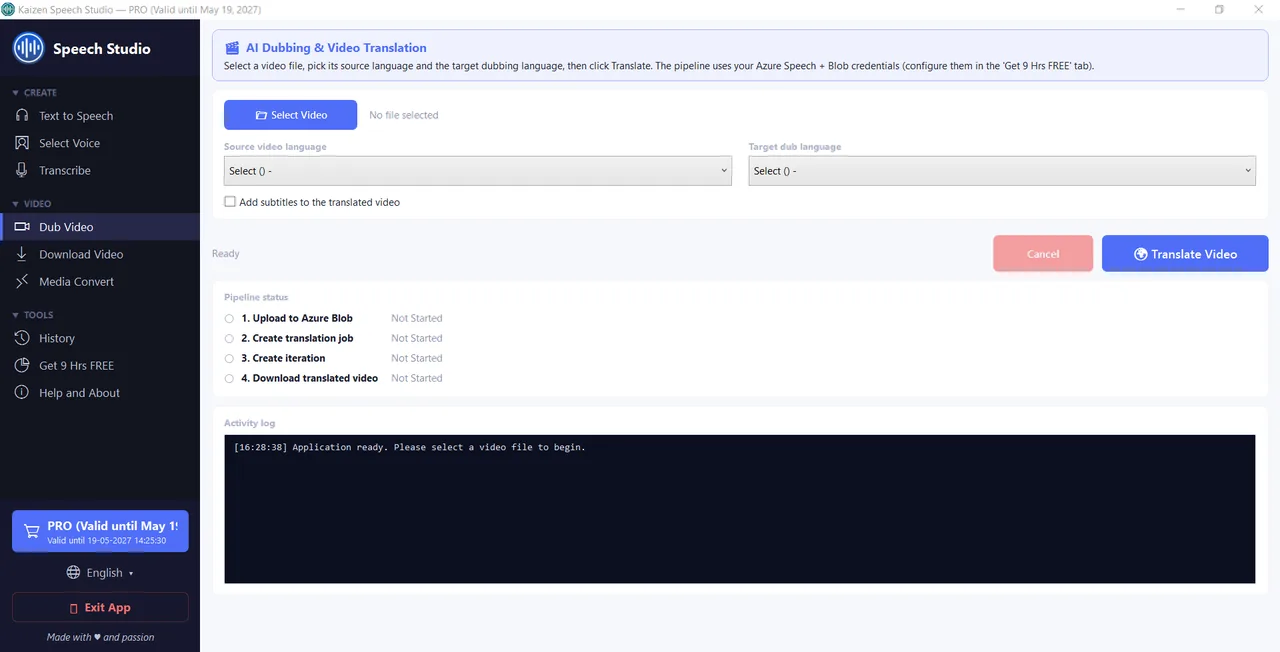
Turn one video into many languages.
Pick a source and target language and Speech Studio produces a dubbed version of your video using Azure Video Translation, with optional embedded subtitles — your original stays untouched.
Built for serious output.
The details that make Speech Studio a tool you'll actually use every day.
700+ neural voices
Natural, human-sounding Azure voices — including premium HD — across 80+ languages.
Rate, pitch & volume
Five presets each, or custom values, to dial in exactly the delivery you want.
Multi-voice SSML editor
Combine voices and styles in one generation with one-click inserts, or paste raw SSML.
Import documents
Speak TXT, PDF and Word files fast — single generations as long as ~30 minutes.
MP3, WAV & more
Export to MP3 or WAV, plus OGG and FLAC on save — ready for any timeline.
Local history
Every generation saved on your PC — see the cost, mark favourites and re-run with one click.
Start free. Own it for life.
Every new user gets $1 in free trial credit to test voices. One-time license — no subscription. Bring your own Azure key for TTS, transcription and dubbing.
Free
- $1 free credit to test voices
- 700+ Azure neural voices, 80+ languages
- Text-to-Speech with rate / pitch / volume
- MP3 & WAV export
- SSML editor, Transcribe, AI Dubbing, Convert
Pro
- Everything in Free
- Full multi-voice SSML editor
- Transcription (speech-to-text)
- AI Video Dubbing
- Unlimited Download Video + Media Convert
- PDF / Word import + save your Azure keys
Lifetime
- Everything in Pro
- No renewals, ever
- Lifetime updates
- We help you set up your Azure key
- Priority support
Honest about how it works.
The voices are Microsoft Azure neural voices. Speech Studio is a wrapper that makes it easy to use your own Azure key — we're not affiliated with Microsoft in any way.
Your words, in 700+ voices — for one payment.
Download Speech Studio free and test the voices with $1 of trial credit. Connect your own Azure key, or upgrade once for the SSML editor, transcription and AI dubbing.
$1 free trial credit · One-time license · No subscription · You own the output