- Kaizen Apps
- DriveGuard
See who has access to your Google Drive. Fix it from one list.
Kaizen DriveGuard lists every person who can open something in your Google Drive, and every item open to anyone with the link. Remove access, switch someone to view only or turn a link off, all from one console in your browser.
- 3-day free trial, no card
- Nothing to install
- File contents are not stored
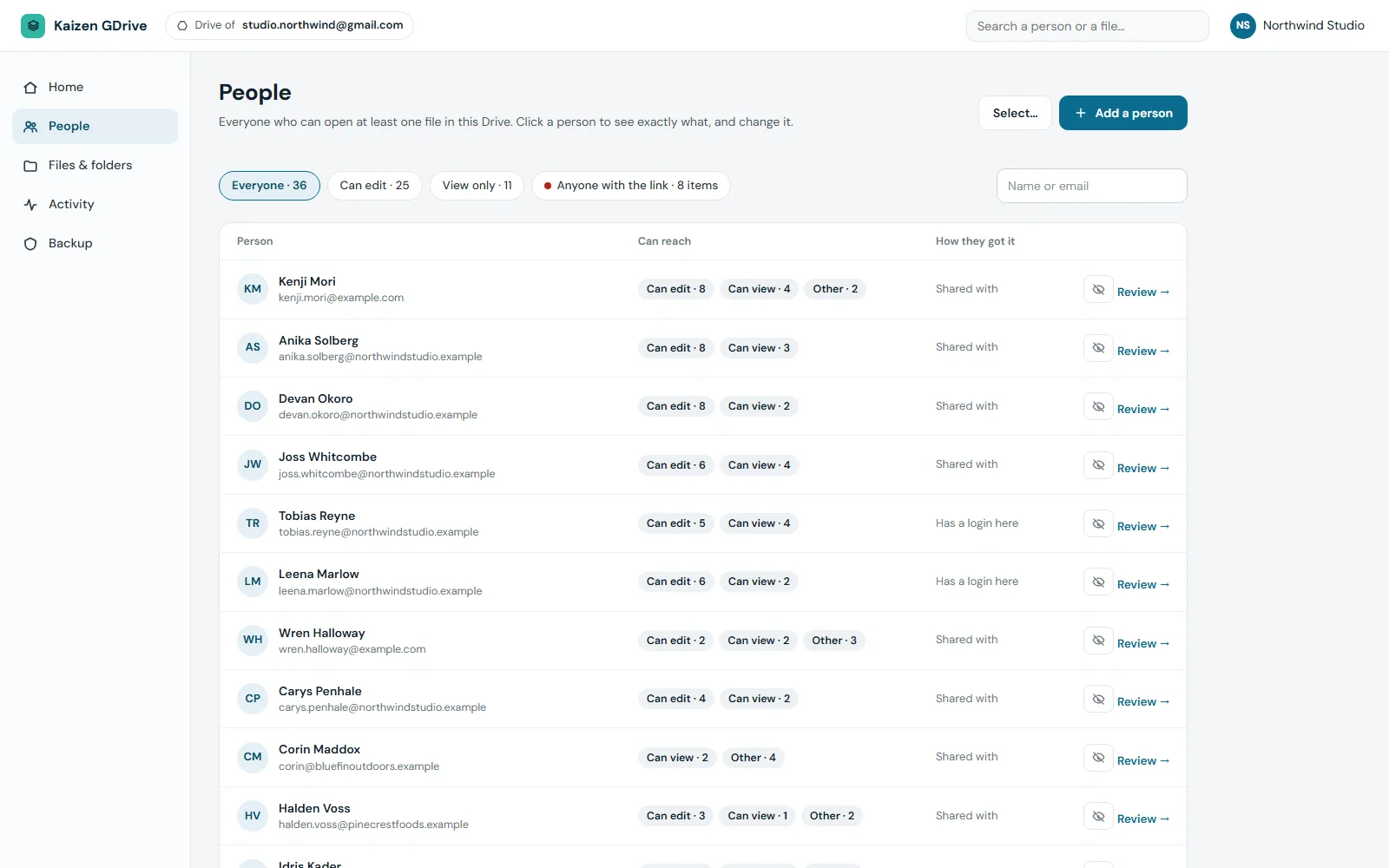
Google Drive permissions, one person at a time
Google Drive shows sharing file by file. DriveGuard starts with the person. Open anyone on the list to see every folder and file shared with them directly, their role on each, and whether the access was given in the console or in Google Drive itself.
- Change a role per item: can edit, can comment, can view or remove
- Remove all access for a person with one confirmation
- Change everything a person holds to view only
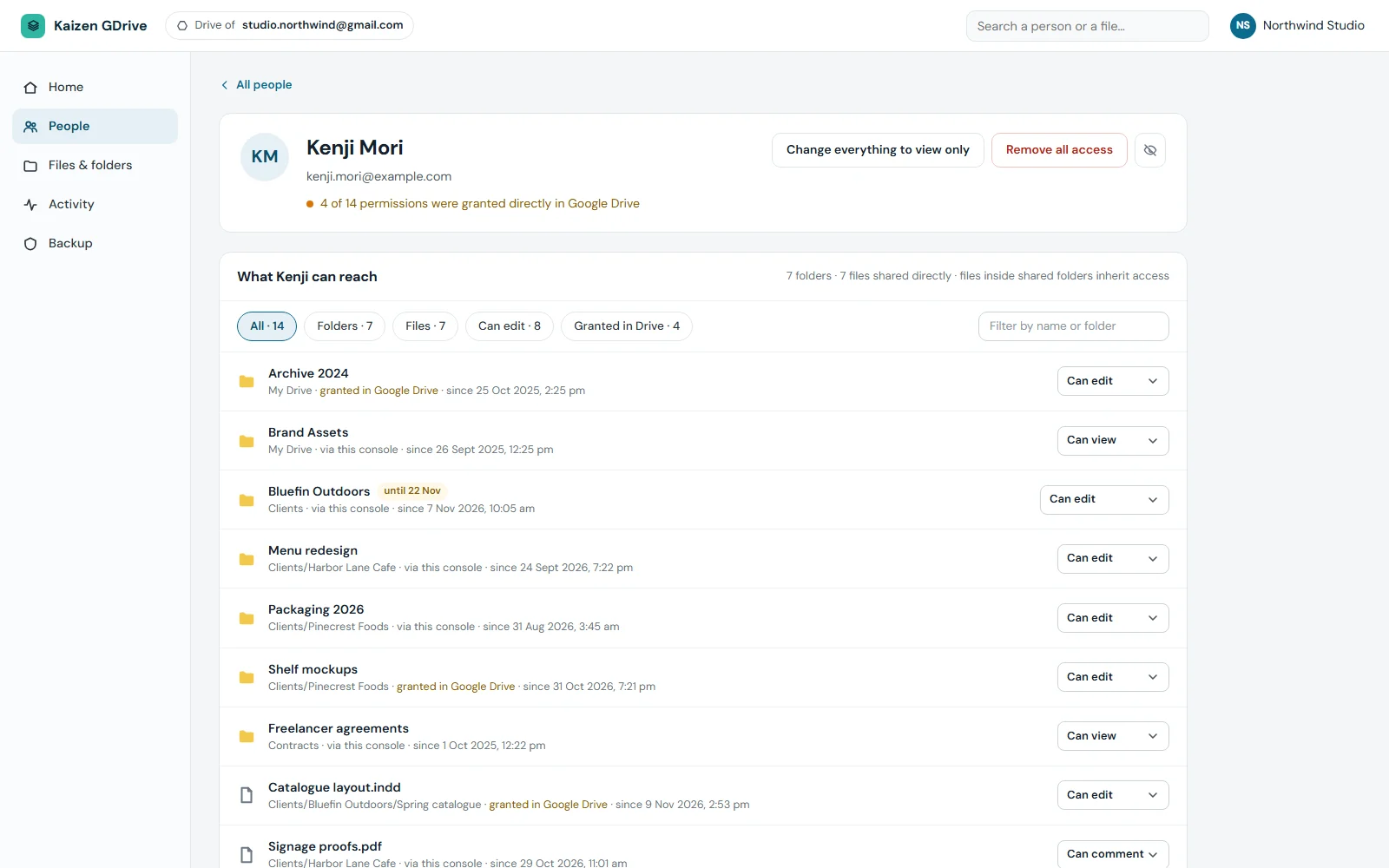
Find public links in Google Drive and turn them off
Browse your Drive folder by folder, or filter to items shared with someone or open to anyone with the link. The sharing panel shows who has access to an item and puts a red notice on anything open by link, with a Turn link off button next to it.
- Add a person by email with view, comment or edit rights
- Give access that ends on its own: 1, 7, 30 or 90 days, or a date you pick
- Create a link with an end date, or copy an existing one
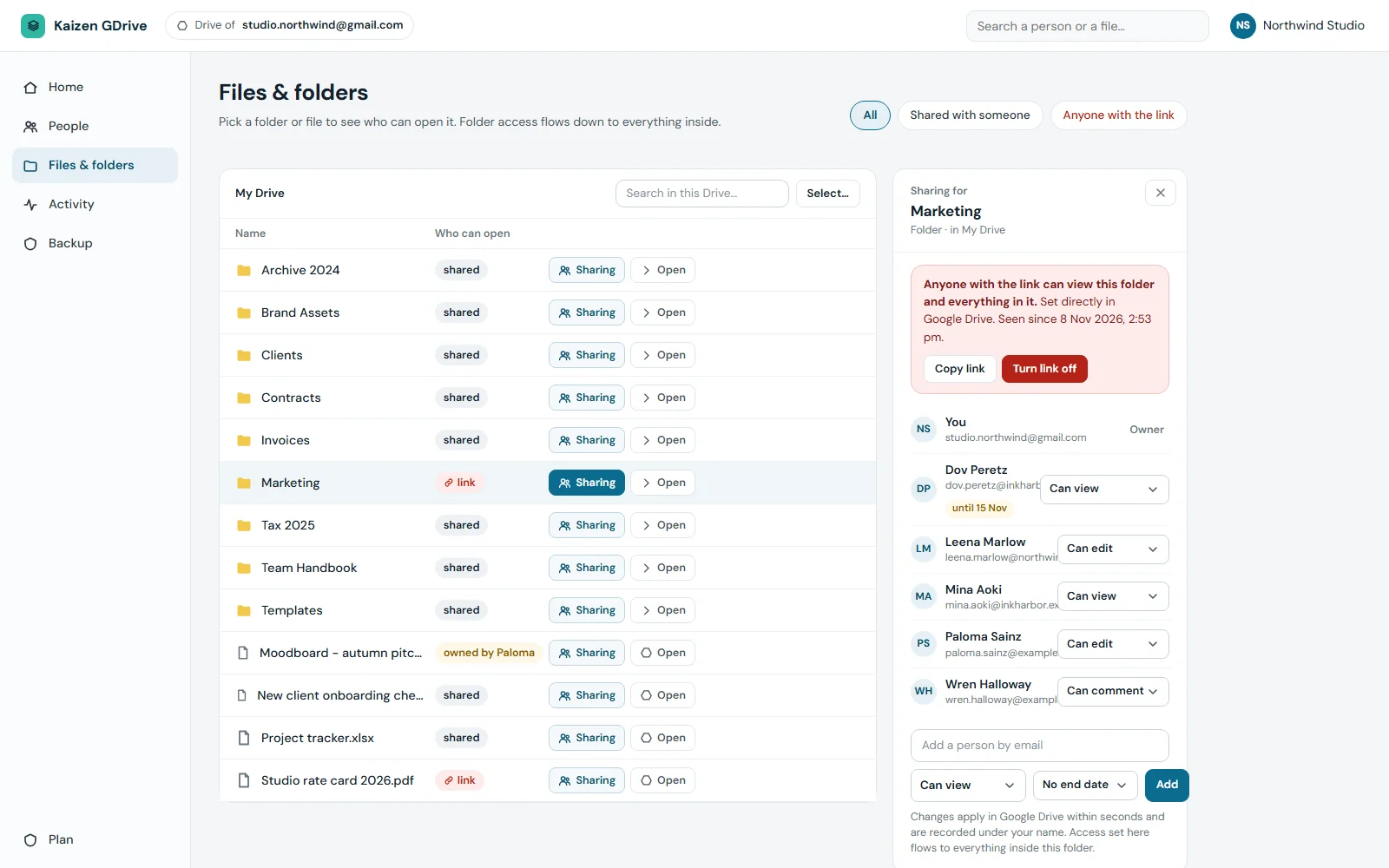
A Google Drive sharing audit that stays current
DriveGuard checks your Drive every five minutes. A share or link made directly in Google Drive is recorded as done in Google Drive and listed next to the changes made in the console, so you can see what happened without anyone telling you.
- Sharing changes and file changes in plain sentences, grouped by day
- Filter by person, by type, or by the last 7, 30 or 100 days
- Turn off a public link straight from the list
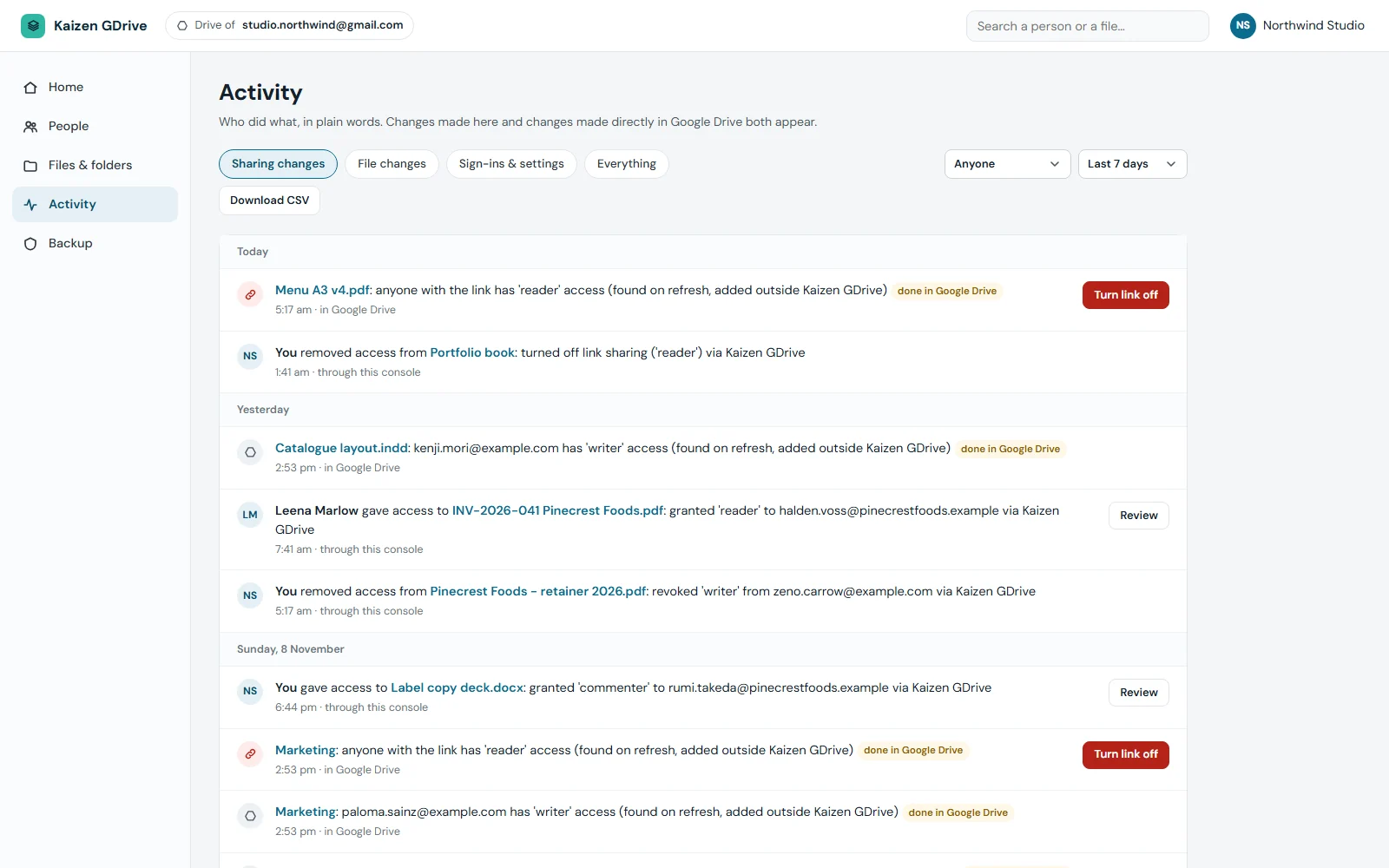
The rest of your Google Drive security routine
Open the console, see what needs a decision
Home shows three counts: people who can open something, items open to anyone with the link, and items shared outside the console in the last 7 days.
Access that ends itself
Set an end date on a person's access or on a link, up to 366 days ahead. DriveGuard checks every minute, removes access that has run out and records it in Activity.
Act on several at once
Tick several people, then remove all their access or make them view only. Each row shows its result as it runs, and there is a Stop button.
Up to 4 logins
The Drive owner plus three more addresses. Each extra login is view only or allowed to change access, and never needs the Google password.
Sign in with an emailed code
No password to remember. Enter your address, get a 6-digit code that works for 10 minutes, and type it in.
Know where each share came from
Every permission is labelled as made through the console or granted in Google Drive.
One plan, sized to your Drive
Try everything for 3 days, then subscribe by the month or the year. The yearly price is the same as twelve months.
Covers 15 GB of your Drive. No card needed.
- Every feature of the paid plan
- People list and sharing controls
- Outside sharing flagged in the console
- Time-limited access
For a Drive up to 1 TB.
- Each extra 250 GB is $22 per month
- Up to 4 logins
- Drive checked every five minutes
- Activity log of sharing changes, kept for 100 days
For a Drive up to 1 TB. Same price as twelve months.
- Each extra 250 GB is $264 per year
- Up to 4 logins
- Drive checked every five minutes
- Activity log of sharing changes, kept for 100 days
This is a subscription, billed through Paddle, our reseller. You subscribe inside the console and can cancel any time from the billing page. Prices are in US dollars with tax added at checkout. In India the checkout shows rupee prices. New accounts are approved by our team before the trial begins. When the trial or plan ends the console becomes read-only: everything stays visible, but changes are off until you subscribe or renew. Screens show sample data. Google Drive is a trademark of Google LLC. Kaizen DriveGuard is an independent product and is not affiliated with or endorsed by Google.
Questions about Kaizen DriveGuard
How can I see who has access to my Google Drive files?
Google Drive shows sharing one file at a time. Kaizen DriveGuard reads the sharing settings of the files and folders in your Drive and turns them into one list of people, with a separate row for items open to anyone with the link. Open a person to see every folder and file shared with them directly.
How do I remove access to Google Drive files for someone who has left?
Open that person in the People list and choose Remove all access. After one confirmation, DriveGuard works through every item shared with them and shows its progress. You can also change everything they hold to view only. If access comes from a folder owned by someone else, Google does not allow removing it, and the console explains what you can do instead.
How do I find public links in Google Drive?
Use the Anyone with the link filter on the People or Files page. Each item open by link has a Turn link off button, and you can tick several items and turn their links off together.
Why does it need full access to my Google Drive?
Reading sharing settings and changing them on your instruction requires Google's full Drive permission, which you grant on Google's own consent screen. DriveGuard also asks to read the Drive's activity record. It does not request Gmail or Calendar, and it does not store the contents of your files.
Does it show who viewed or downloaded a file?
No. Google does not provide view or download history for personal accounts. Activity covers sharing changes and file changes: created, edited, renamed, moved, deleted, restored and commented. For changes made directly in Google Drive, the person's name is sometimes not available.
How soon can I start using it?
Not at once. Each new account is approved by the Kaizen team first, which the console says usually happens within a day, and you get an email when it is done. The first read of the Drive follows. The console notes that a large Drive with hundreds of thousands of files takes about an hour.
Good to know: It asks for full Google Drive access
On Google's own consent screen DriveGuard requests full access to your Google Drive, plus read access to the Drive's activity record. It needs this to read sharing settings and to change them when you tell it to. It does not ask for Gmail or Calendar. Beyond sharing, the only change it makes is moving an item into your My Drive, and only when you choose that.
Good to know: What is stored
File and folder names, folder paths, owner, dates and sizes, the sharing details of each item, and 100 days of activity history. File contents are not stored. The Google access token is kept encrypted, and card details go to Paddle, not to our servers.
Good to know: Which accounts it suits
It is built for one personal Google account's My Drive, one Drive per account. Shared drives are not covered. Trash is not tracked, and files shared with you that sit outside your own folders are not listed. Sharing on items owned by someone else can only be changed by their owner.
Good to know: What it does not do
Google does not provide view or download history for personal accounts, so DriveGuard cannot show who opened a file. It finds outside sharing on a five-minute check and lets you undo it. It cannot block sharing in advance. Flags appear inside the console: it does not send alert emails, and it does not back up your files.
Find out who can open your Google Drive
Start the 3-day trial with no card. Once your account is approved and the first read is done, you get the full list of people and links.