The ultimate self-improvement tool that helps you analyze how you spend time on your PC, identify productivity leaks, and build better digital habits. No browser extensions needed. Your data stays on your PC.
Most people have no idea how much time they waste on unproductive activities. Social media, YouTube, random browsing - it all adds up without you realizing it.
The first step to improving productivity is understanding where your time actually goes. Only then can you make meaningful changes.
Our comprehensive tracking and analysis tools show you exactly how you spend your time. With detailed insights, you can identify patterns, eliminate distractions, and build better habits.
Every app and website is tracked automatically. No manual input required. No browser extensions needed.
See exactly where your time goes with beautiful charts, timelines, and reports.
Categorize apps as Productive, Unproductive, or Neutral for better insights.
Pause tracking anytime. Set optional self-limits if you want. Complete control is yours.
Unlike other productivity tools, we prioritize simplicity, privacy, and powerful features without complexity.
Track all browsers automatically without installing any extensions. Works out of the box.
Your data never leaves your PC. No cloud servers, no third-party access. Complete privacy.
Any setting can be configured in under 10 seconds. No complex menus or confusing options.
Get started in under 10 minutes. Simple wizard guides you through the entire process.
Separate tracking for YouTube and YouTube Shorts. Know exactly where your time goes.
Unique feature that tracks when audio/video is playing. Know your entertainment time.
Take breaks without tracking. You're in complete control. Resume when you're ready.
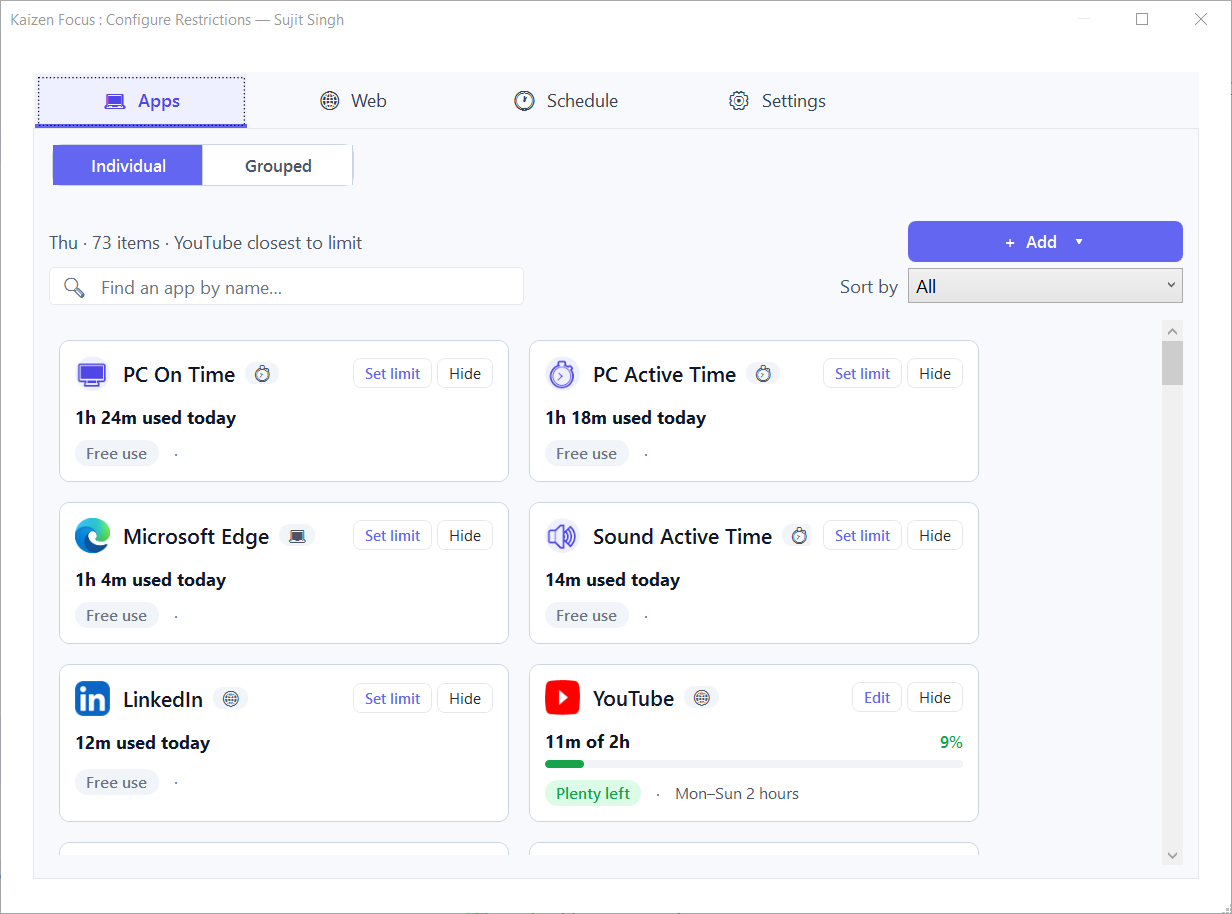
Set limits on distracting apps if you want extra accountability. Completely optional.
Powerful features to help you understand, analyze, and improve how you spend your time.
Automatically track every application you use and how long you use it throughout the day.
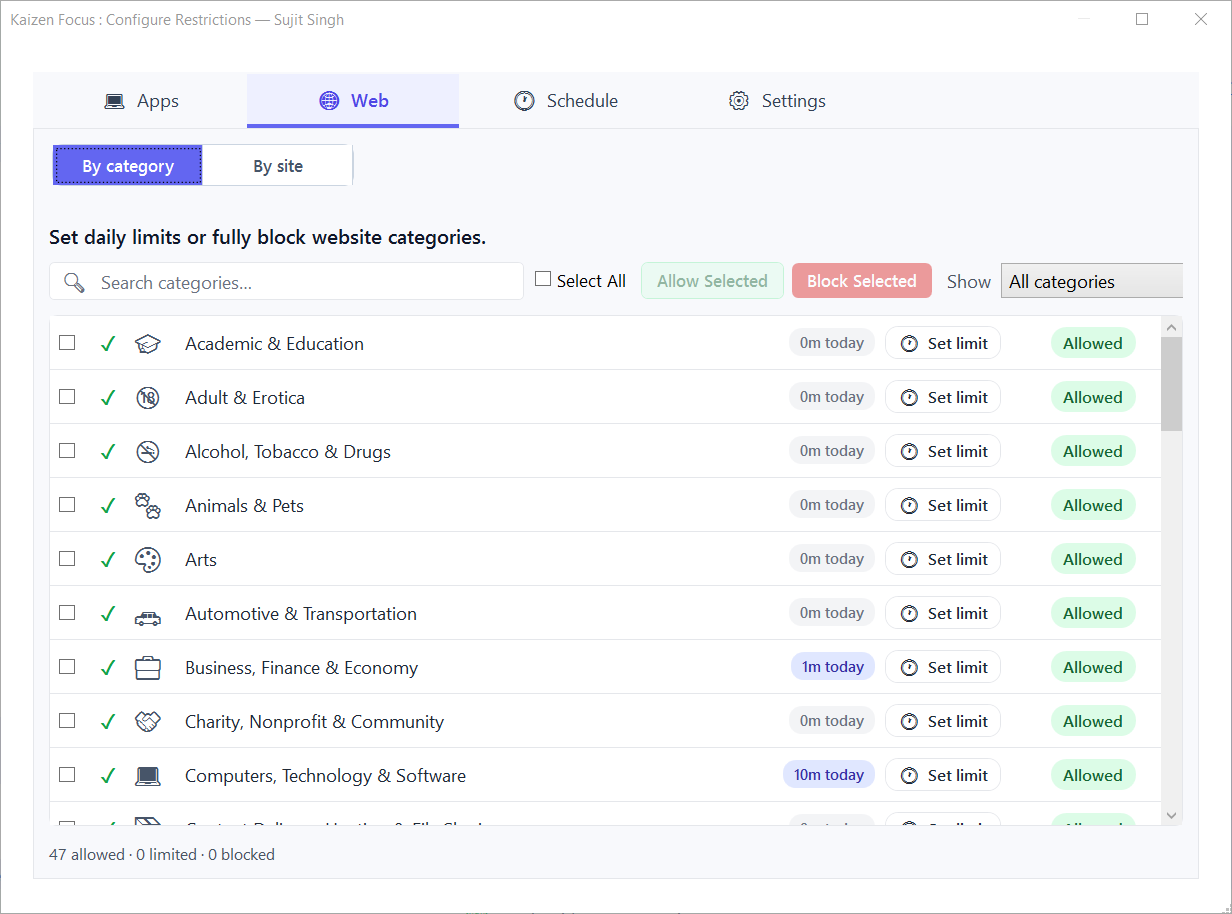
Track all websites visited without needing any browser extensions. Works with all browsers.
See exactly how much time you spend on YouTube and YouTube Shorts separately.
Track when audio/video is playing - know your total entertainment and music time.
Automatically detect when you're away and separate idle from active time.
Mark apps as Productive, Unproductive, or Neutral for better analysis and insights.
Daily, weekly, and monthly reports with usage details, timeline, and screenshots.
Take breaks without tracking. You're in complete control of when to track.
Set daily limits for distracting apps if you want extra accountability.
Combine apps into groups with shared time limits. Perfect for managing entertainment time.
Visual timeline showing exactly what you did and when throughout the day.
Export your reports as PDF for record keeping or sharing with accountability partners.
Receive automated daily, weekly, or monthly reports directly to your inbox.
See aggregated time spent on each domain. Understand your browsing patterns better.
Filter by apps, websites, categories, or date ranges. Analyze your data your way.
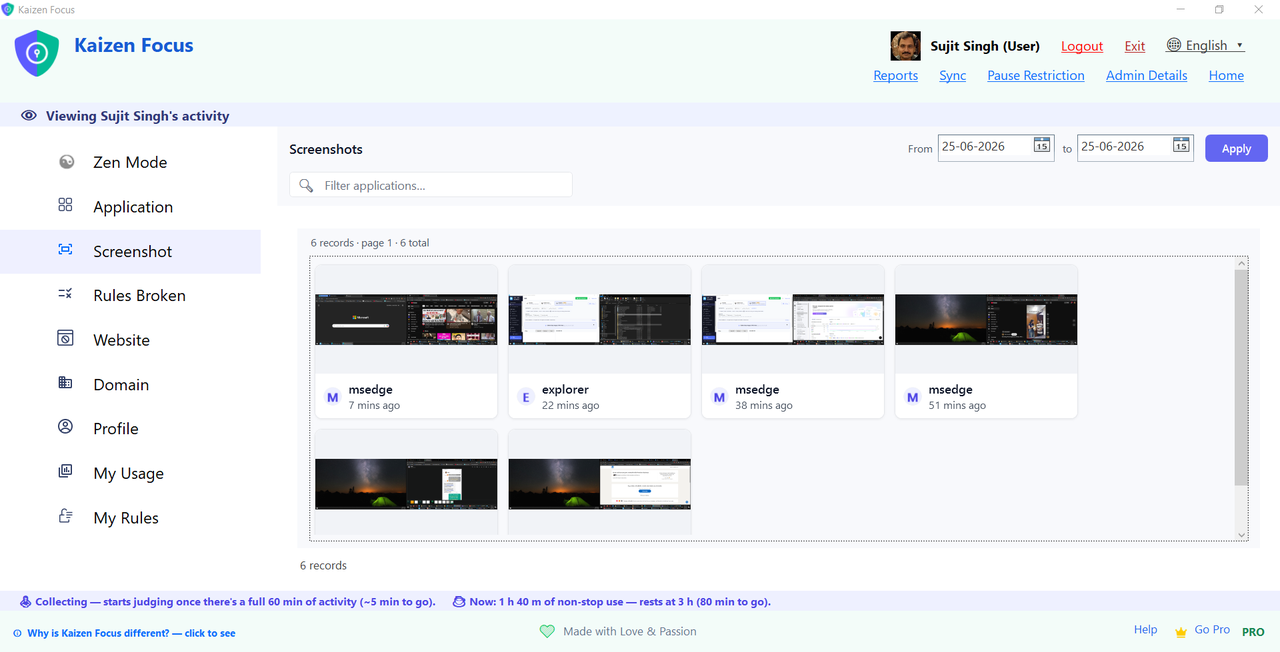
Capture random screenshots for self-review. You can delete any screenshot you want.
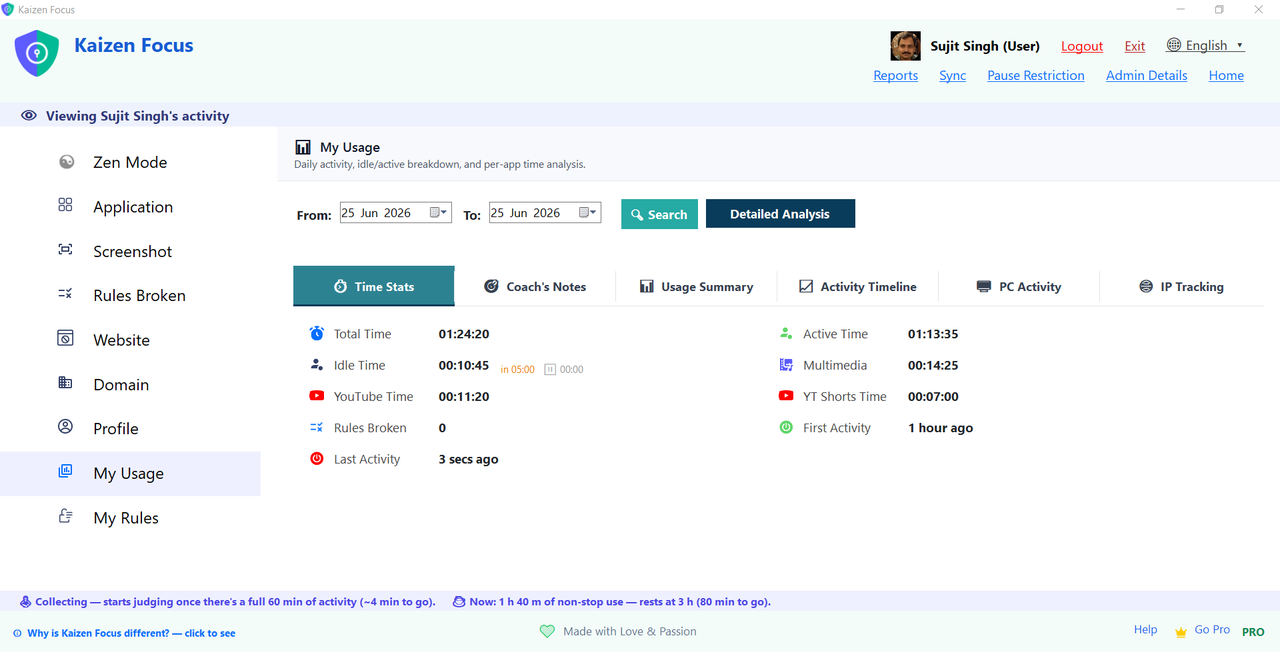
Kaizen Focus automatically tracks all your computer activity in the background. No manual input required - just install and let it run.
At the end of each day, you'll have a complete picture of how you spent your time. Use this data to identify patterns and make improvements.
The "My Usage" dashboard shows total time, active time, idle time, multimedia time, YouTube time, YouTube Shorts time, and more - all in one place.
Start Tracking Free
Go beyond basic tracking with powerfulanalysis tools. Filter by apps, websites, or productivity categories. See trends over time and identify your most productive hours.
Our detailed analysis helps you understand not just what you did, but when and how you can improve.
Mark any application or website as Productive, Unproductive, or Neutral. This helps you understand how much of your time is truly productive.
By default, everything is Neutral. As you use Kaizen Focus, you can categorize apps based on your own definition of productivity. Filter your analysis by category to see exactly how productive your day was.
While Kaizen Focus is primarily a tracking and analysis tool, you can optionally set limits on distracting apps if you want that extra accountability.
In Self Productivity mode, you're always in control. You can pause tracking whenever you need - no password required, no questions asked.
Set daily limits for distracting apps like YouTube or social media. Different limits for different days.
Combine multiple apps into a group with shared time limit. Give yourself 1 hour total for all entertainment.
Take breaks without tracking. Resume when you're ready. Complete control is yours.
No admin password needed. All settings are yours to manage as you see fit.
Receive comprehensive activity reports delivered directly to your email. Review your productivity trends without even opening the app.
Reports include usage details, activity timeline (24-hour view), productivity breakdown, and optional screenshot collage. Generate PDF reports anytime for record keeping.
Get Started FreeSent every morning with previous day's data
Every Monday with weekly metrics
Monthly overview of your productivity
Generate PDFs anytime for any date range
Explore the intuitive interface designed for simplicity and power. Click any image to view full size.
See why Kaizen Focus is the smarter choice for personal productivity tracking.
| Feature | Kaizen Focus | RescueTime | Toggl Track | Clockify |
|---|---|---|---|---|
| No Browser Extensions Required | ||||
| 100% Local Data Storage | ||||
| YouTube Shorts Tracking | ||||
| Multimedia Time Tracking | ||||
| App Groups with Shared Limits | ||||
| Automatic Website Tracking | ||||
| Productivity Categories | ||||
| 24-Hour Activity Timeline | ||||
| Optional Self-Imposed Limits | ||||
| One-Time Purchase Option | ||||
| Idle Time Detection | ||||
| Setup Time | 10 minutes | 15+ minutes | 10+ minutes | 10+ minutes |
| Starting Price | Free | $12/month | $10/month | Free (limited) |
Join thousands of people who have improved their productivity with Kaizen Focus.
"I was shocked to discover I spent 4 hours daily on YouTube Shorts. The detailed timeline helped me understand my habits and cut my unproductive time by 70%."
"The fact that all data stays on my PC is huge for me. Other tools send everything to their servers - who knows what they do with it. Kaizen Focus respects my privacy completely."
"No browser extensions needed! That was the selling point for me. Other tools require extensions that can be easily disabled. Kaizen Focus just works out of the box."
"The multimedia time tracking is genius. I had no idea I was listening to music/podcasts for 5+ hours daily. Now I use that time more intentionally for focused work."
"As a student, I needed help staying focused. The productivity categories helped me see exactly how much time I was wasting. My grades have improved significantly!"
"The App Groups feature is brilliant. I set a 1-hour limit for all entertainment apps combined. No more cheating by switching between YouTube, Reddit, and Twitter!"
Whether you're a freelancer, student, or professional, Kaizen Focus helps you make the most of your time.
Track billable hours accurately and identify time-wasting habits that hurt your income.
Stay focused on studies and limit distractions from social media and entertainment.
Optimize your workday and find more time for what matters most.
Start freeand upgrade when you need more power. Every new user gets 7 days of PRO free!
Full PRO access for one year. Perfect for trying all features.
Pay once, use forever. All future updates included.
🎉 Every new user gets 7 days of PRO features FREE - no credit card required!
Common questions about personal productivity tracking with Kaizen Focus.
Absolutely. All your data is stored locally on your computer. We don't have access to your activity data, screenshots, or any personal information. You're in complete control of your data - it never leaves your PC.
Yes! In Self Productivity mode, you can pause tracking anytime with a single click. No password required, no questions asked. Resume tracking whenever you're ready.
No! Kaizen Focus works completely without any browser extensions. Unlike other tools that require extensions for each browser (which can be easily disabled), our application tracks all browsers automatically right out of the box.
Kaizen Focus offers unique features like multimedia time tracking (when audio is playing), YouTube Shorts tracking, productivity categories, App Groups with shared limits, and detailed analysis tools. Plus, no browser extensions are needed, all data stays local, and you can optionally set self-control limits if desired.
Yes, but it's completely optional. If you want extra accountability, you can set daily time limits for specific apps or websites. You can also create App Groups to set a shared limit for multiple apps combined (e.g., 1 hour total for all entertainment apps).
Reports include: application usage breakdown, website browsing time, productivity category analysis, activity timeline (24-hour view), YouTube and multimedia time, idle vs active time, and optional screenshot collage. Reports can be sent daily, weekly, or monthly to your email. You can also generate PDF reports anytime.
This is a unique feature that detects when audio or video is playing on your system. It helps you understand how much time you spend listening to music, podcasts, or watching videos - even if you're doing other things at the same time.
App Groups let you combine multiple apps into a single group with a shared time limit. For example, you can create an "Entertainment" group with YouTube, Reddit, Twitter, and Instagram - then set a 1-hour daily limit for the entire group. This prevents you from simply switching between apps when one limit is reached.
Yes! When a screenshot is captured, you'll see a notification with the image. You can choose to delete it immediately if you don't want it saved. Deleted screenshots are marked as "deleted" in the system. You're always in control of your data.
Yes! Both yearly and lifetime licenses can be transferred to a new PC. Simply deactivate on your old PC and activate on your new one. Lifetime license holders can do this unlimited times.
Download Kaizen Focus today and discover where your time really goes. Start making every minute count.