How to Block Social Media on Windows (2026)
Whether you are trying to focus on deep work or keeping a child off the feeds, here is how to block every social network on Windows — Instagram, Facebook, X, TikTok, Snapchat, Reddit and the rest. The quick built-in tricks, why they leak, and how to make the block actually stick with Kaizen Focus.
Your options at a glance
There are three common ways to block social media on a Windows PC. Two are free and quick but easy to undo. The third holds up — and covers every site and app at once.
Windows hosts file
Point each social domain to 127.0.0.1 in the hosts file. Free and built in — but anyone with admin rights edits it back in a minute, and it is ignored the moment a VPN or DNS-over-HTTPS is on.
Router / DNS block
Block social domains in your router or a DNS filter. Covers every device on that one Wi-Fi — but only that network. Switch to mobile data or another connection and the block disappears, and it can't touch desktop apps or set a time limit.
One network onlyKaizen Focus
A dedicated Windows blocker. Blocks every social app at the process level and every site across all browsers, adds schedules and daily limits, and locks settings behind an admin PIN so the block actually stays put.
Hard to bypassWhy people block social media on a PC
Every social app is engineered to pull you back. Infinite-scroll feeds never end, notifications interrupt whatever you were doing, and "just five minutes" turns into an hour without you noticing. On a computer you also use for work or school, that is a constant drain on attention. The reasons people search for a way to block it usually come down to three:
- Focus and productivity. If you are trying to finish deep work or revise for exams, a single glance at Instagram or X breaks your concentration and it takes minutes to get back into flow. Blocking social media during work hours removes the temptation entirely instead of relying on willpower.
- Parental control. Endless feeds, direct messages from strangers and the comparison trap worry a lot of parents. On a shared family PC, blocking the social sites and apps keeps a younger child off them without you having to police the screen every evening.
- Digital wellbeing. Plenty of adults simply want their evenings back. Setting a hard cut-off, or a small daily budget across all social combined, breaks the late-night doomscroll habit.
The goal in every case is the same: make social media genuinely unavailable on that Windows machine — all of it at once, in a way that can't be undone in thirty seconds.
The built-in Windows options (and where they fall short)
Before installing anything, it is worth knowing why the free, built-in approaches rarely hold up — especially when you are trying to block many sites and apps together.
1. Editing the Windows hosts file
The hosts file at C:\Windows\System32\drivers\etc\hosts lets you redirect a domain to nowhere. Add lines pointing instagram.com, facebook.com, tiktok.com and the rest to 127.0.0.1, save the file as an administrator, and most browsers will fail to reach those sites. It costs nothing.
The downsides are real, though. Anyone with administrator access — often the very person you are trying to limit — can open the same file and delete those lines just as quickly. The hosts file is also bypassed the instant someone turns on a VPN or enables DNS-over-HTTPS in their browser, both of which route around it completely. It does nothing about social media desktop apps, and maintaining a long list of domains and their subdomains by hand quickly becomes a chore.
2. Blocking social media on your router or DNS
Most home routers let you block domains for the whole network, and free DNS filters can do the same. This is better than the hosts file because it covers every device on your Wi-Fi at once. But it is tied to that one network: the moment a laptop switches to mobile data, a phone hotspot, or a friend's Wi-Fi, the block is simply gone. Router blocking also can't enforce a daily time limit — it is all-or-nothing — and like the hosts file it can't reach into Windows to stop a social media app itself.
3. Windows Family Safety
Microsoft's built-in Family Safety can apply some web and app limits to a child's Microsoft account, which is useful for younger kids. But it leans on Microsoft Edge for web filtering, can be patchy across other browsers, and is awkward if you simply want to block social media on your own PC for focus. For granular, browser-agnostic blocking that you fully control, a dedicated tool is more reliable.
All three are fine as a casual speed bump. If you want a block that survives a VPN, a network change and a determined teenager — and that covers every social app in one place — you need something that runs inside Windows.
The comprehensive way: block social media with Kaizen Focus
Kaizen Focus is a screen-time and blocking app for Windows 10 and 11. Instead of relying on DNS, it sits on the PC and enforces the rules locally, so the usual workarounds don't apply. Here is how it blocks every social network at once.
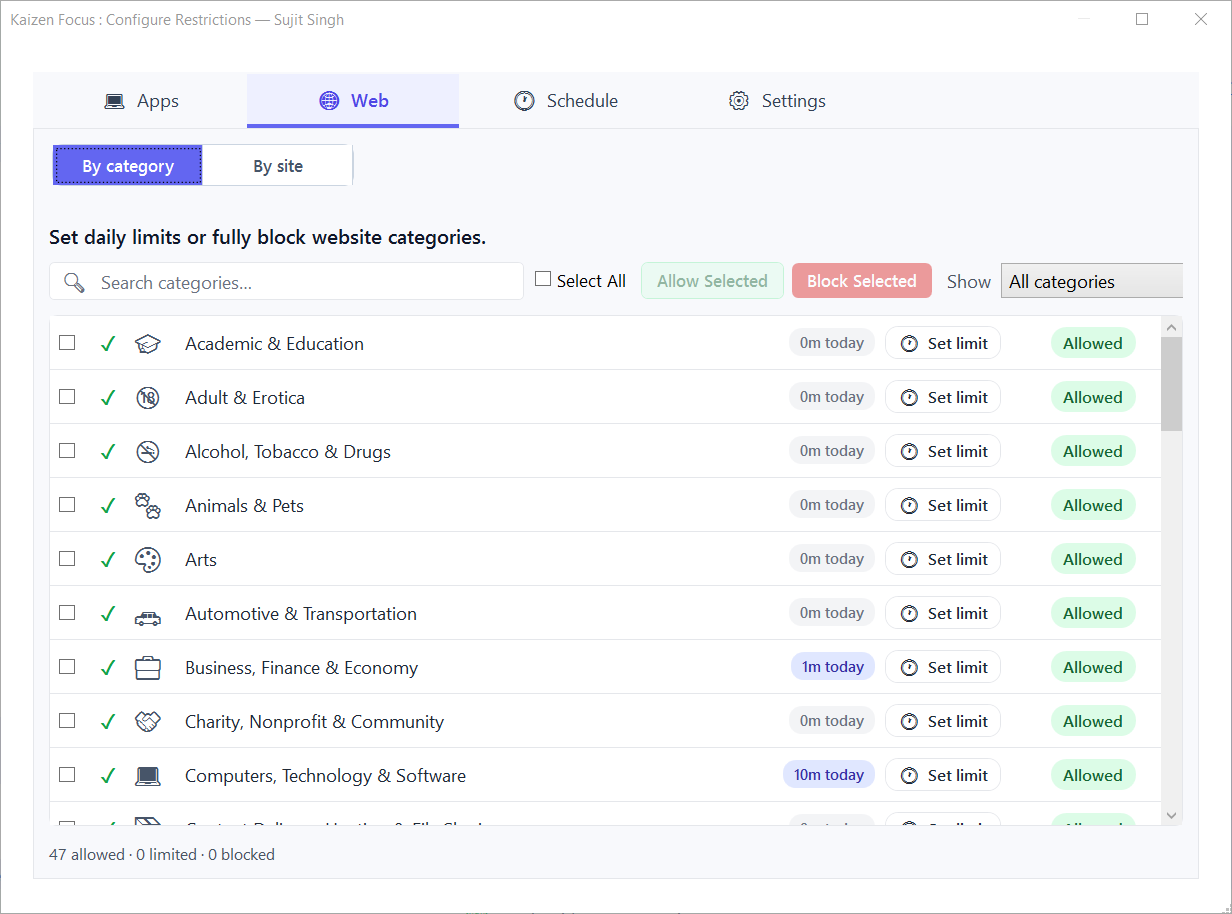
Block every social site across all 10 browsers
Add the social domains you care about — instagram.com, facebook.com, x.com, tiktok.com, snapchat.com, reddit.com and any others — to the site blocklist. Focus reads the active URL from every supported browser — Chrome, Edge, Firefox, Brave, Opera, Vivaldi, Internet Explorer, Maxthon, LibreWolf and Waterfox — using the Windows UI Automation API. There are no extensions to install and no "just open a different browser" loophole, which is exactly how a browser-extension blocker gets beaten. There is no cap on how many domains you add, so you can block the whole category in one sitting.
Block the apps at the process level
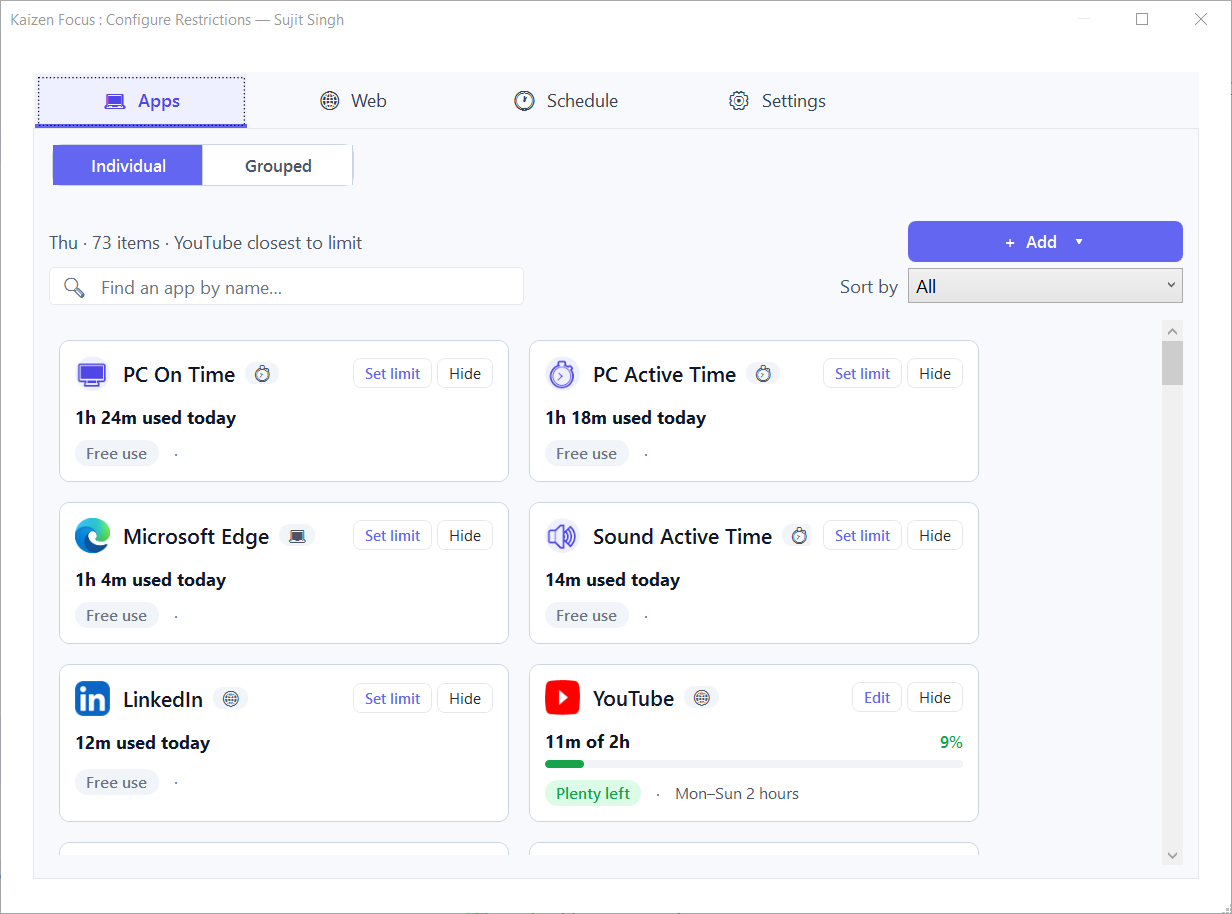
This is the part the free tricks can't do. Add the social desktop apps to the app blocklist and Focus blocks them at the process level — if one is opened during restricted hours, Focus closes it. There is no domain to whitelist and no browser to switch to. A full-screen lock on violation even resists Alt+F4, mutes audio and hides the taskbar. For desktop apps, this is what makes the block stick.
One shared limit for all social — or a hard ban
An outright ban can feel too strict. Focus lets you group several apps and sites into one shared daily budget — for example "Social: 30 min/day" across Instagram, TikTok, X and the rest combined. It tracks usage in real time and blocks the whole group once the budget runs out, then resets at midnight. Every weekday can have its own value, so you can be strict Monday to Friday and relaxed at the weekend. Prefer all-or-nothing? Just block them outright instead.
Scheduled lock and downtime windows
You rarely want social blocked literally 24/7. Focus lets you set a downtime window that hard-blocks everything during set hours — say 9 am to 4 pm for school, or 9 pm to 7 am for bedtime — and these windows can wrap past midnight. Free Time windows punch holes in downtime so a reading or meditation app stays open. The free version includes one downtime window; Pro raises that to four for multiple cut-offs a day.
Screenshots, email reports and an admin PIN
For parents, Focus can take optional periodic screenshots (kept on-device, admin-only to delete) and send daily, weekly or monthly email reports on Pro, so you can see how the rules are holding up without standing over the PC. The activity timeline breaks the day into 30-minute bars so nothing is hidden. Crucially, every setting is locked behind a 4-digit admin PIN. Closing the window does nothing — Focus keeps enforcing rules in the background, a watchdog restarts it if it is killed, and uninstalling needs Windows admin rights. A standard user account can't simply remove it.
Blocking, limits, downtime, screenshots and activity tracking all work offline, and all your data stays on your device in a local database. Only email reports and license activation need internet — nothing about your browsing is uploaded to a server.
Step by step: block all social media in about two minutes
- Download and install Kaizen Focus on the Windows PC using the button below. Set a 4-digit admin PIN during setup so the rules can't be changed without it.
- Block the sites. Open the site blocklist and add every social domain —
instagram.com,facebook.com,x.com,tiktok.com,snapchat.com,reddit.comand any others. They are blocked in every browser at once. - Block the apps. Add the matching desktop apps to the app blocklist. Focus closes them at the process level whenever they are launched during restricted hours.
- Add a schedule or a shared limit. Either create a downtime window for school or work hours, or group all social into one shared daily budget with an app group.
- Lock it down. Confirm settings are PIN-protected. For a child's PC, turn on screenshots and, on Pro, email reports so you can review activity remotely.
Pricing
Kaizen Focus is free to start, with no sign-up. The free version blocks unlimited websites and apps, includes one downtime window, and shows your activity timeline — that alone is enough to block every social site and app on a PC. Pro is $29 per year and adds per-app daily limits, app groups (a single shared budget for all social), up to four downtime windows, screenshot monitoring and email reports. A Lifetime licence is a one-time $149 with no renewals. Both paid plans are covered by a 3-day no-questions-asked refund.
Frequently asked questions
Add the social domains you care about — instagram.com, facebook.com, x.com, tiktok.com, snapchat.com, reddit.com and any others — to the Kaizen Focus site blocklist, and add the matching desktop apps to the app blocklist. They are blocked across every browser and closed at the process level. To cap rather than ban them, put them in one app group with a single shared daily budget, like 30 minutes a day for all social combined.
Yes. The free version of Kaizen Focus blocks unlimited websites and apps across all major browsers with no sign-up, so you can block every social site and app you list. Free also includes one downtime window and the activity timeline. Per-app daily limits, app groups, extra downtime windows and email reports are part of Pro.
Only loosely. The hosts file can be edited back in a minute by anyone with admin rights and is ignored once a VPN or DNS-over-HTTPS is switched on. Router blocks cover that one network only — switch to mobile data or another Wi-Fi and the block is gone. Neither can stop a social media desktop app or enforce a daily time limit.
They are separate. Blocking instagram.com or facebook.com stops the website in every browser, but a desktop app talks to its servers directly, so you also block the app by name. Kaizen Focus blocks desktop apps at the process level, so it closes them even if they are launched again.
Closing the window does nothing — Focus keeps running and enforcing rules in the background, and a watchdog restarts it if it is killed. Settings are locked behind a 4-digit admin PIN, and uninstalling requires Windows admin rights, so a standard user account can't simply remove it.
Yes. Use a downtime window to hard-block everything during set hours — for example 9 am to 4 pm on weekdays — or give social a small shared daily budget so it is allowed for a few minutes a day and then blocked. The free version includes one downtime window; Pro allows up to four.
Yes. Blocking, limits, downtime, screenshots and activity tracking all work offline, and all your data stays on your device in a local database. Only email reports and license activation need internet.
Block all social media on Windows — free to start
Get a block that survives a VPN, a network change and a closed window. Kaizen Focus blocks every social site and app at once, adds schedules and limits, and runs entirely offline so your data stays yours.
Free version included · Pro $29/yr · Lifetime $149 one-time · 3-day refund · Windows 10 / 11