
Block Distracting Websites for Deep Focus
Studies show the average worker gets distracted every 11 minutes, and it takes 25 minutes to regain full focus. Learn how to block the websites that steal your attention and reclaim your productivity with Kaizen Focus.
Why Blocking Distractions Works
Willpower alone is not enough. Research consistently shows that removing temptation is far more effective than resisting it.
The 11-Minute Problem
University of California research found that the average knowledge worker is interrupted or self-interrupts every 11 minutes. Each distraction costs roughly 25 minutes of refocusing time, meaning a single peek at social media can destroy half an hour of deep work.
Productivity Gains of 26%+
Studies on distraction-blocking tools report productivity gains of 26% or more when distracting websites are removed during work hours. By eliminating the option to browse, your brain stops spending energy on the decision to resist.
Environment Design Over Willpower
Behavioral scientists call it "environment design" -- shaping your surroundings so the desired behavior becomes the path of least resistance. A website blocker is the digital equivalent of removing junk food from your kitchen.
Common Distracting Websites to Block
These five categories account for the vast majority of wasted time online.
Social Media
Facebook, Instagram, X (Twitter), Reddit, TikTok, LinkedIn feed, Snapchat. These platforms are engineered for infinite scrolling and constant engagement, making them the number one productivity killer for most people.
News & Current Events
CNN, BBC, Google News, Apple News, and other news aggregators. The 24-hour news cycle creates a compulsive need to "check in," but most news has zero impact on your daily work output.
Streaming & Video
YouTube, Netflix, Twitch, Disney+, and other video platforms. Autoplay and recommendation algorithms are designed to keep you watching "just one more," turning a quick break into a lost afternoon.
Gaming & Forums
Steam, web-based games, Discord, gaming subreddits, and forums. These sites pull you into extended sessions that are hard to break away from once you start.
Shopping & Deals
Amazon, eBay, deal aggregator sites, and flash sale platforms. Browsing for deals feels productive, but unless you are purchasing something specific, it is a time sink disguised as a task.
How to Block Distracting Websites with Kaizen Focus
Follow these steps to set up your distraction-free work environment in under 5 minutes.
Step 1: Install Kaizen Focus
Download Kaizen Focus from the official website and install it on your Windows PC. The setup takes less than 2 minutes. Once installed, create an admin password so you cannot impulsively disable the blocker when temptation strikes.
Step 2: Choose Productivity Mode
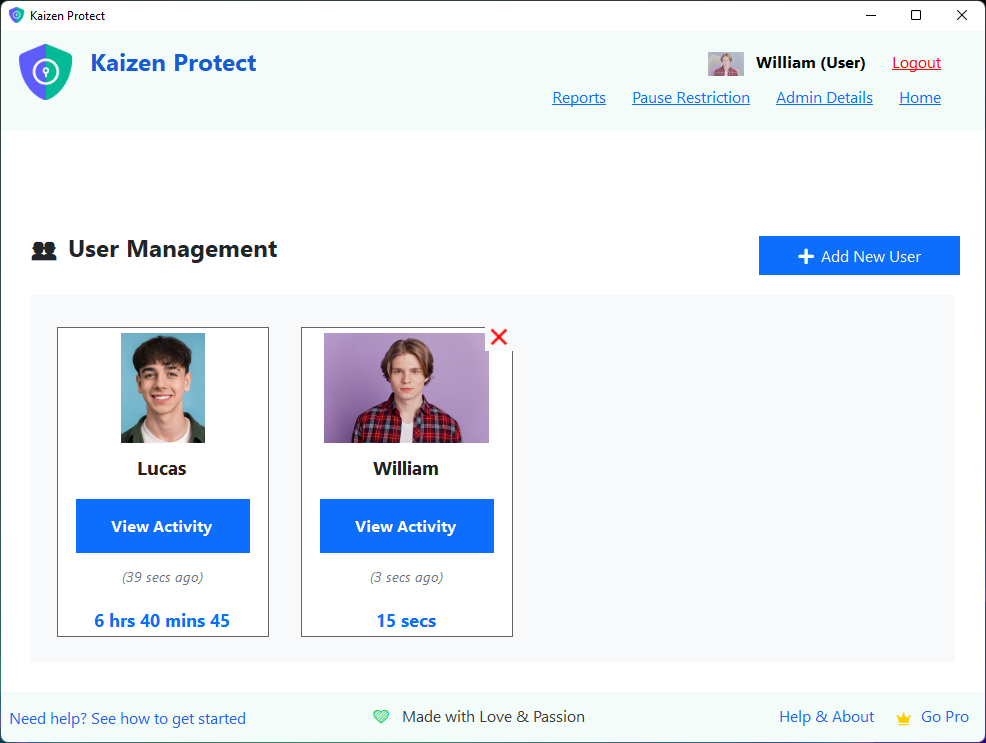
Open Kaizen Focus and select Productivity Mode. This mode is designed for self-improvement and personal productivity use. It unlocks features like focus session scheduling, Pomodoro timers, and usage reports tailored for individual users.
Step 3: Add Sites to Your Block List
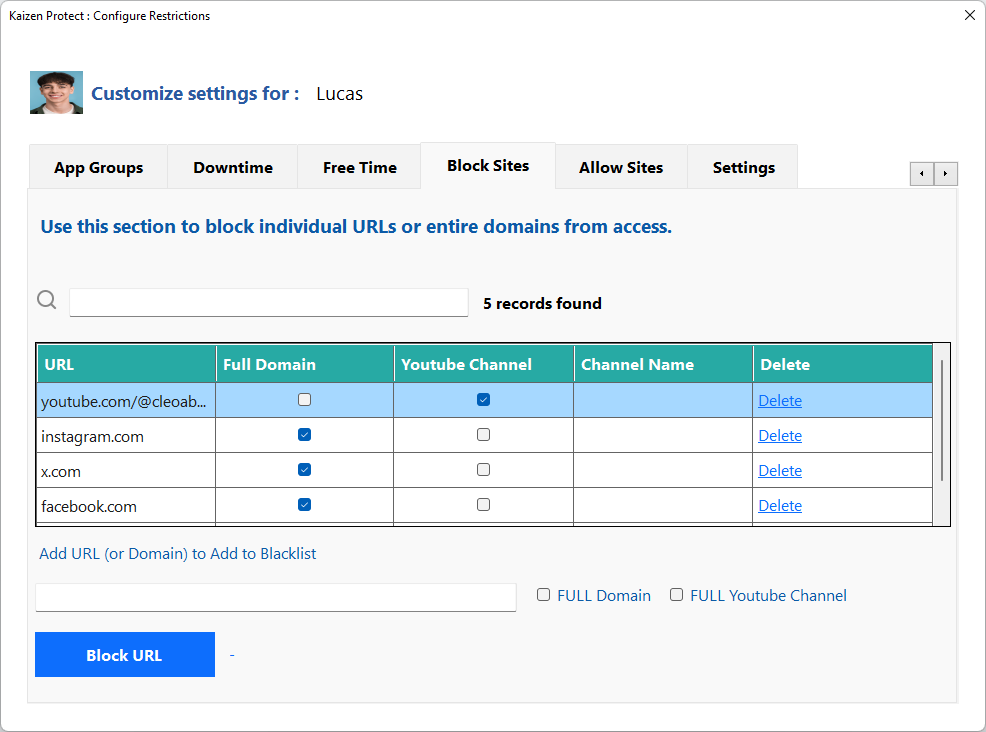
Navigate to My Rules > Block Sites and add every website that distracts you. Start with the obvious culprits: facebook.com, instagram.com, reddit.com, youtube.com, twitter.com, and any other sites you find yourself drifting to during work hours.
Step 4: Use Category Blocking
Instead of adding sites one by one, use Kaizen Focus's category blocking feature. Enable the "Social Media" category to block all major social networks at once, or enable "Entertainment" to block streaming and video sites. Categories are updated regularly, so new distracting sites are blocked automatically.
Step 5: Schedule Focus Sessions
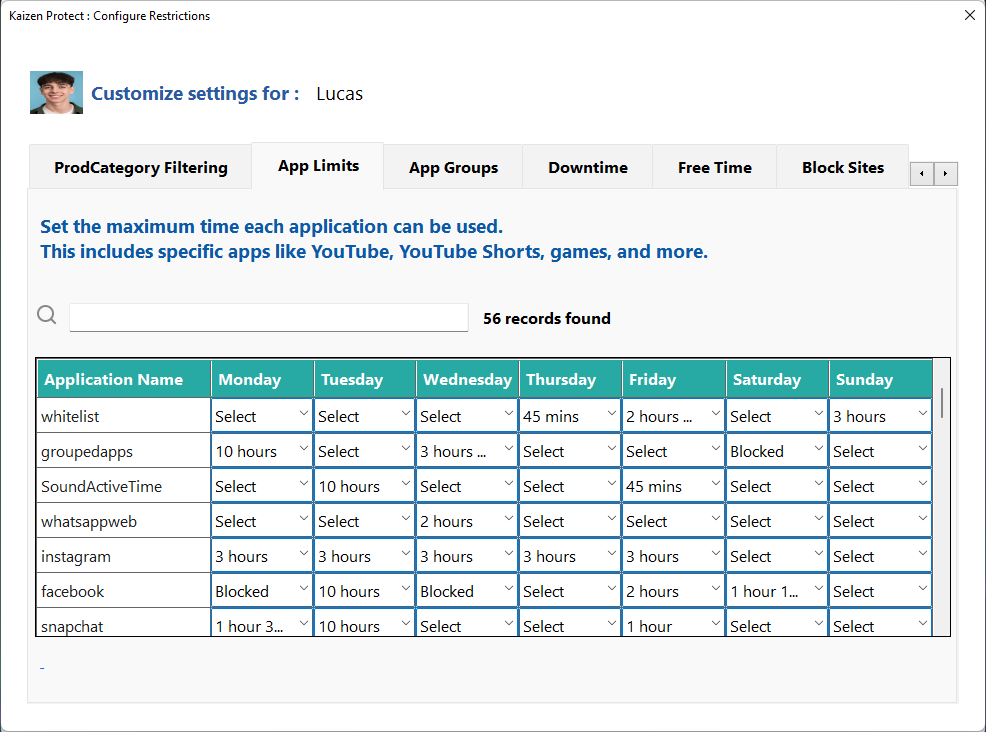
Set up scheduled focus sessions to automatically block distractions during your most productive hours. For example, block all distracting sites from 9 AM to 12 PM and 2 PM to 5 PM on weekdays. You can allow access during lunch and after work so blocking does not feel restrictive.
Using the Pomodoro Technique with Kaizen Focus
Combine website blocking with the proven Pomodoro method for maximum productivity.
The Pomodoro Technique involves working in focused 25-minute intervals ("Pomodoros") separated by 5-minute breaks. After four Pomodoros, you take a longer 15-30 minute break. Kaizen Focus integrates this approach directly into your blocking schedule.
How it works: During a Pomodoro session, all distracting websites are automatically blocked. When the session ends and your break begins, the blocks are temporarily lifted so you can check social media or browse freely. When the break ends, the blocks re-engage automatically.
This rhythm trains your brain to associate focused work with reward, making it easier to start each session. Over time, you will find yourself naturally reaching for distractions less often.
Tips for Staying Focused Beyond Website Blocking
Put Your Phone in Another Room
Blocking websites on your PC is only half the battle. Your phone provides the same distractions through apps. Place it in another room or use Do Not Disturb mode during focus sessions to eliminate the temptation entirely.
Disable Desktop Notifications
Turn off email, chat, and app notifications during focus sessions. Even a brief notification banner can pull your attention away. Kaizen Focus can suppress notifications during active focus sessions automatically.
Define Your Top 3 Tasks Each Morning
Before starting your day, write down three tasks you must complete. Having clear priorities prevents "productive procrastination" -- doing busy work instead of meaningful work. Block distracting sites and tackle your top task first.
Review Your Usage Reports Weekly
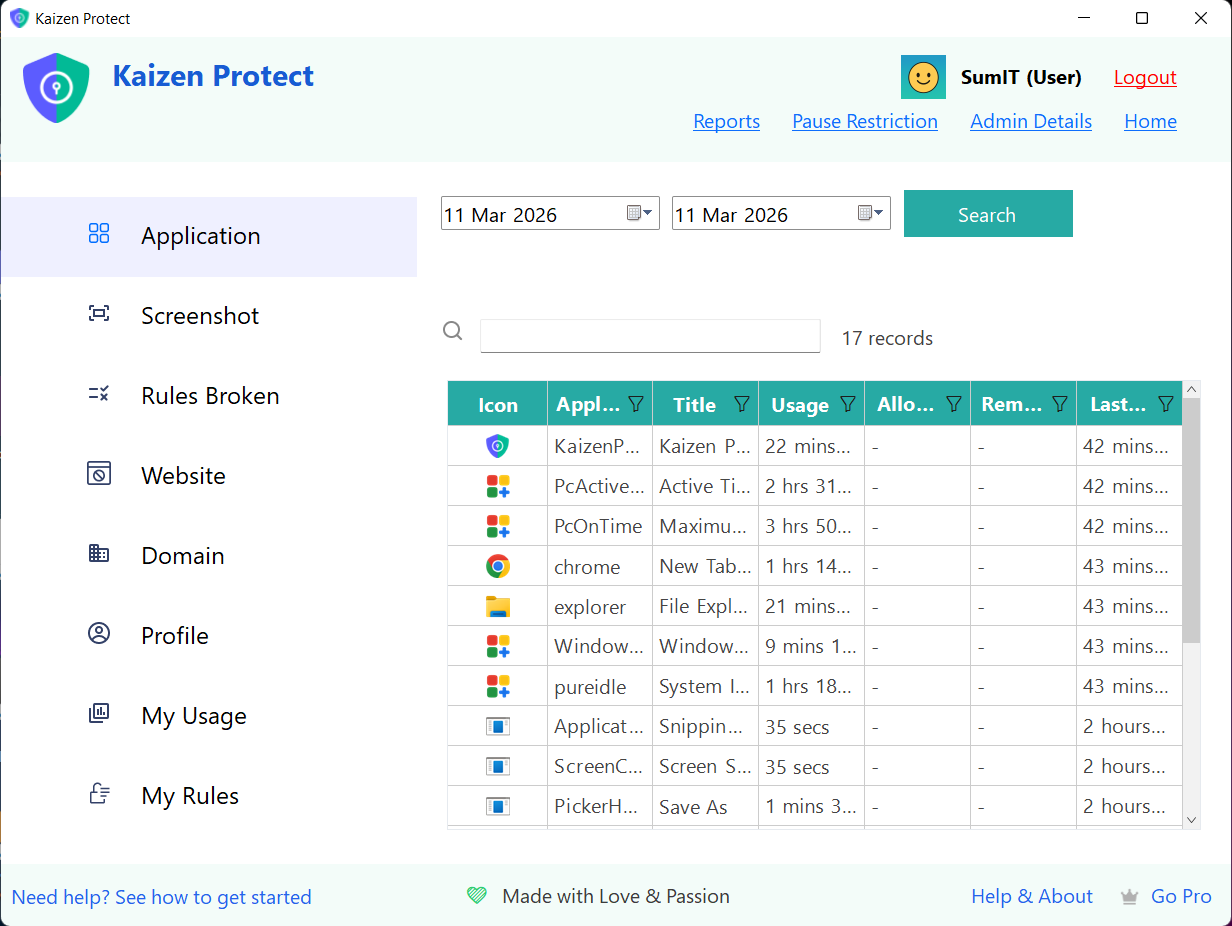
Kaizen Focus tracks how many times you attempted to visit blocked sites and how much focused time you achieved. Review these reports weekly to identify patterns and adjust your block list as needed.
Frequently Asked Questions
Take Back Your Focus Today
Download Kaizen Focus and start blocking distracting websites in under 5 minutes. Free trial included.