The complete employee monitoring solution that helps businesses track work hours, ensure productivity, and verify remote work compliance - all while respecting employee privacy.
Trusted by businesses worldwide
Remote and hybrid work has created new challenges for maintaining productivity and accountability.
Without proper tracking, it's impossible to know if employees are actually working their required hours or meeting daily targets.
Social media, YouTube, and other distractions can consume hours of productive work time without management awareness.
How do you verify employees are actually working from their designated location and not somewhere else?
Our comprehensive employee monitoring solution gives you complete visibility into how work time is spent, without being intrusive or creating a surveillance culture.
Track active work hours automatically with idle time detection and accurate reporting.
See exactly which applications and websites employees use and for how long.
Verify work-from-home compliance with accurate location tracking (within 100 meters).
Receive daily, weekly, and monthly reports automatically delivered to your inbox.
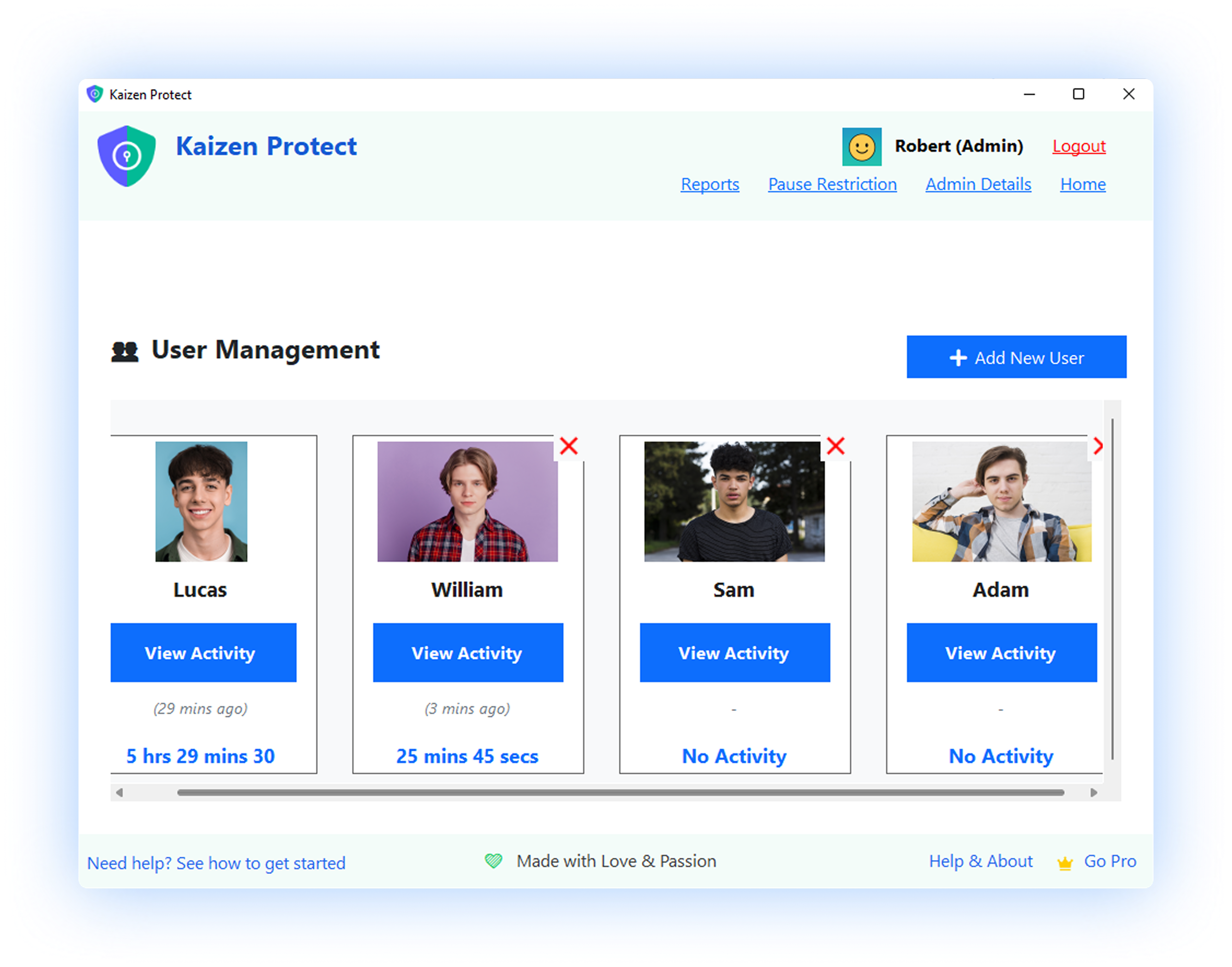
Explore the powerful features and intuitive interface of our employee monitoring solution.
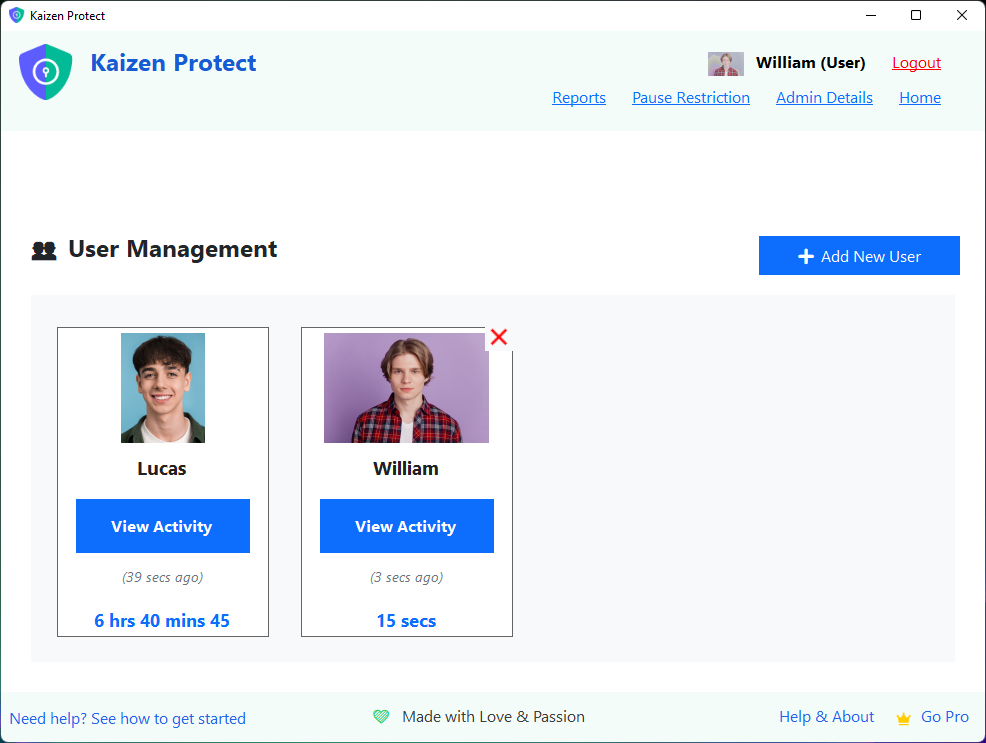
Manage multiple users with individual profiles, PINs, and customized rules.
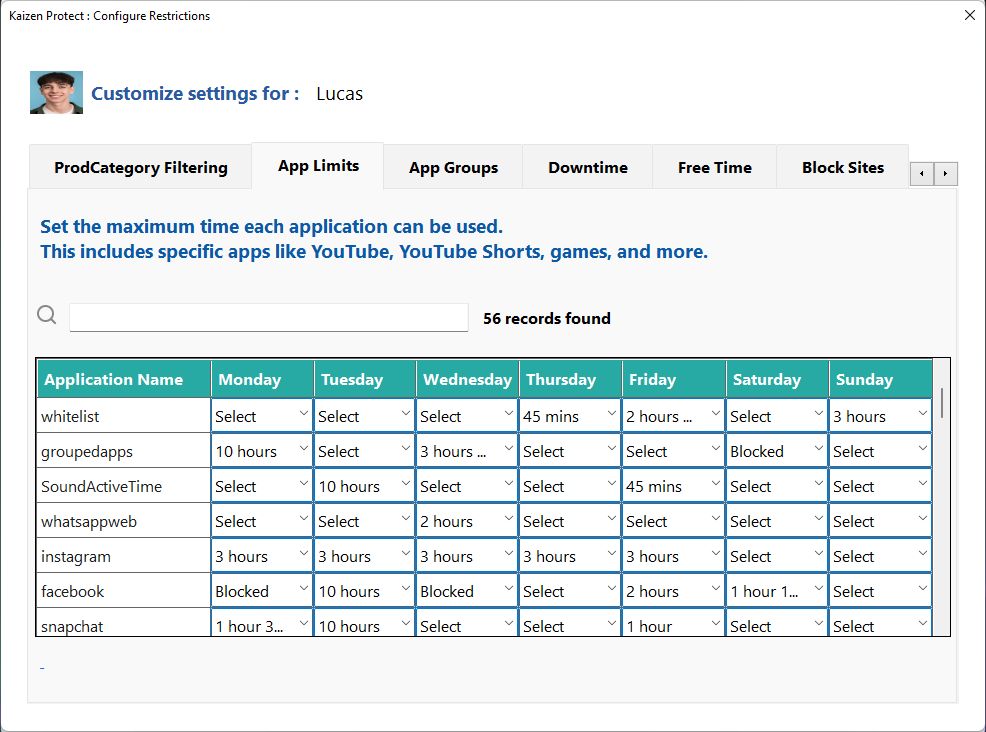
Set different time limits for each application, different for each day of the week.
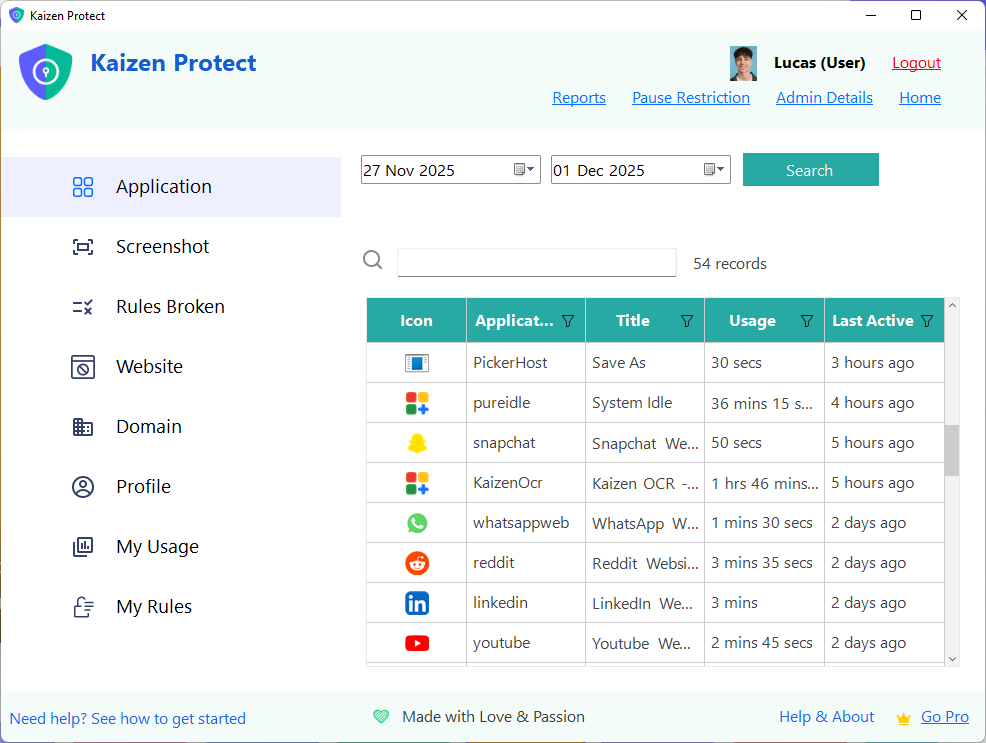
Visual 24-hour timeline showing exactly what was used and when.
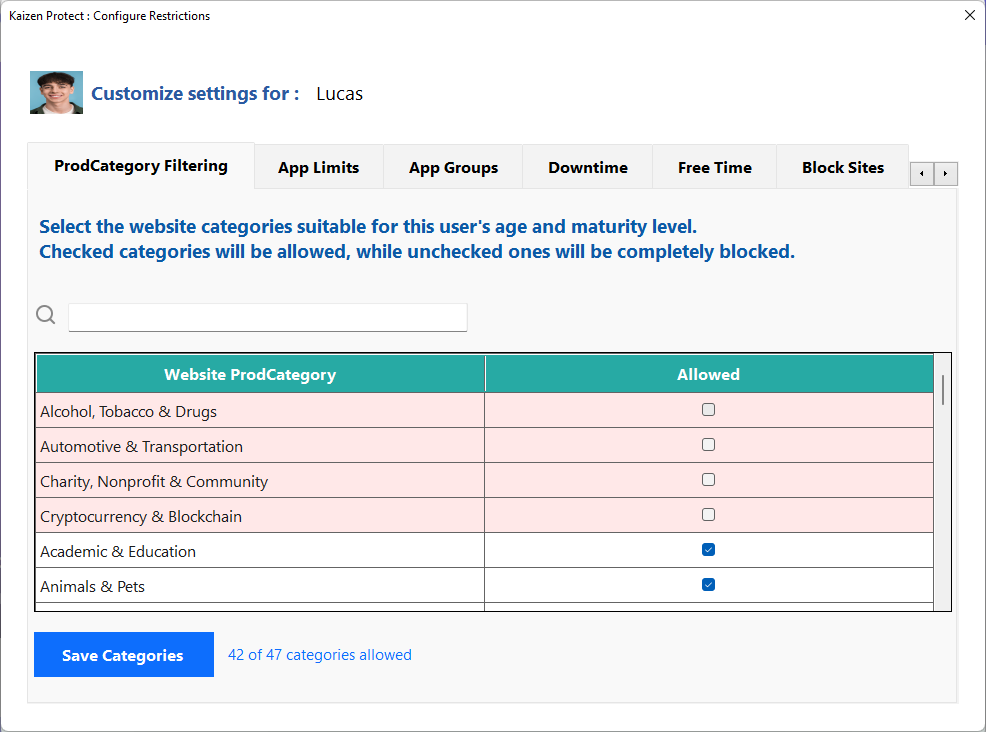
Block entire categories of websites with 47 categories to choose from.
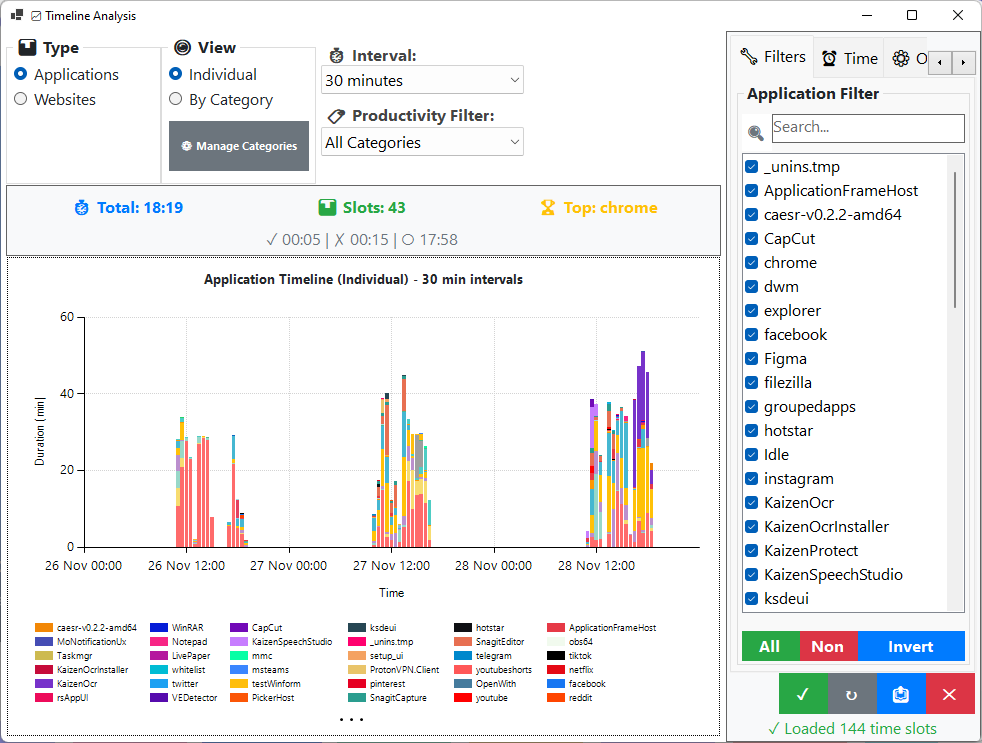
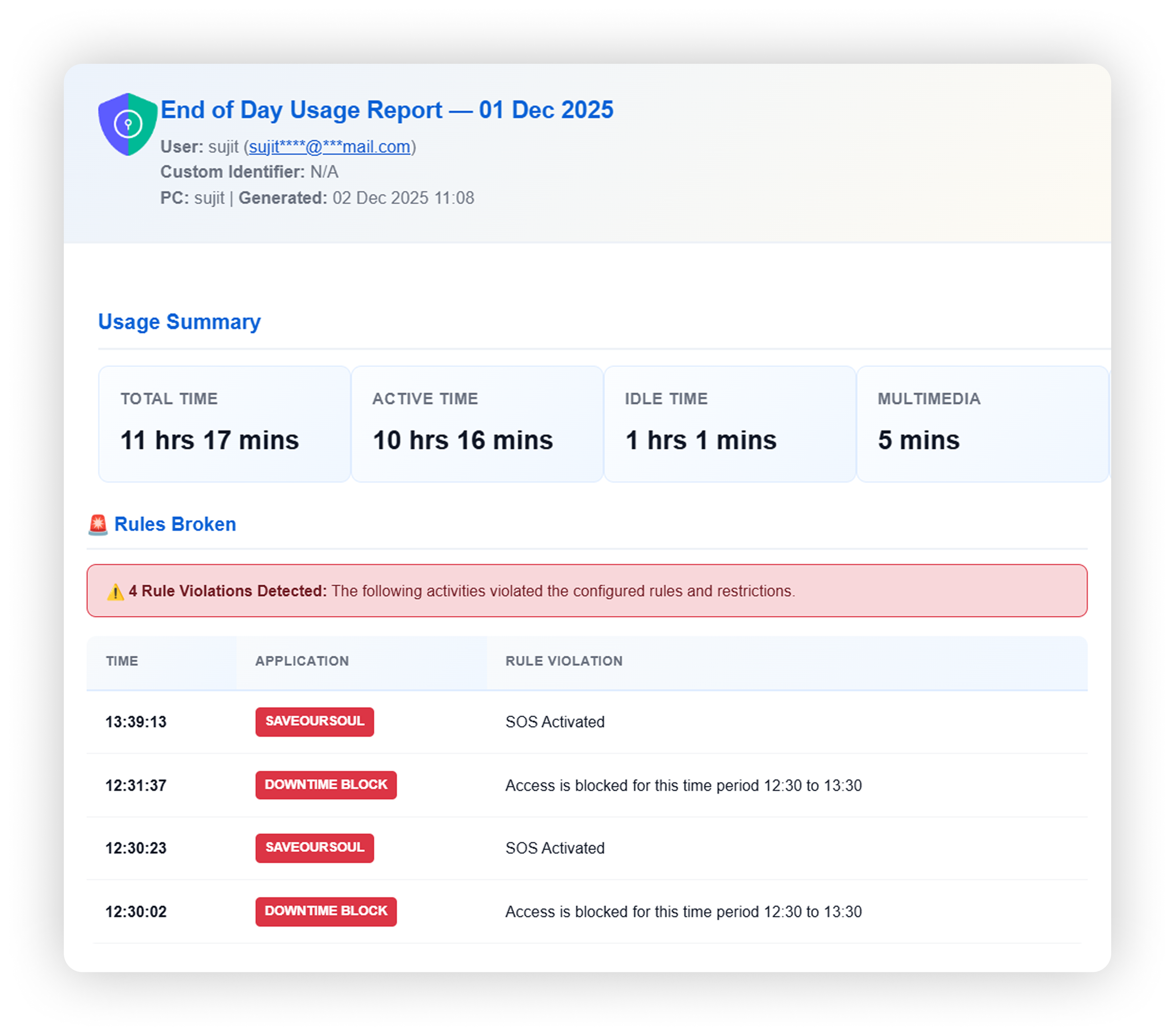
Comprehensive reports with usage summary, screenshots, and activity timeline.
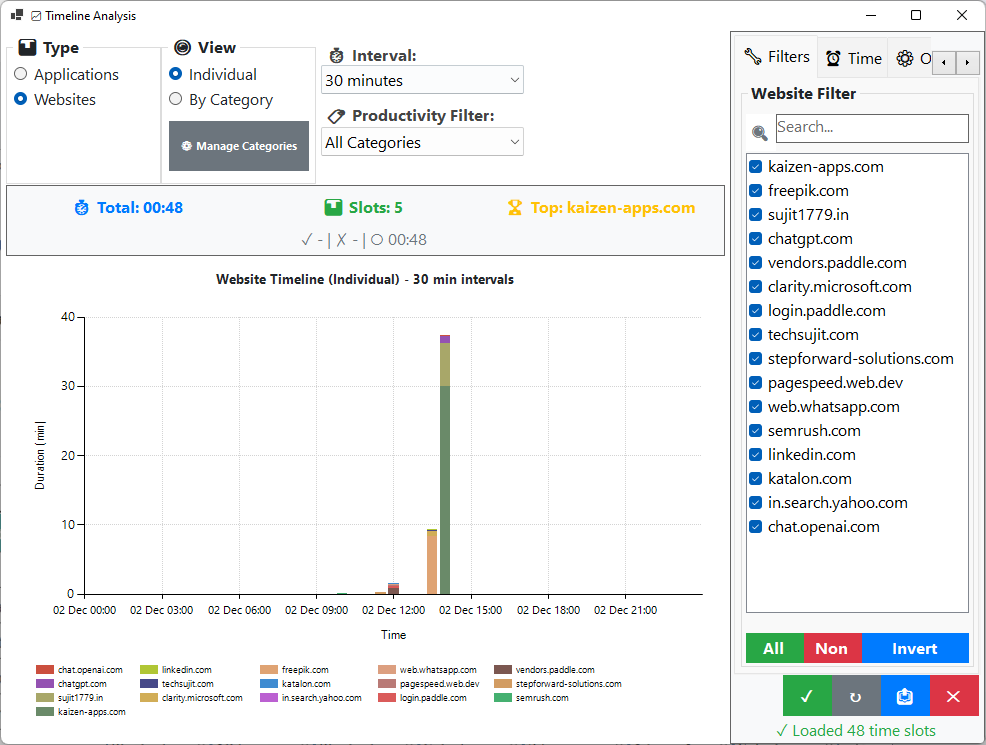
Comprehensive reports with usage summary, screenshots, and activity timeline.
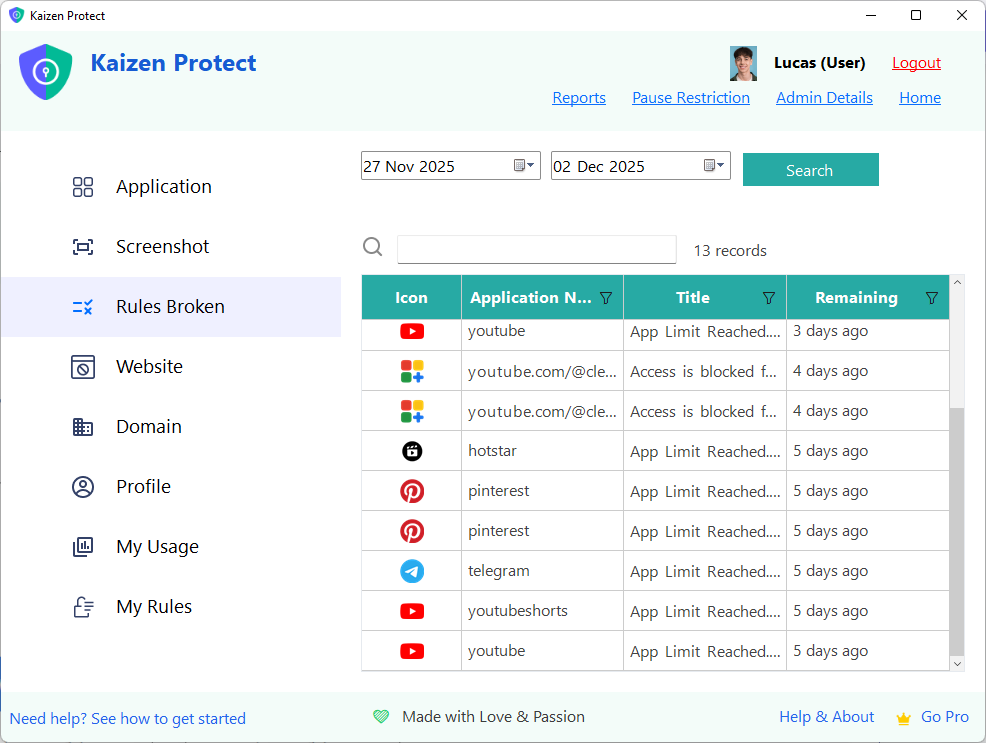
Track and monitor when rules are violated.
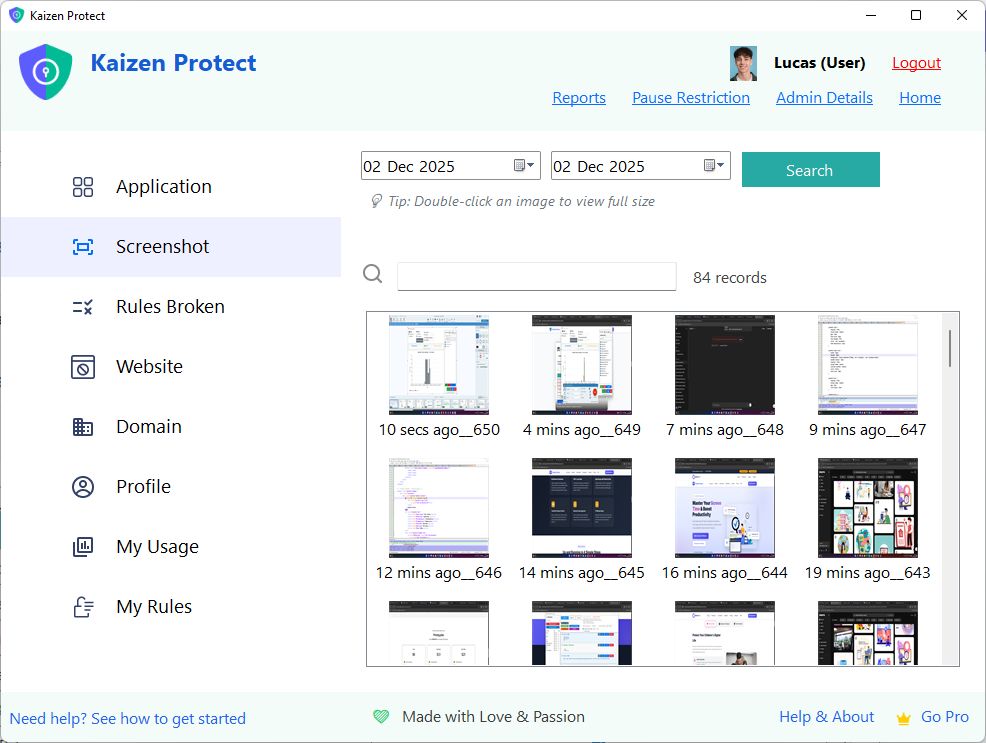
Random screenshot capture for activity verification.
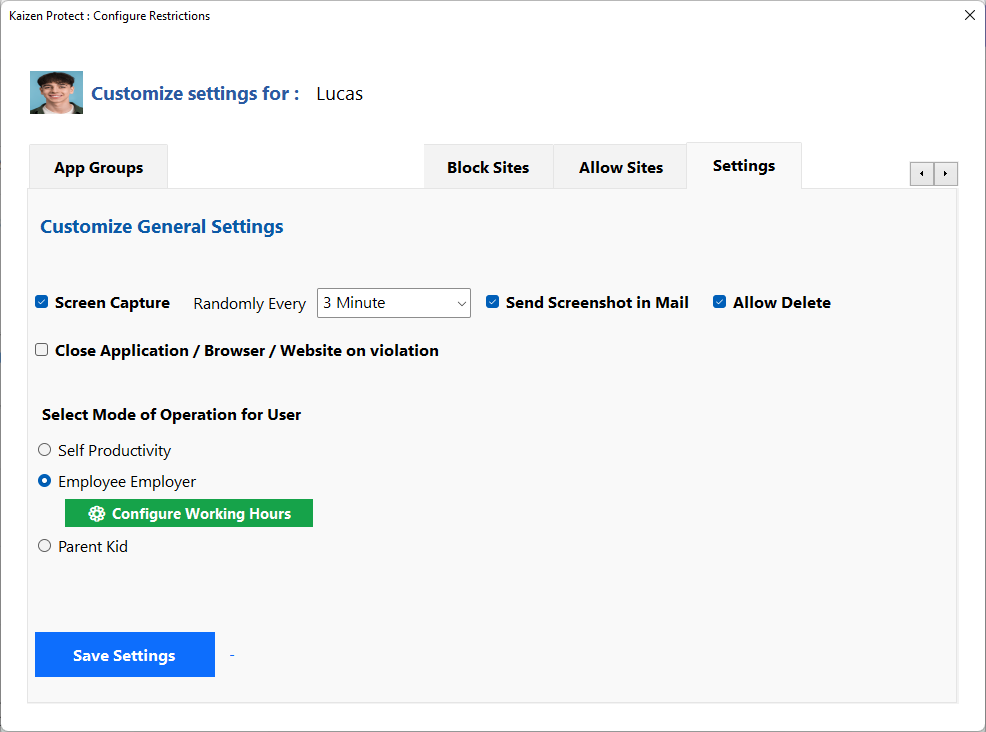
Configure all application settings easily.
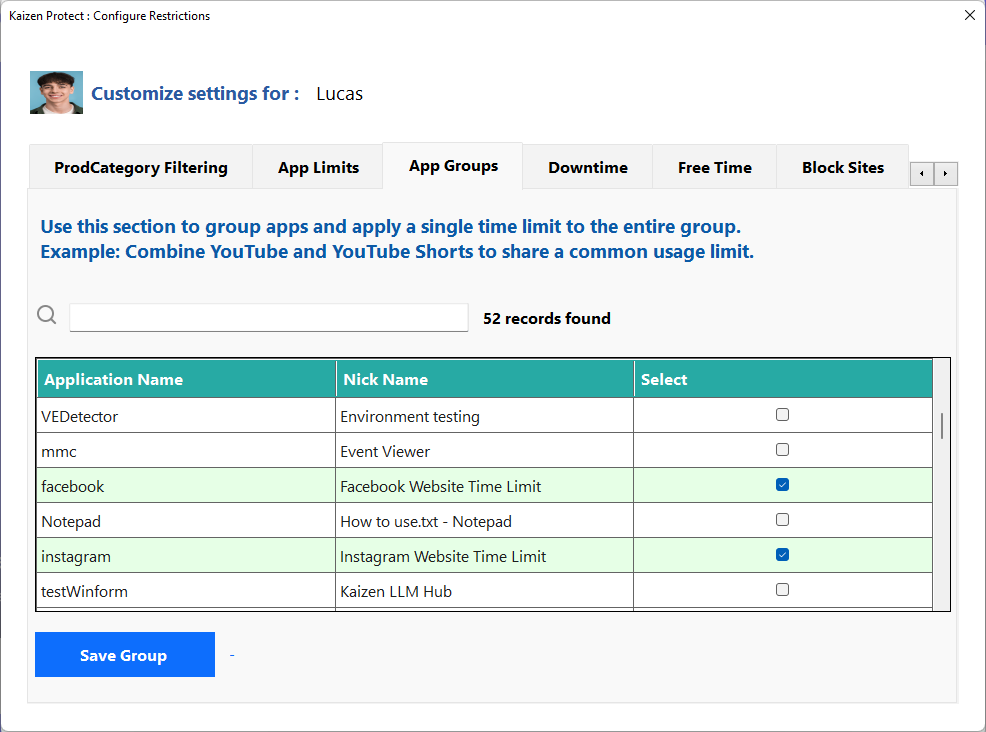
Group multiple apps together with a shared time limit.
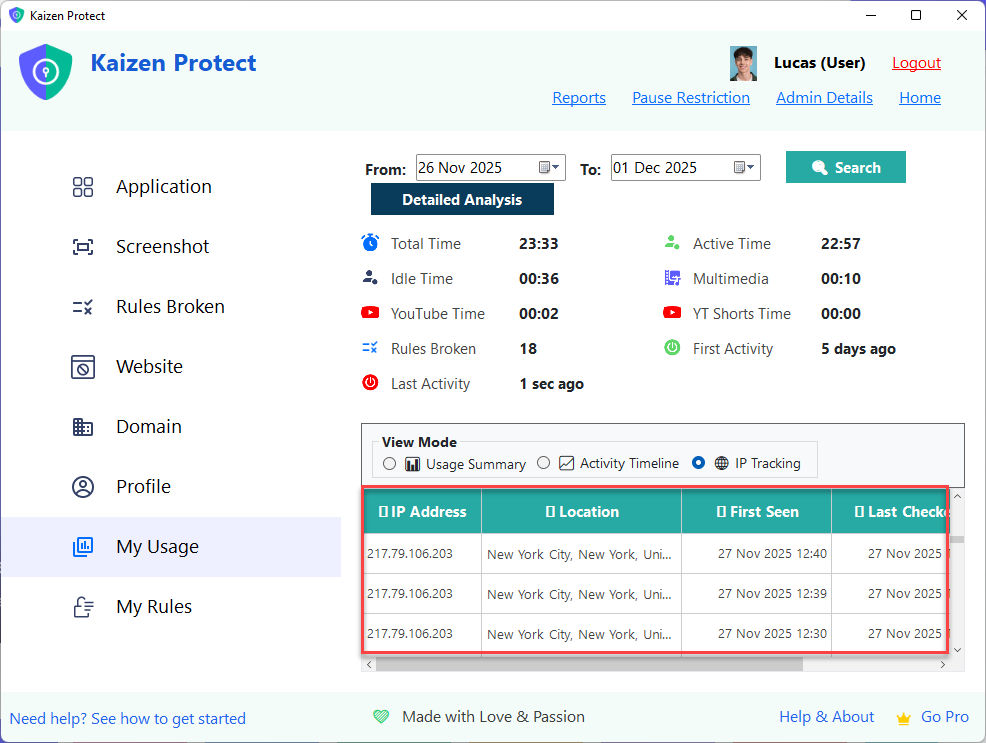
Real-time location tracking with 100m accuracy and complete history.
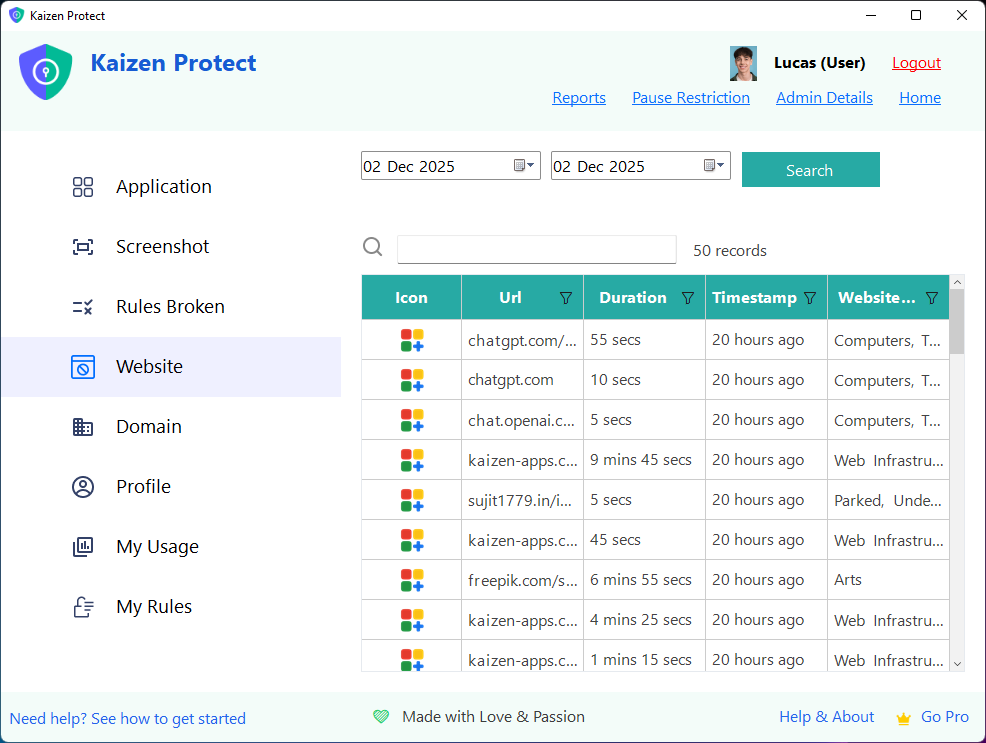
Monitor all websites visited across all browsers.
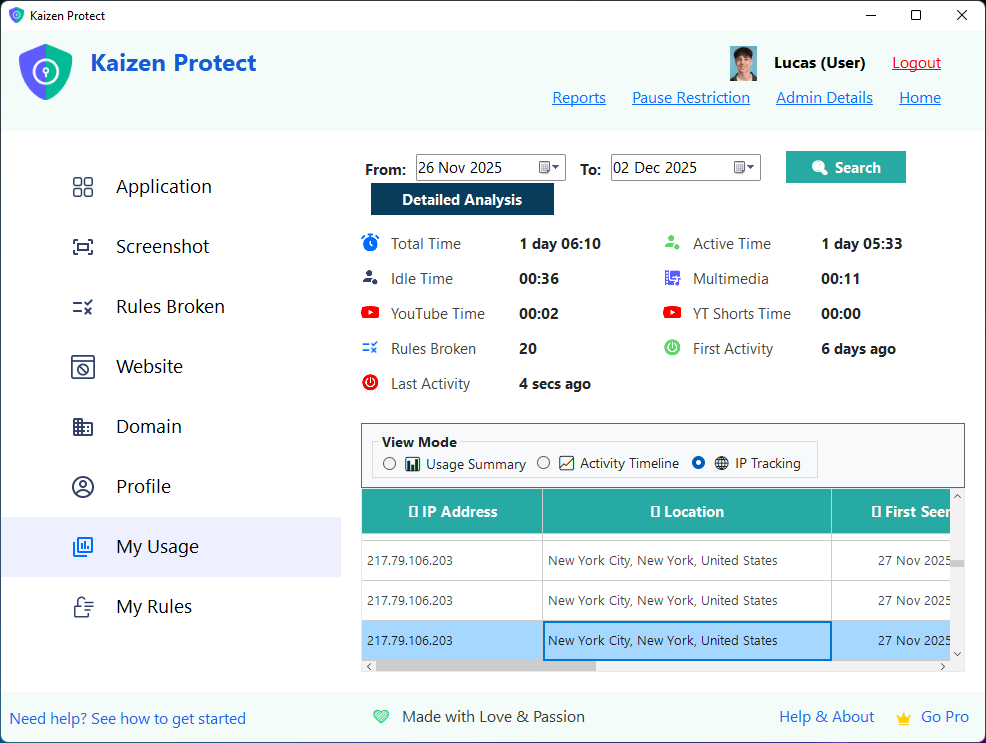
View your personal usage statistics and insights.
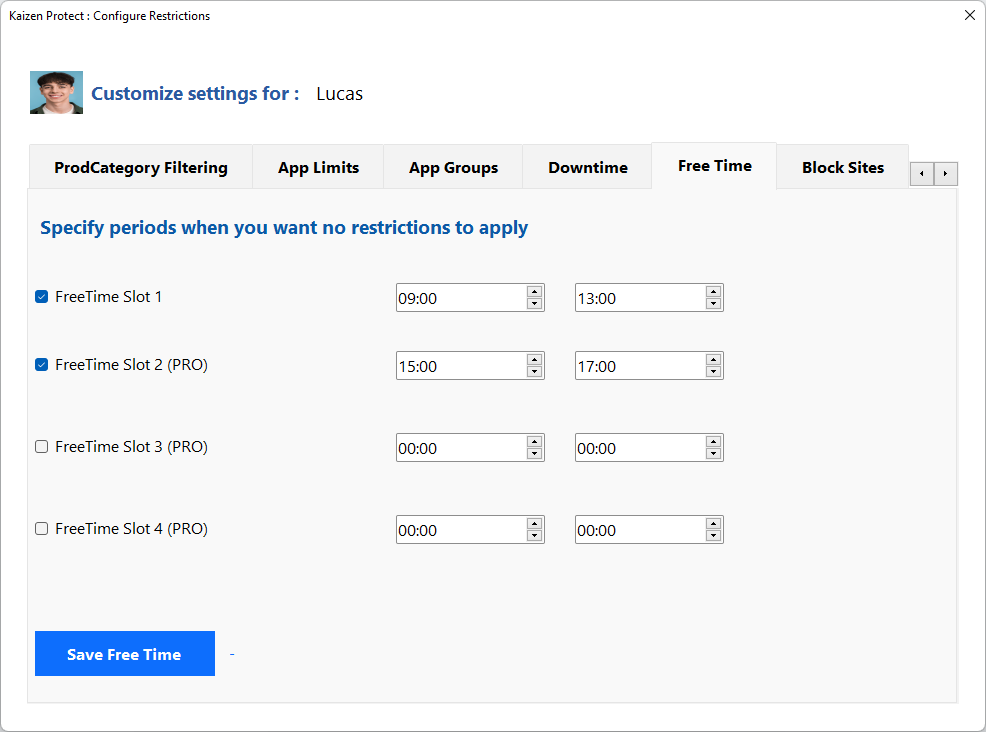
Configure periods when all restrictions are lifted.
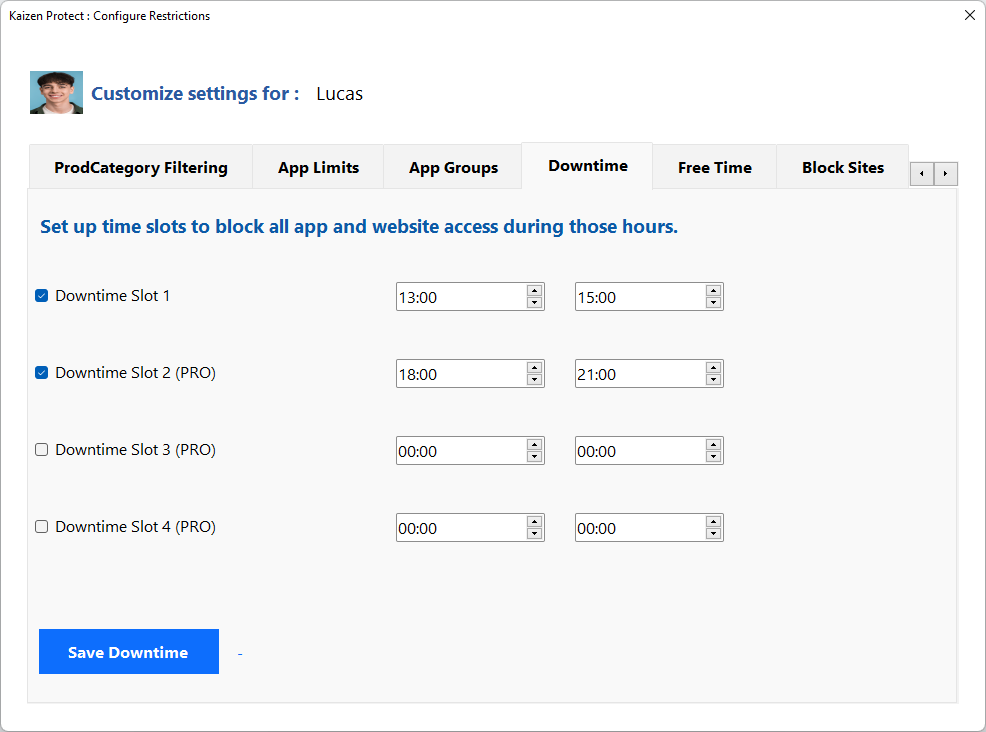
Set periods when PC is blocked completely.
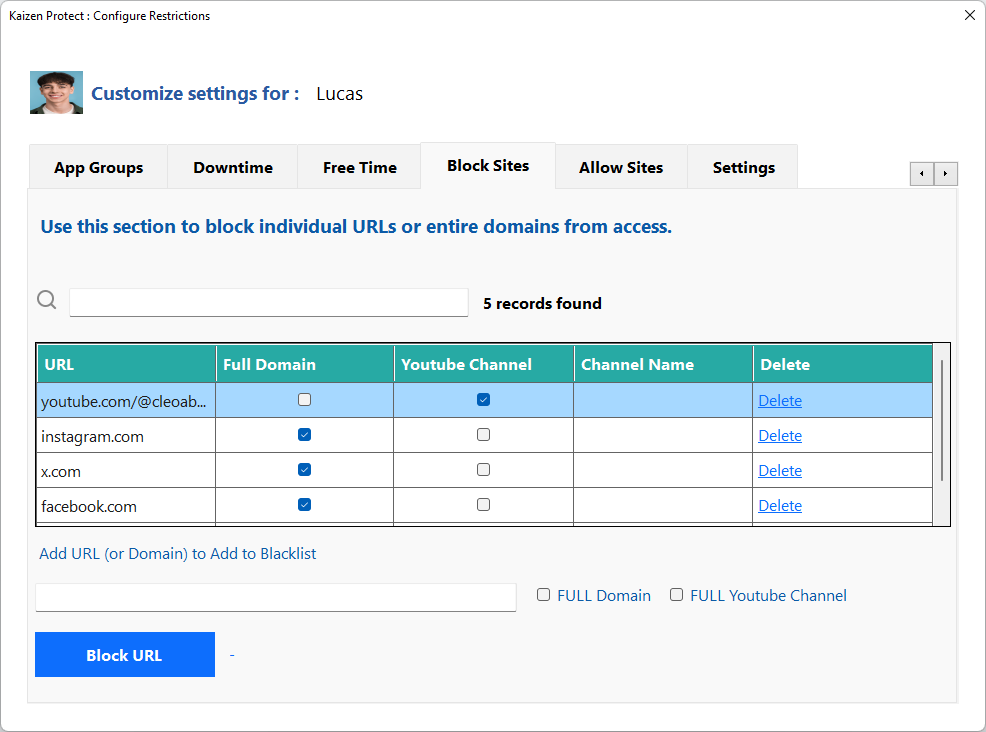
Block specific websites and domains.
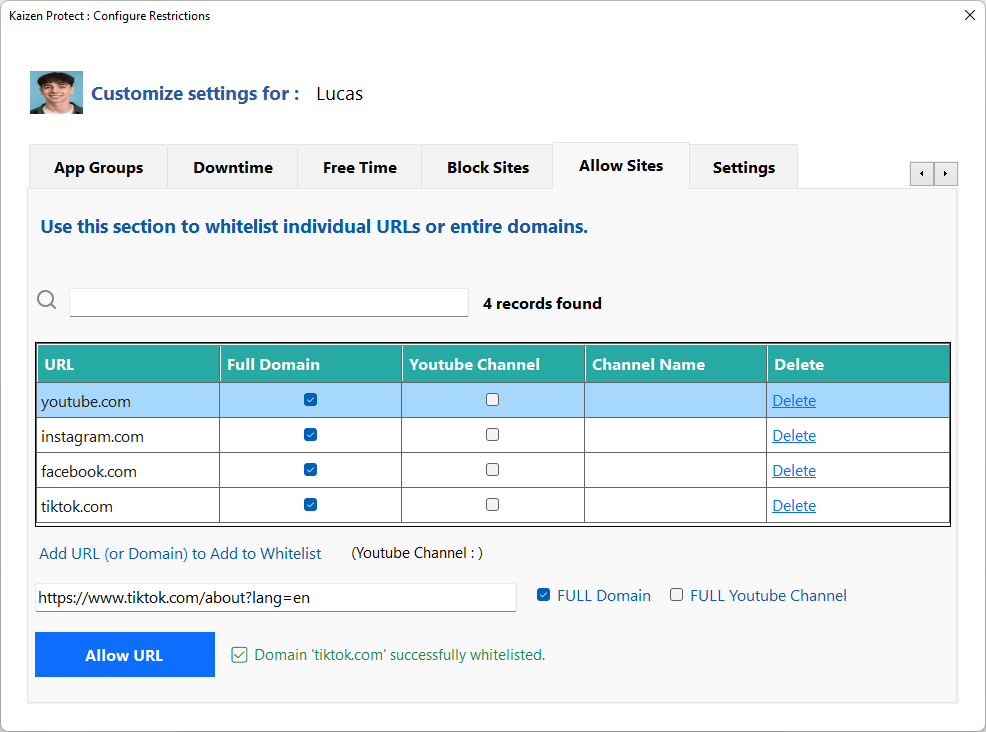
Whitelist specific websites to always allow access.
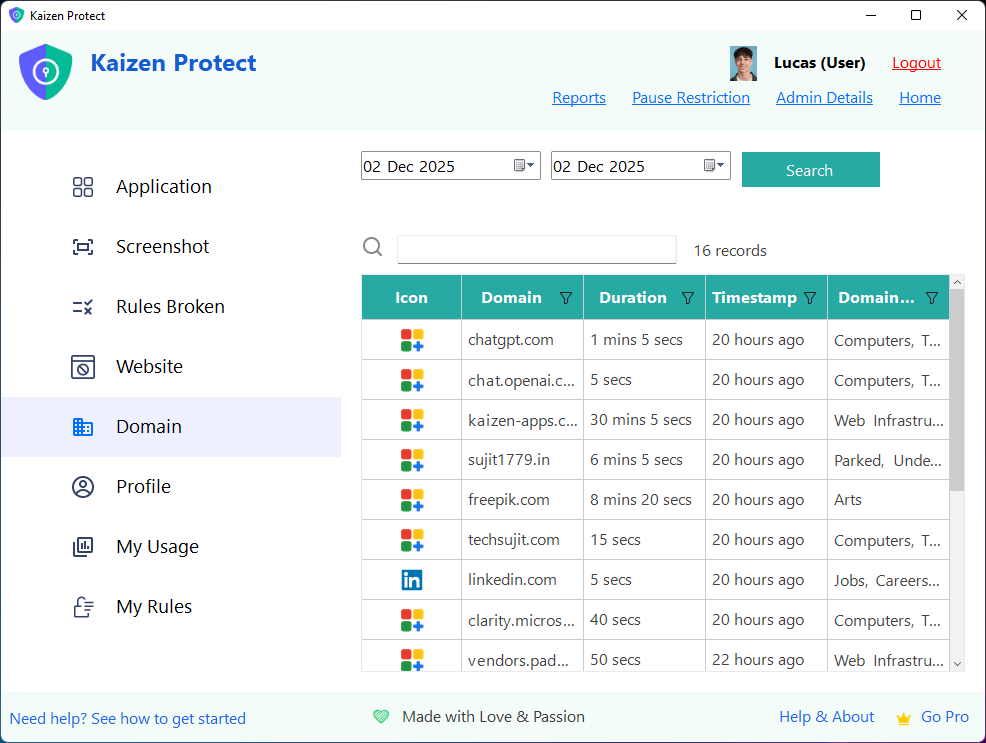
Manage domains for blocking and allowing.
Everything you need to monitor, analyze, and optimize your team's productivity.
Monitor which applications employees use throughout the day with detailed time breakdowns.
Track all websites visited without requiring browser extensions. Works out of the box.
Block access to distracting websites and applications during work hours.
Capture random screenshots at configurable intervals for activity verification.
Set daily, weekly, and monthly hour targets and track if employees meet them.
Real-time location verification accurate to 100 meters using advanced technology.
Block entire categories of websites (47 categories) like social media, gaming, job sites.
Approve or deny employee requests to pause restrictions remotely via email.
See why businesses choose Kaizen Focus over other employee monitoring solutions.
| Feature | Kaizen Focus RECOMMENDED | Hubstaff | Time Doctor | Teramind |
|---|---|---|---|---|
| No Browser Extension Required | ||||
| Accurate Location Tracking (100m) | GPS only | IP based | ||
| YouTube Channel Blocking | ||||
| App Groups (Combined Limits) | ||||
| Remote Pause Approval via Email | ||||
| 47 Website Categories | Limited | Limited | ||
| YouTube Shorts Tracking | ||||
| Multimedia Time Tracking | ||||
| Data Stays Local (Privacy) | ||||
| Setup Time | 10 minutes | 30+ minutes | 30+ minutes | 1+ hour |
| Free Plan Available | 14-day trial | 14-day trial | ||
| Starting Price | $49/year | $7/user/mo | $7/user/mo | $10/user/mo |
Real reviews from businesses using Kaizen Focus for employee monitoring.
We tried 5 different employee monitoring tools before finding Kaizen Focus. The fact that it doesn't need browser extensions is a game-changer. Setup took 10 minutes and we were tracking immediately.
The App Groups feature solved our biggest problem - giving employees break time without them spending 3 hours across different social apps. Now they get 1 hour total across all distractions.
We needed to verify our remote employees were actually working from home. The location tracking is accurate to about 100 meters - way better than IP-based solutions we tried before.
Set clear expectations with daily, weekly, and monthly hour targets. Kaizen Focus automatically tracks active work time and shows whether employees are meeting their goals.
Reports clearly indicate if targets were met, making performance reviews objective and data-driven. Configure working days and expected hours to match your company policy.
Start Tracking Today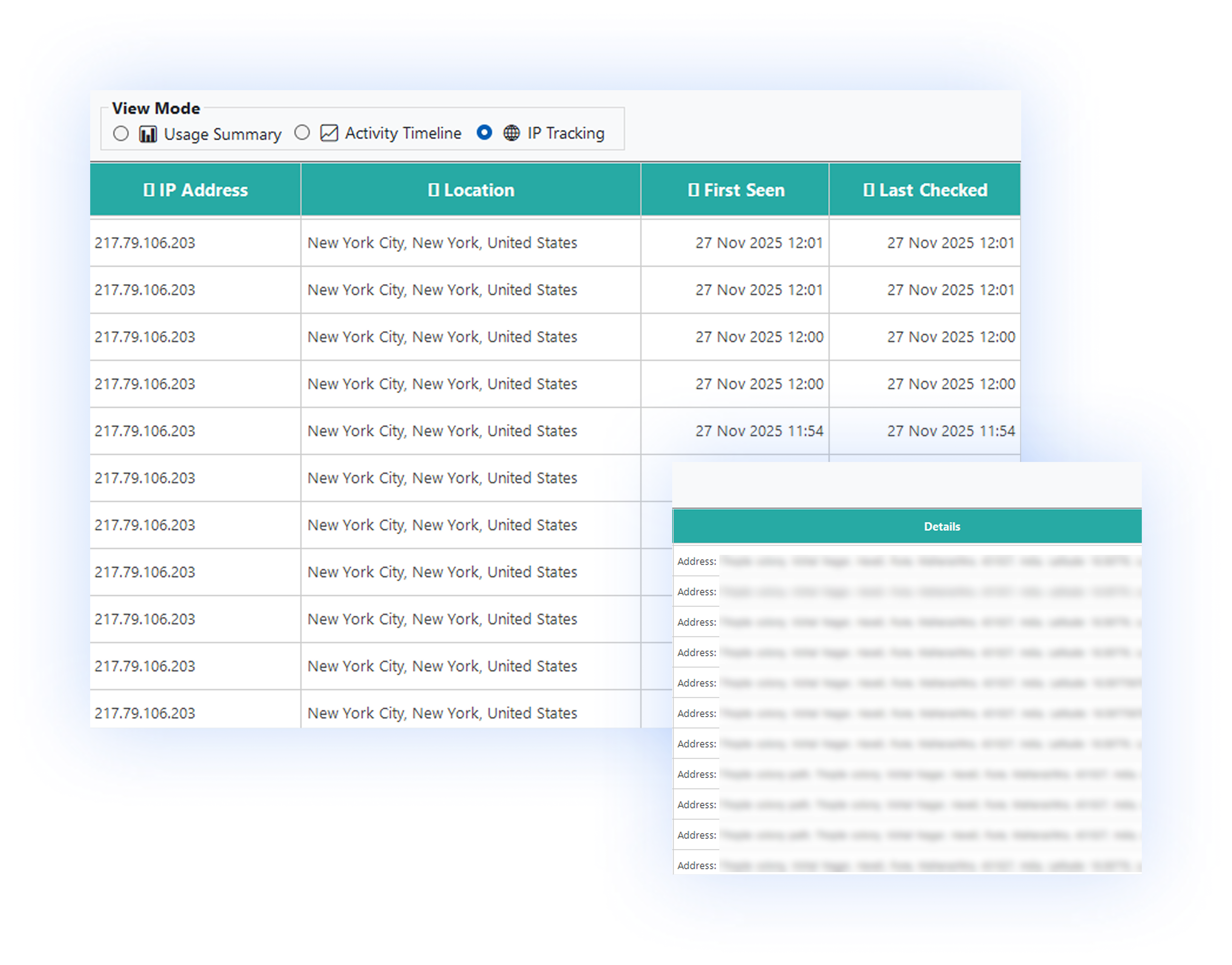
Know exactly where your employees are working from. Our advanced location tracking technology provides accuracy within 100 meters - not just rough IP-based estimates.
Perfect for companies with strict work-from-home policies or those who need to verify employees are working from approved locations.
Stay informed without lifting a finger. Kaizen Focus automatically sends comprehensive reports to managers and administrators on a daily, weekly, or monthly basis.
Each report includes usage details, screenshot collages, activity timelines, and target achievement status. Export to PDF for record-keeping or presentations.
Get Started FreeSent automatically next morning
Weekly summary every Monday
Complete monthly overview
Professional reports on demand
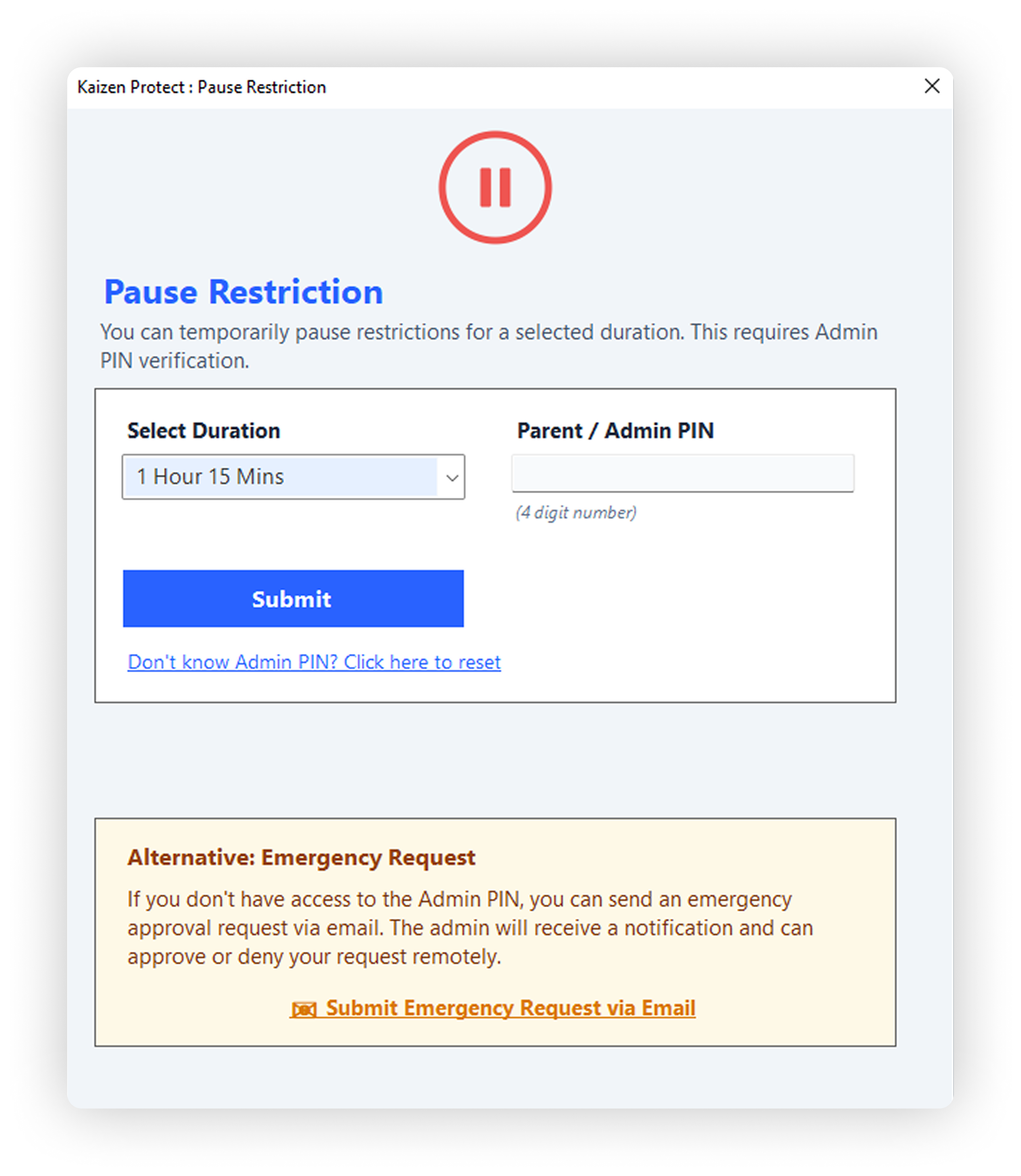
Employees sometimes need temporary access to restricted sites or apps for legitimate work reasons. With Kaizen Focus, they can request a pause, and you can approve or deny it remotely via email.
No need to be physically present or access any dashboard. Simply respond to the email request, and the employee's restrictions are updated in real-time.
Employee clicks "Request Pause" on the lock screen and selects duration.
You receive an email with the request details and approve/deny buttons.
Click approve and the employee's computer is unlocked immediately.
Kaizen Focus adapts to your business needs, whether you're a startup or enterprise.
Ensure remote employees are productive and working from approved locations.
Maintain consistent productivity whether employees work from office or home.
Verify billable hours and ensure contractors are focused on your projects.
Start free and upgrade when you need more power. Every new user gets 7 days of PRO free!
For small teams getting started with employee monitoring.
Full power for growing businesses and teams. Best value!
Pay once, use forever. No recurring fees.
All plans include 7-day PRO trial • No credit card required • Setup in under 10 minutes
Common questions about employee monitoring with Kaizen Focus.
Yes, employee monitoring is legal in most jurisdictions when employees are informed. We recommend being transparent with your team about the monitoring and including it in your employment policies. Kaizen Focus is designed to be a productivity tool, not a surveillance tool.
Yes, in Employee-Employer mode, employees can request to pause tracking. However, this requires admin approval which can be done remotely via email in the PRO version. This provides flexibility while maintaining accountability.
Our location tracking uses the same technology as Microsoft and is accurate to within 100 meters in most cases. Unlike IP-based location which can be off by miles, we provide real physical location tracking that's reliable for verifying work-from-home or designated work locations.
No! Kaizen Focus works completely without any browser extensions. Unlike other tools that require you to install extensions for each browser (which can be easily disabled), our application tracks all browsers automatically right out of the box.
Reports include: application usage details, website browsing history, screenshot collages, activity timeline (24-hour view), work hour target achievement status, location history, and rules broken alerts. Reports can be sent daily, weekly, or monthly and exported to PDF.
The restrictions are enforced at the system level and only the admin can unlock the screen when rules are broken. Employees cannot uninstall or disable the application without admin password. They can request a pause which requires admin approval.
No, your data stays completely local on your machine. Unlike other monitoring tools that send your data to their servers (raising privacy concerns), Kaizen Focus keeps everything on your computer. Your data is yours.
App Groups is a unique feature that lets you combine multiple applications into one group with a shared time limit. For example, you can group YouTube, Instagram, TikTok, and games together and set a combined 1-hour limit. This prevents employees from using all their allowed time on multiple distracting apps.
Download Kaizen Focus today and start tracking employee productivity, ensuring accountability, and verifying remote work compliance.